
Memory
Teach Nativean about your business
 Elin Kristina AnderssonFounding GTM0:37Recorded 18 de noviembre de 2026

Nativean writes your posts from what it knows about your business: what you do, what you offer and who works with you. When something changes, tell your assistant, and it saves it to Memory for you.
In this video
Step by step
Step 1: Tell your assistant
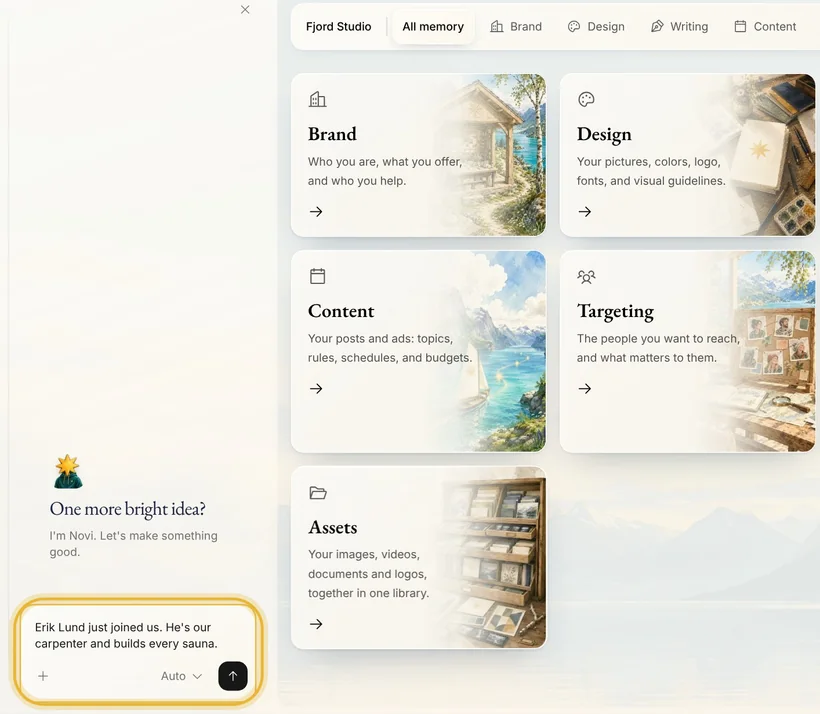
In the chat beside the page, say what's new in your own words, like “Erik Lund just joined us. He's our carpenter and builds every sauna.”
Step 2: It saves it
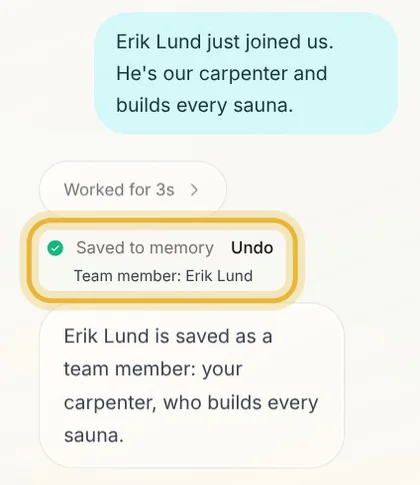
Your assistant saves Erik as a team member. Saved to memory, in the chat, shows what it kept, with Undo if you change your mind.
Step 3: Check it in Memory
In Memory, open Brand, then About you & your business. Each card is one detail, sorted by kind, and Erik's card is under Team members.
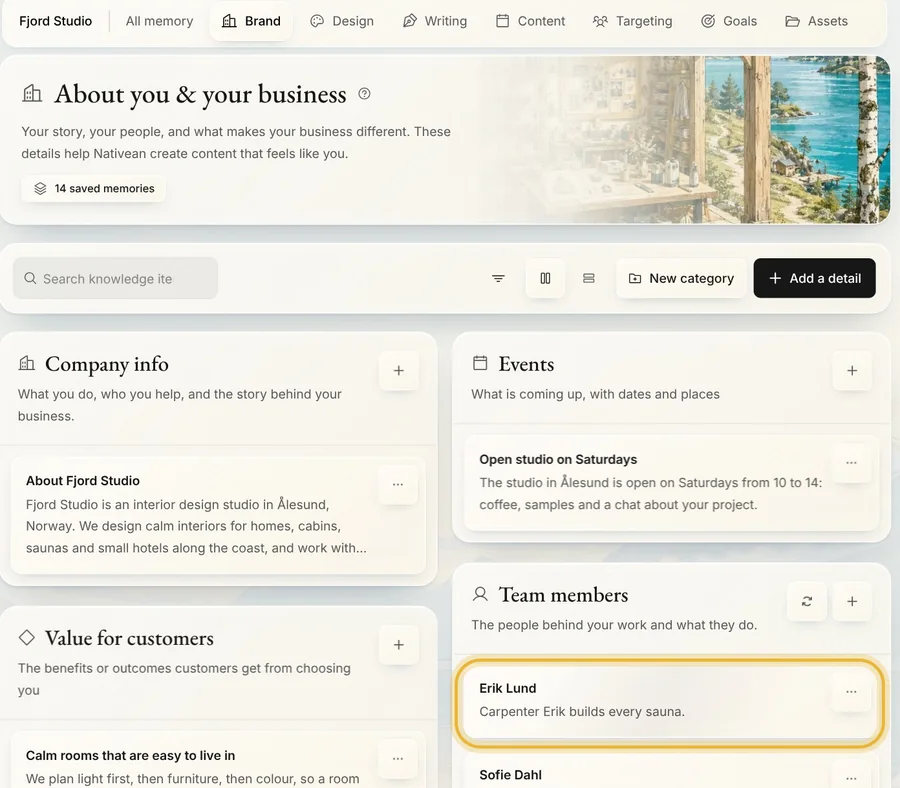
Tip: To change a detail, press the three dots on its card and choose Edit.
Step 4: Add a detail yourself
Press Add a detail. Pick a type, give it a short title, write what Nativean should know, and press Create item.
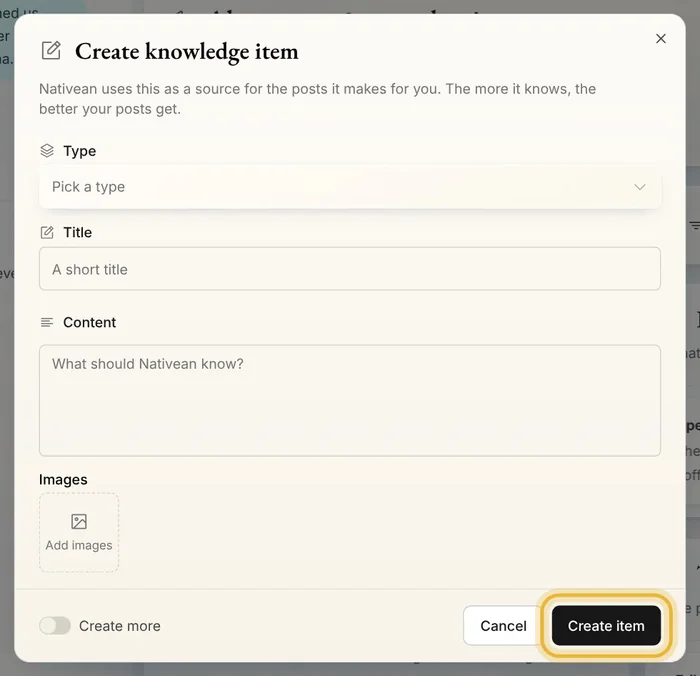
Tip: A sentence or two is enough. Write it the way you would tell a new colleague.
Step 5: Disable what is out of date
Press the three dots on its card and choose Disable. Nativean stops using it until you enable it again.
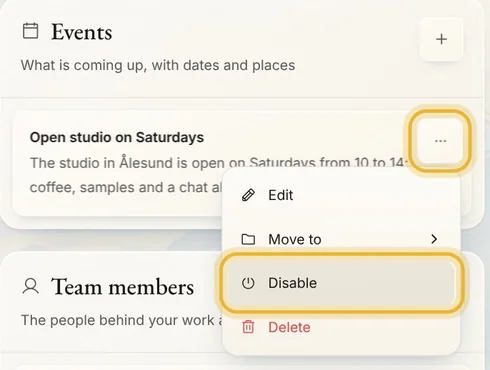
Tip: Disabled details are hidden. Open Filter and turn on Show disabled items to find them, then choose Enable in the card's menu.
Tips from Elin
- Disable what might come back, like a seasonal offer. Delete only what is wrong.
- For a company, Brand personality and Products & services sit next to About you & your business, under Brand.
- How your posts sound has a page of its own: Writing, in Memory.
Try it in Native
New to Native? Start with your website, and see your first posts today.