Tokens and suggestions
Tokens and suggestions, explained
 Michael Ishoel OlsenFounding engineer0:41Recorded 2026年10月29日

Native counts two things. Tokens pay for AI work you ask for, like a message in Create's chat, a post from Create's box or a picture. Suggestions are for your deck: each card you approve, save or pass on uses one. Your plan gives you both every month, and everyone in your workspace shares them.
In this video
Step by step
Step 1: Tokens pay for AI work
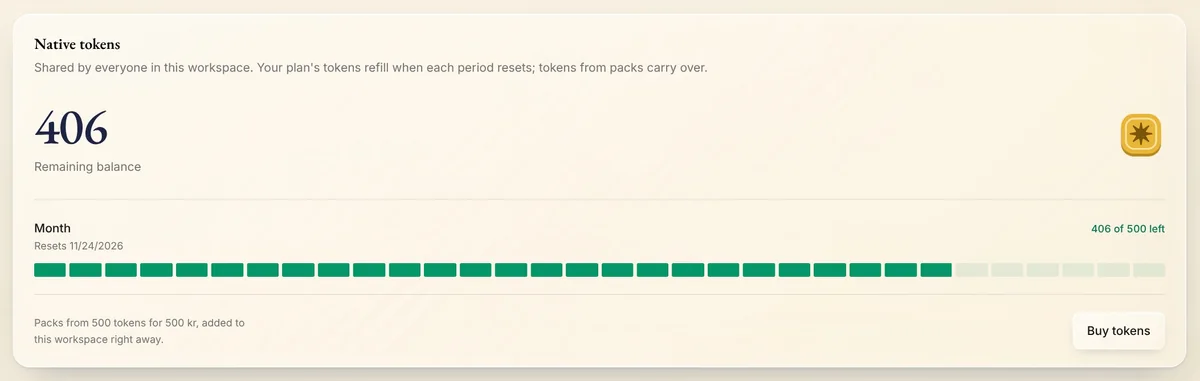
Open Settings from your menu. On the overview, Tokens left shows how many tokens your workspace has left, packs included. A message in Create's chat, a post from Create's box or a picture uses some.

Step 2: Suggestions are for your deck
Suggestions left shows how many more cards you can decide on this month. Each card you approve, save or pass on in Suggestions uses one. They don't cost tokens.

Step 3: Shared, every month
Your plan gives you both every month. They belong to the workspace, not to one person or one brand: everyone in it, on every brand, uses the same tokens and suggestions.
Tip: Each brand past the ones your plan includes adds tokens and suggestions to the workspace every month.
Step 4: See when they refill
Each one shows the day it refills: the same day every month, the day your plan started. What's left of the month's doesn't carry over to the next.
Step 5: See more
Press Tokens left to see your remaining balance and this month's tokens, or Suggestions left to see this month's suggestions and the packs.
Tips from Michael
- Most buttons that use tokens show the price before you click.
- Running low? Native tells you, and a workspace owner or admin can add a token pack.
- Token packs and suggestion packs never expire. Native uses the month's first.
- On an Enterprise plan, Tokens left shows No limit.