1
It knows your brand before it writes
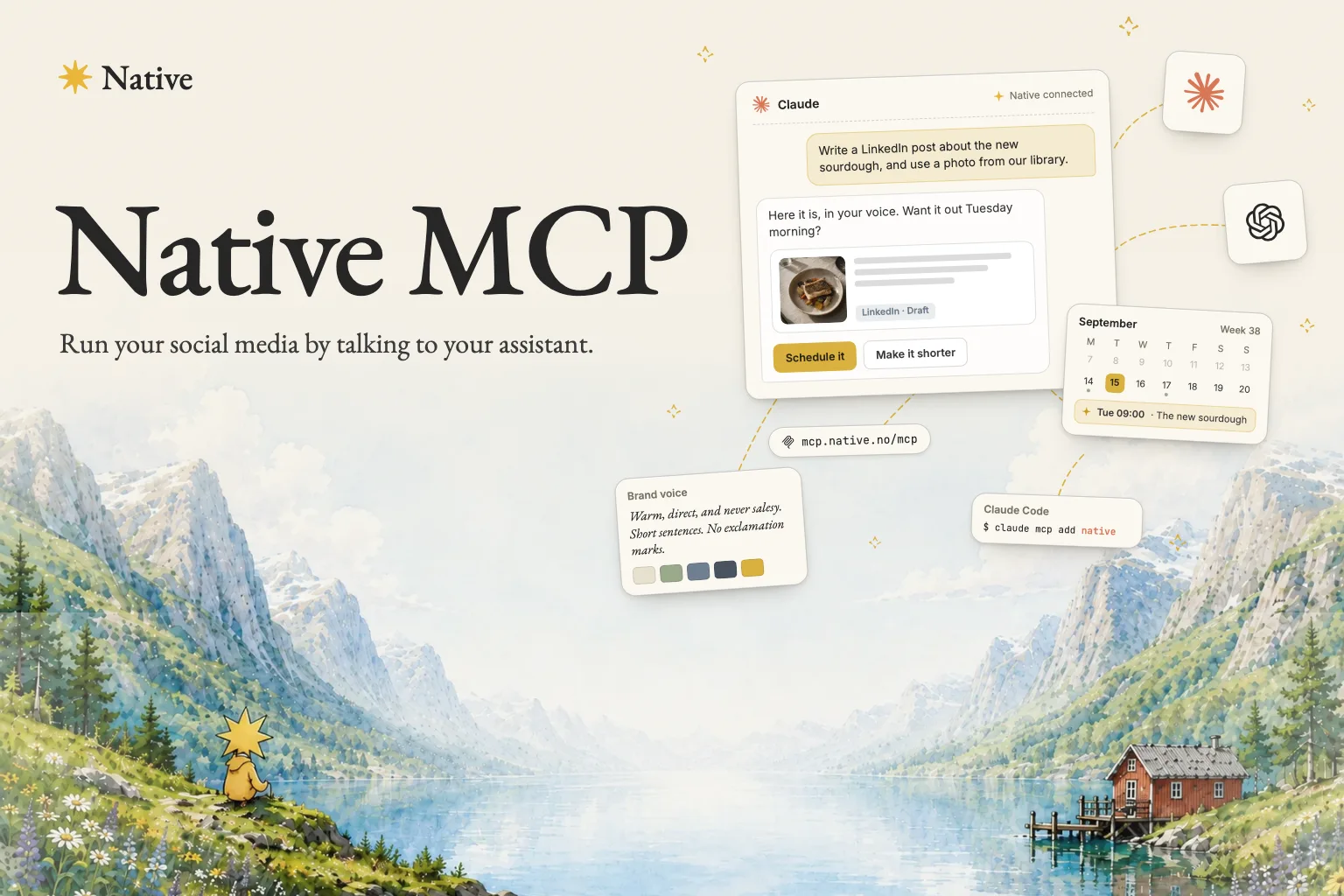
Your tone, your products, your own photos. The assistant works from what Native already knows about you, so you get your voice instead of a stranger guessing at it.
Assistentes de IA
Add one address to Claude or ChatGPT, and the assistant you already use can work inside Native: read your brand, write posts and schedule them.
Your tone, your products, your own photos. The assistant works from what Native already knows about you, so you get your voice instead of a stranger guessing at it.
Native sends back a real calendar and a real post preview, rendered right there in the chat. You look at the actual thing before you agree to it.
Paste one link into your assistant and sign in. There is no key to generate, store or leak, and nothing to install.
Real actions in your account, not suggestions for you to carry out afterwards.
Tone, language, the way you write. Everything Native has learned about how your brand sounds.





Find shots by what is in them. Your library is already sorted by subject and content.



Names, descriptions, prices and product photos, so a post uses the real one at the real price.
From a sentence, a product or a picture, built for each platform you publish to.
Shorter, warmer, less salesy. Ask and it writes the caption again.




New images in your brand style, saved to your library and attached to the post.
Schedule a post to go out when you want it, and pull it back off the schedule just as easily.
What is planned, what went out, and the link to the post once it is live.
No syntax to learn. You talk, and the work happens in Native.
One address, added once. It takes about a minute.
Settings, then Connectors, then Add custom connector. Name it Native and paste this address:
url
https://mcp.native.no/mcp
Add a new MCP server and paste the same address:
url
https://mcp.native.no/mcp
One line in your terminal:
bash
claude mcp add --transport http native https://mcp.native.no/mcp
Codex needs Native's client ID as well as the address. Three steps, about two minutes.
Open ~/.codex/config.toml, or create it if it is not there. Put this line at the very top, above any line in square brackets such as [mcp_servers]. If the file already has a line starting with mcp_oauth_callback_port, replace it with this one, since two of them make the file unreadable. A line below a bracketed heading belongs to that section, and Codex will not find it there.
toml
mcp_oauth_callback_port = 17871
Run the command below. It opens the Native login in your browser. Sign in and approve.
bash
codex mcp add native --url https://mcp.native.no/mcp --oauth-client-id tpc_4UgMN5UDhXUgkwQkYx3gMh
Start a new Codex session. Native's tools should be listed.
The Codex CLI, the Codex IDE extension and the Codex desktop app all read ~/.codex/config.toml, so this one setup covers all three. These steps are for Codex only: the client ID works with Codex's sign-in and nothing else.
Already added Native to Codex without a client ID? Run codex mcp remove native first, then step 2.
codex mcp remove native and redo step 2.codex mcp login native.codex mcp login native.codex mcp login native.codex mcp logout native, then codex mcp login native.You stay in charge
You sign in with the Native account you already have, so the assistant reaches exactly what you reach and nothing else. Before it changes anything, it asks you to confirm.
An open standard that lets an AI assistant use real tools instead of only talking. Think of it as a socket. Native exposes one, your assistant plugs in, and now it can do the work in your account rather than tell you how to do it yourself.
O Native liga-se às ferramentas que já usa.
Indique o seu site e veja publicações reais para a sua própria marca, antes de o café arrefecer.
ou Ver preços
Deixe de criar conteúdo sozinho. A Native faz o trabalho por si, a toda a hora.