
Tokens and suggestions
How suggestions work
 Michael Ishoel OlsenFounding engineer0:39Recorded 22 de novembro de 2026

Your deck runs on suggestions. Each card you approve, save or pass on uses one, and they don't cost tokens. Your plan gives you a number each month, shared by your whole workspace.
In this video
Step by step
Step 1: Ask your assistant
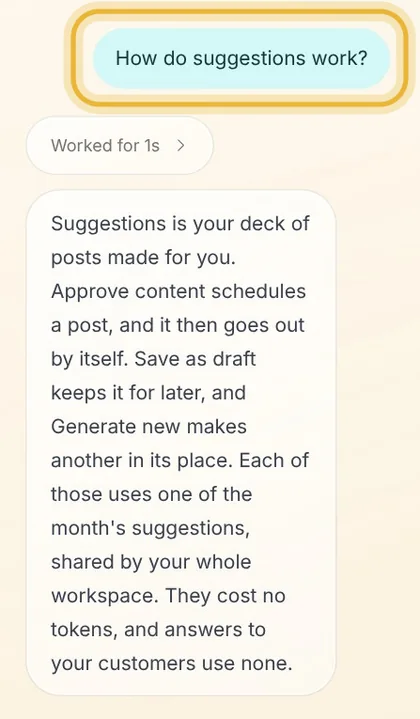
Ask your assistant, like “How do suggestions work?”. It explains each button on your deck: Approve content schedules a post, and it then goes out by itself; Save as draft keeps it for later; Generate new makes another in its place.
Step 2: Each decision uses one
Approve a card, save it as a draft or pass on it, and it uses one suggestion. Answers to your customers don't use any.
Tip: Approved or saved one by mistake? Ask your assistant to undo it, or press Undo on the card. The suggestion comes back if the post hasn't gone out yet and the month hasn't reset.
Step 3: Your month's suggestions
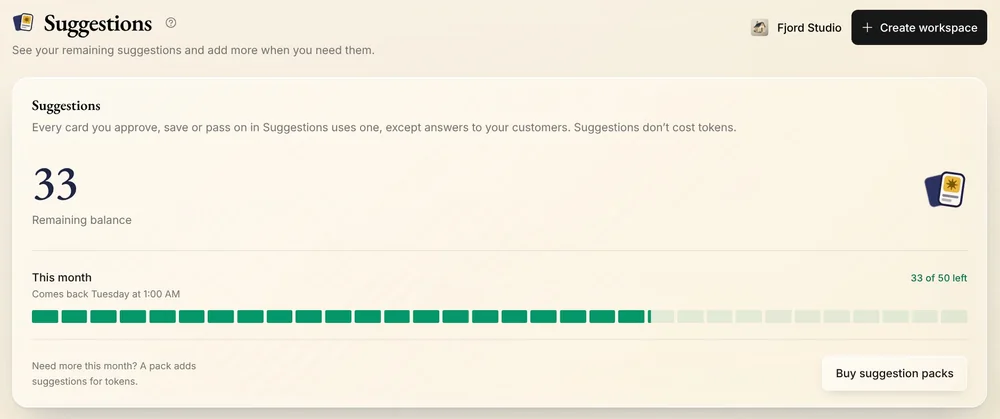
Open your menu: the suggestions left sit above your tokens. Press them to open Suggestions in Settings, with how many are left this month and the day they come back. Everyone in the workspace, on every brand, uses the same ones.
Step 4: When they're used up
When they're used up, the deck says so and shows the day your plan's suggestions come back.

Step 5: Open a pack
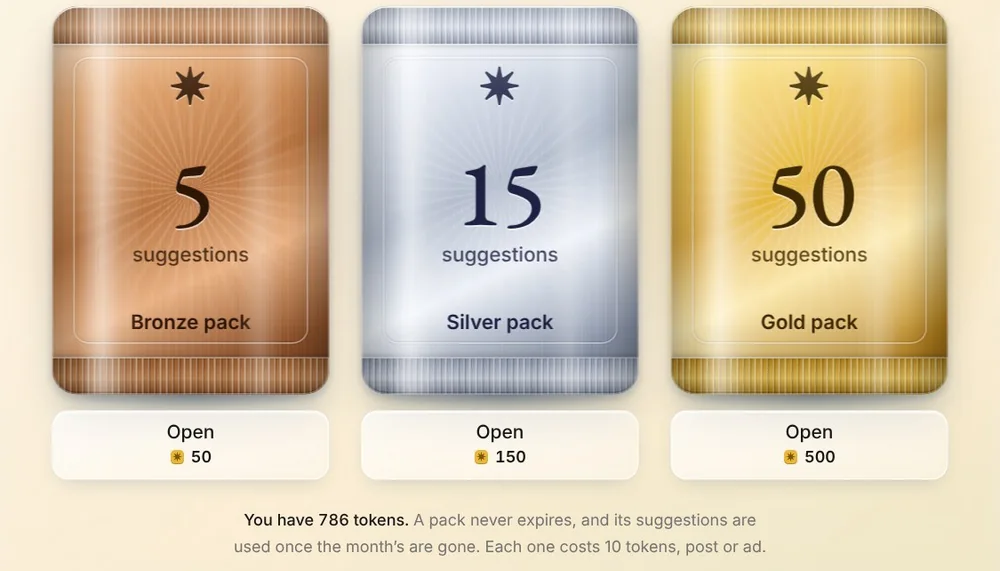
Can't wait? Open a pack: Bronze, Silver or Gold, paid with tokens. Pack suggestions never expire, and Nativean uses them after the month's.
Tips from Michael
- Changing a card with the pencil doesn't use a suggestion.
- Posts you make yourself in Create don't use suggestions. Deck decisions do, and so do the posts and ads Autopilot makes.
- Each brand past the ones your plan includes adds suggestions every month.
Try it in Native
New to Native? Start with your website, and see your first posts today.