
Ad problems
Add a beneficiary and payer for EU ads
 Trond HaugåCOO & Co-founder0:39Recorded 20 de novembro de 2026

Every Meta ad people see in the EU shows who it's for and who paid for it. Nativean usually fills both in for you. If they're still missing, Meta refuses the ad, and your assistant can open the page where you add them.
In this video
Step by step
Step 1: Ask your assistant
Open your ad, and in the chat beside it ask, like “Put this ad live on Meta.” The card shows where it goes and what it may spend. Press Approve.
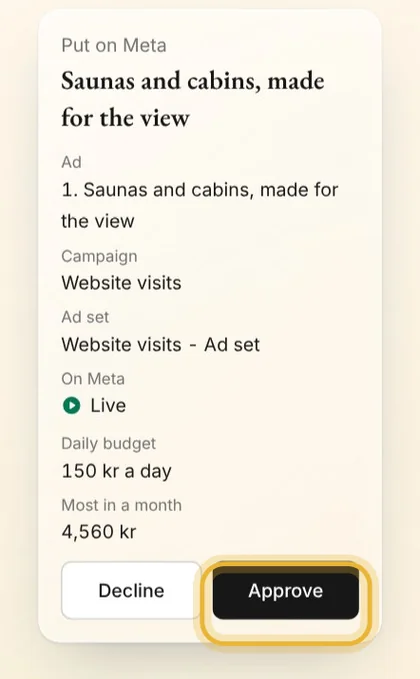
Step 2: It can open Ad settings
When Meta refuses the ad for its EU names, your assistant says what's missing and where to add it. Ask it to open Ad settings, and it does. Ads in the EU is further down the page.
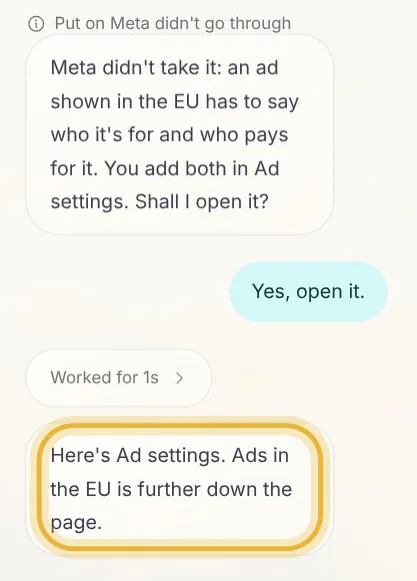
Step 3: Beneficiary and payer
Beneficiary is the person or business the ads are for. Payer is the person or business that pays for them. If your business does both, use its name, like Fjord Studio AS, in both.
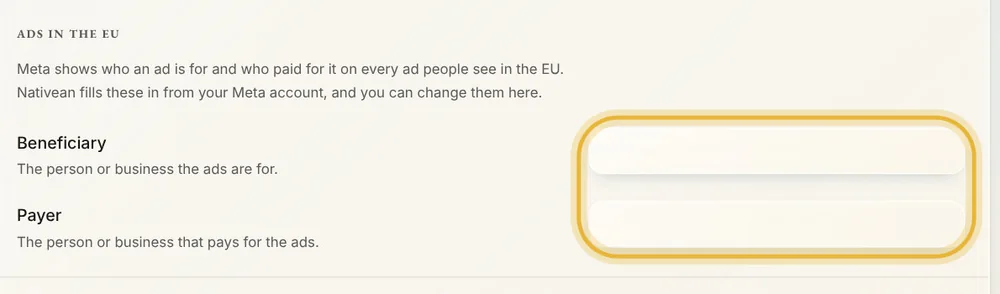
Step 4: Save names
Type both names, then press Save names. Nativean saves them on your Meta ad account, and uses them for new ads it puts there. Then ask your assistant to put your ad live again.
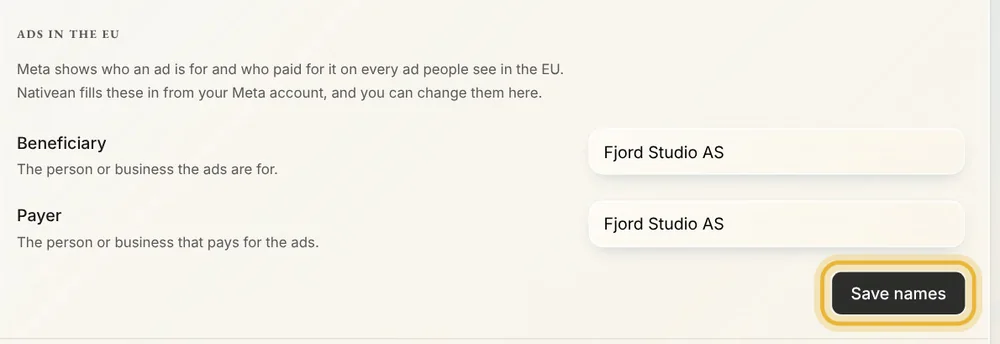
Try it in Native
New to Native? Start with your website, and see your first posts today.