
Ad problems
Link Instagram to the Page your ads run as
 Trond HaugåCOO & Co-founder0:38Recorded 20 de novembro de 2026

Meta accepts the Instagram account on your ad only when it is linked to the Facebook Page your ads run as. If it isn't, Meta refuses the ad, and your assistant tells you why.
In this video
Step by step
Step 1: Ask your assistant
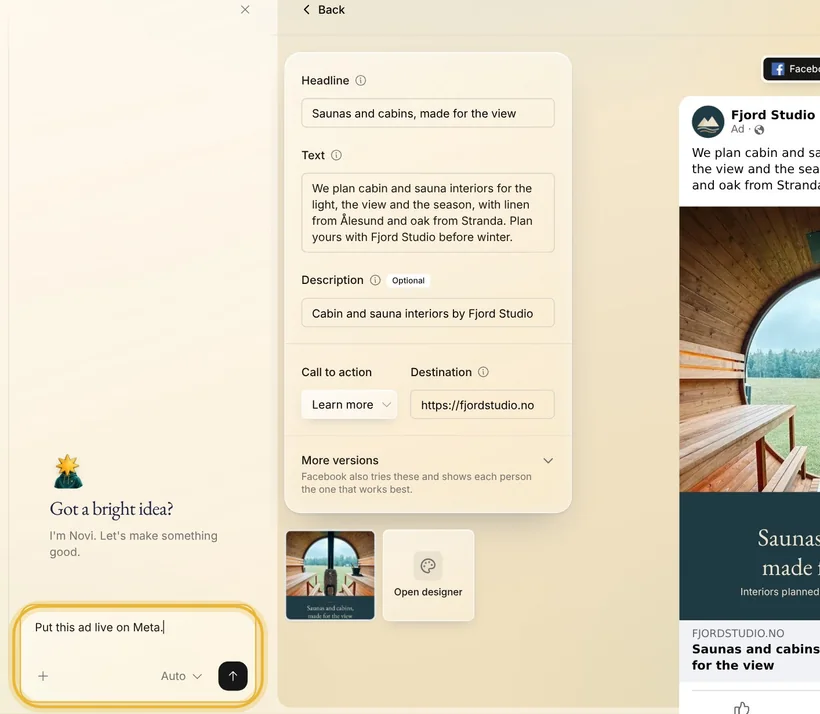
Open your ad, and in the chat beside it ask, like “Put this ad live on Meta.” The card shows where it goes and what it may spend. Press Approve.
Step 2: It says why
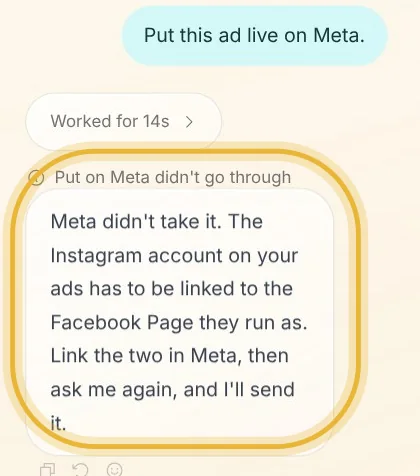
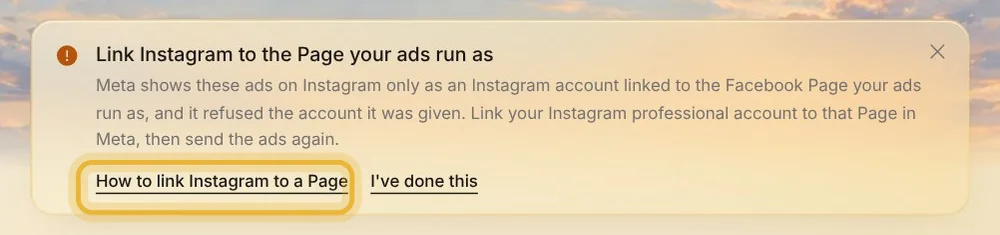
When Meta refuses the Instagram account, your assistant says so: Meta takes an Instagram account for your ads only when it's linked to the Facebook Page they run as. Nativean says it at the top of Creations too, with How to link Instagram to a Page.
Step 3: Link it on the Page
On Facebook, switch to your Page, open Settings & privacy, then Settings. Under Permissions, open Linked accounts, choose Instagram, and press Connect account. Log in to the Instagram account you're linking.
Tip: It has to be an Instagram professional account, business or creator. Meta asks a personal account to switch when you link it.
Step 4: Ask again
Back in Nativean, ask your assistant to put your ad live again. When Meta takes it, your ad's page says Facebook is checking your ad.
Try it in Native
New to Native? Start with your website, and see your first posts today.