
Tokens and suggestions
What's free, and what costs tokens
 Michael Ishoel OlsenFounding engineer0:42Recorded 22 de novembro de 2026

A lot of Nativean is free. Talking with your assistant costs nothing, and neither does a post it makes for you in the chat, making a post, an ad or a design step by step, or Memory's chat. When something does cost tokens, most buttons show the price before you click.
In this video
Step by step
Step 1: Ask your assistant
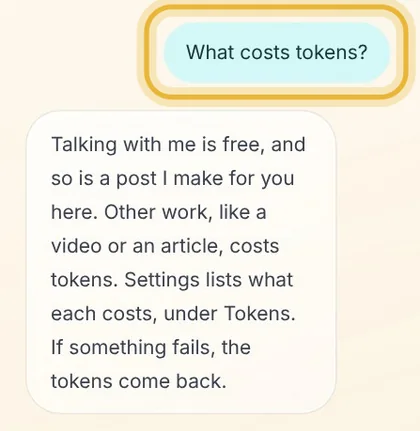
Ask your assistant, like “What costs tokens?”. Talking with it is free, and so is a post it makes for you in the chat. Other work, like a video or an article, costs tokens.
Step 2: What things cost
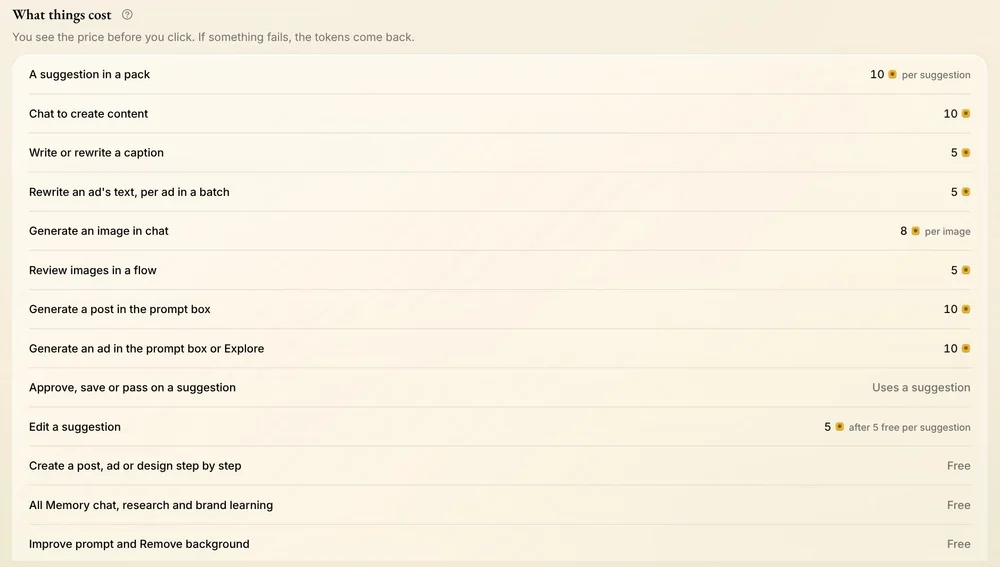
Open Settings from your menu and press Tokens in its list. Under Advanced, What things cost shows what common things cost in tokens, and what's free: making a post, an ad or a design step by step, Memory's chat, research and learning about your brand, Improve prompt and Remove background.
Step 3: Prices on the buttons
When something costs tokens, most buttons show the price before you click, so you know what you spend before you spend it.
Step 4: Where your tokens went
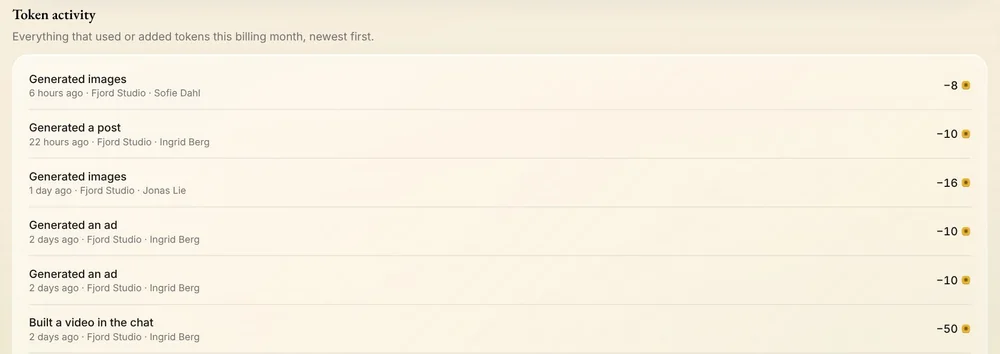
Token activity, below What things cost, shows everything that used or added tokens this billing month, newest first.
Step 5: Failed work gives tokens back
If something fails and you get nothing from it, the tokens come back. Token activity shows them as given back.
Tips from Michael
- The first five changes to each post or ad card in your deck are free. After that, each shows its price.
- Rewrite in the caption box and Fix caption with AI are free.
- Tokens belong to the whole workspace, so a teammate's work uses them too.
- Chat to create content, in that list, isn't your assistant's chat. Talking with your assistant stays free.
Try it in Native
New to Native? Start with your website, and see your first posts today.