
Create
Edit a post and its caption
 Elin Kristina AnderssonFounding GTM0:33Recorded 18 de noviembre de 2026

A draft opens in the editor, with the chat beside it. Each channel has its own tab and its own words, the preview shows the post the way that channel does, and Schedule sends it on its way.
In this video
Step by step
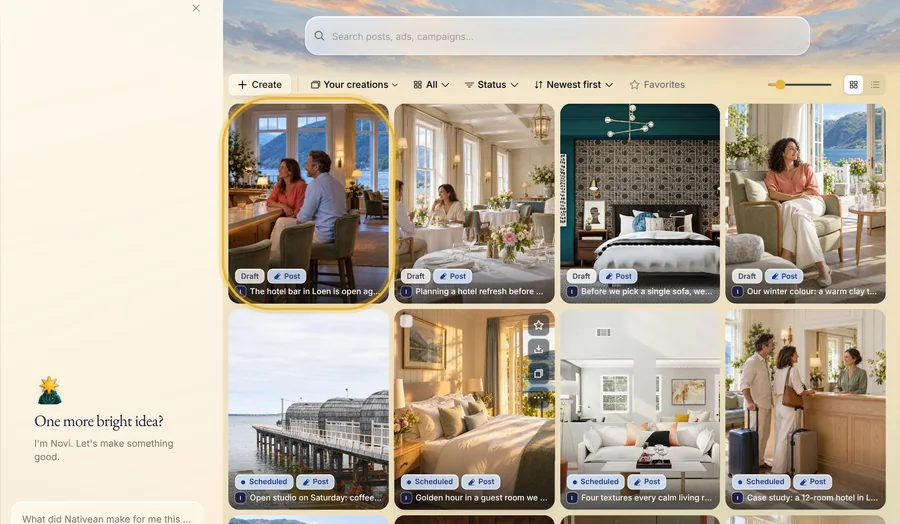
Step 1: Open the draft
In Creations, press a draft. It opens in the editor, with the chat beside it.
Step 2: Ask your assistant
Say what to change, in your own words, like “Start the Instagram caption with Open Thursday to Saturday”. Your assistant opens the Instagram tab and puts your words first. The other channels keep their own words. Changes like these cost nothing.
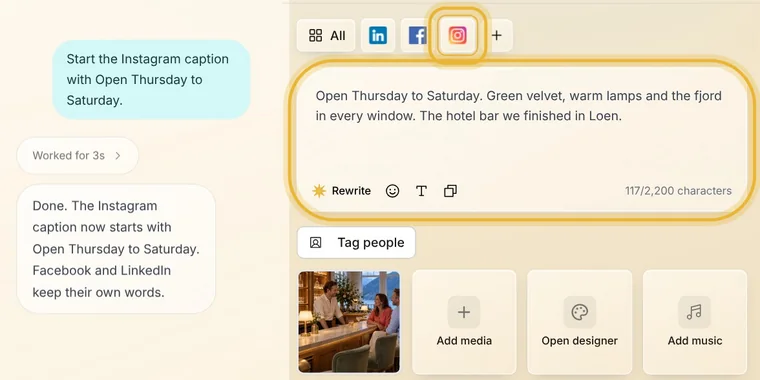
Tip: Name a channel to change only that one. Otherwise it changes the tab you have open, unless you ask for every channel.
Step 3: Change it yourself
Each channel has a tab with words of its own. Pick one, click in the caption and type. The preview follows as you write, and the count in the box shows how much room the channel gives you. Your changes save by themselves.
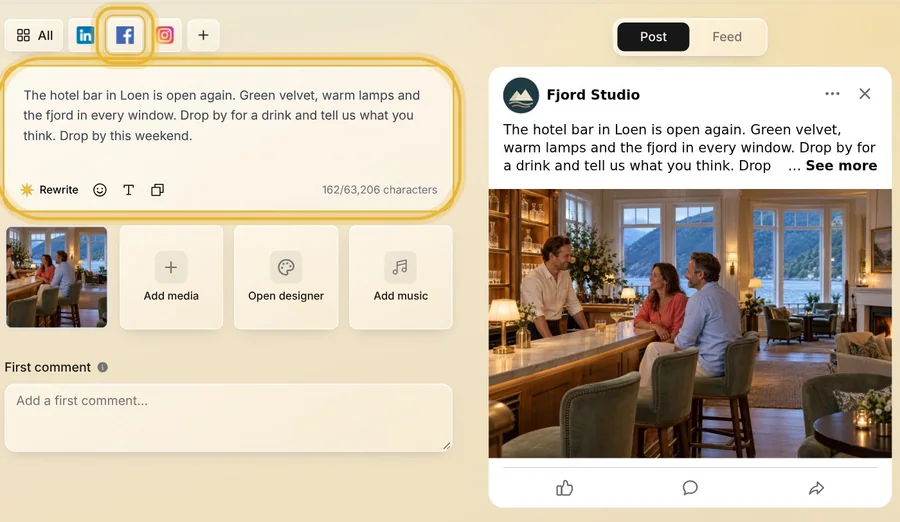
Tip: Rewrite, in the caption box, writes the words again for you. Pick Shorter or More casual, or say what to change.
Step 4: Schedule it
Press Schedule, then Publish later. Check the channels, and their options where a channel has some. Pick a day and a time, or take the time Nativean recommends with its Use button. On Review, press Schedule.
Until it goes out, Edit puts a channel back to draft so you can change it, and Unschedule takes it off the schedule.
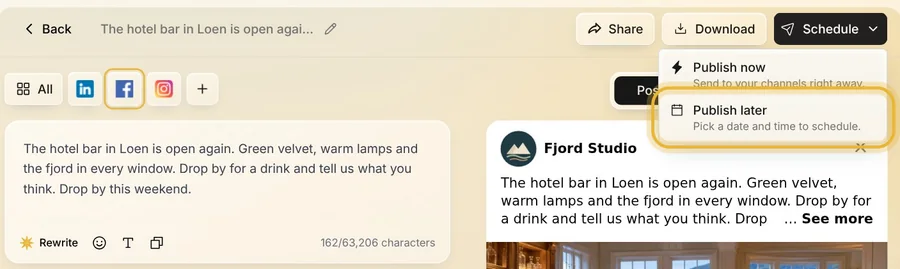
Tip: Publish now sends the post to your channels right away.
Tips from Elin
- Write each channel its own way: a short line for Instagram, a little more for Facebook, the full story for LinkedIn.
- A channel that is already scheduled keeps its words until you take it back to draft.
- Add platform, beside the tabs, adds another channel to the post.
Try it in Native
New to Native? Start with your website, and see your first posts today.