
Ads
Get new ads every week
 Trond HaugåCOO & Co-founder0:34Recorded 19 de novembro de 2026

Ads autopilot makes new ads for your brand every week, on the days you pick and in the numbers you set. Your assistant sets it up for you, and you choose whether new ads wait for you or go to Meta.
In this video
Step by step
Step 1: Ask your assistant
In the chat beside the page, say which days, how many ads and what happens to them, like “Make two new ads for us every Monday, and put them on Meta paused.”
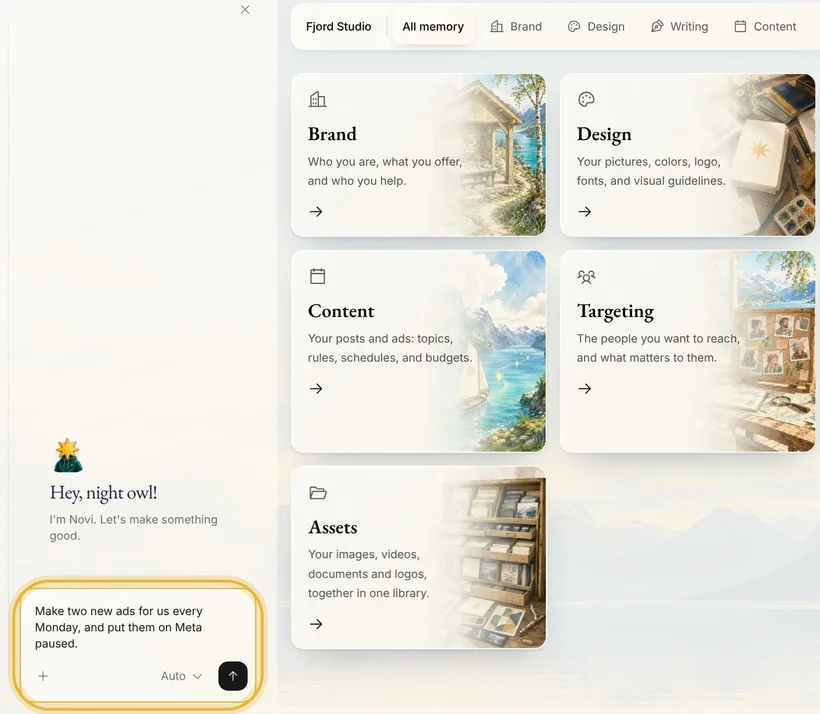
Tip: Your Meta ad account needs to be connected first, with a campaign for the ads to go into. Only an admin of the brand can change Ads autopilot.
Step 2: Check it, then approve
The card shows the change: the days and how many ads on each, what happens to new ads, where they go and the daily budget they run on. Press Approve.
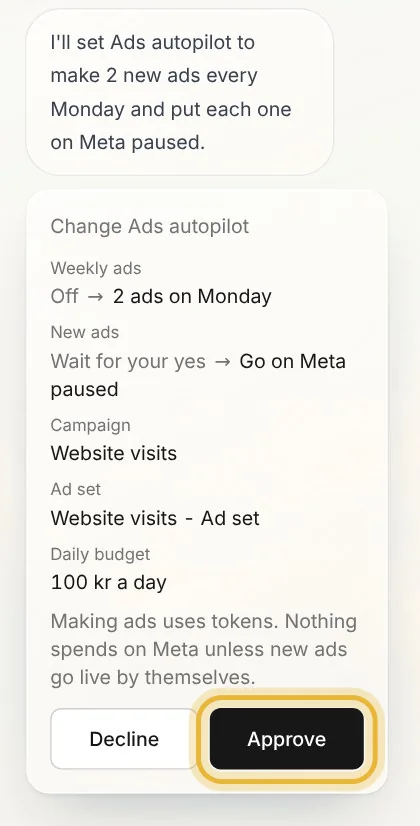
Step 3: Paused, live or in the library
Paused on Meta puts new ads on Meta switched off, so they cost nothing until you switch them on. Live right away starts them running and spending on their own. Keep in the library holds them until you publish them yourself.
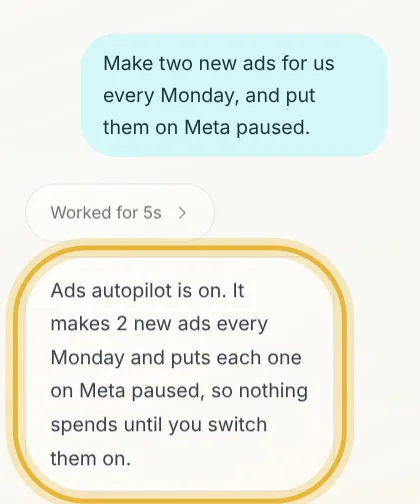
Tip: Paused and live need a campaign with a budget: one you already run on Meta, or your Nativean campaign with a daily budget. Without one, new ads stay in the library.
Step 4: Find it in Memory
In Memory, open Content, then Autopilot. Its Ads card shows your days and how many ads come on each. Say what the ads are about on the same page, or leave it empty and Nativean chooses from what it knows about your brand.
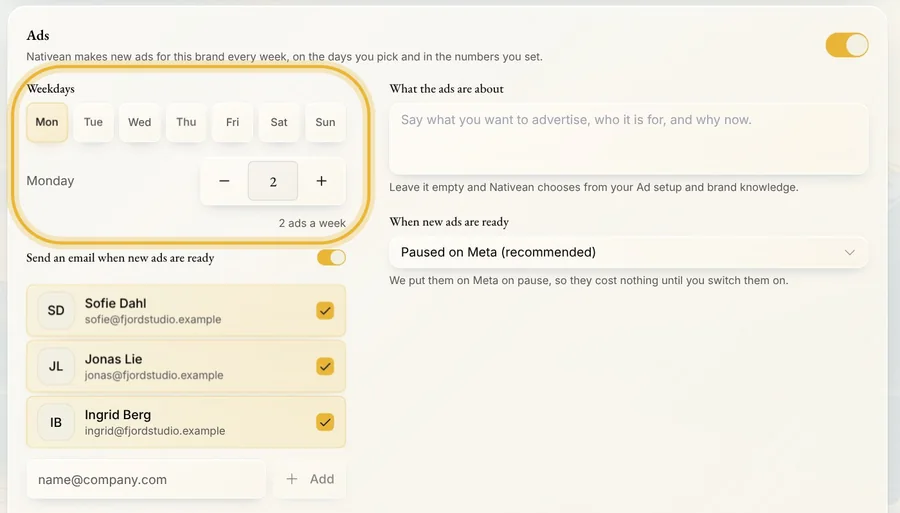
Tips from Trond
- Each ad Autopilot makes costs 10 tokens from your plan, never from token packs you bought. If Autopilot runs on your suggestions, each ad uses one of them instead.
Try it in Native
New to Native? Start with your website, and see your first posts today.