
Ads
Run your first ad
 Trond HaugåCOO & Co-founder0:31Recorded 19 de novembro de 2026

Your assistant sends an ad from Nativean to Meta, into your campaign. Meta checks every new ad before it runs, and Nativean shows you how that is going.
In this video
Step by step
Step 1: Ask your assistant
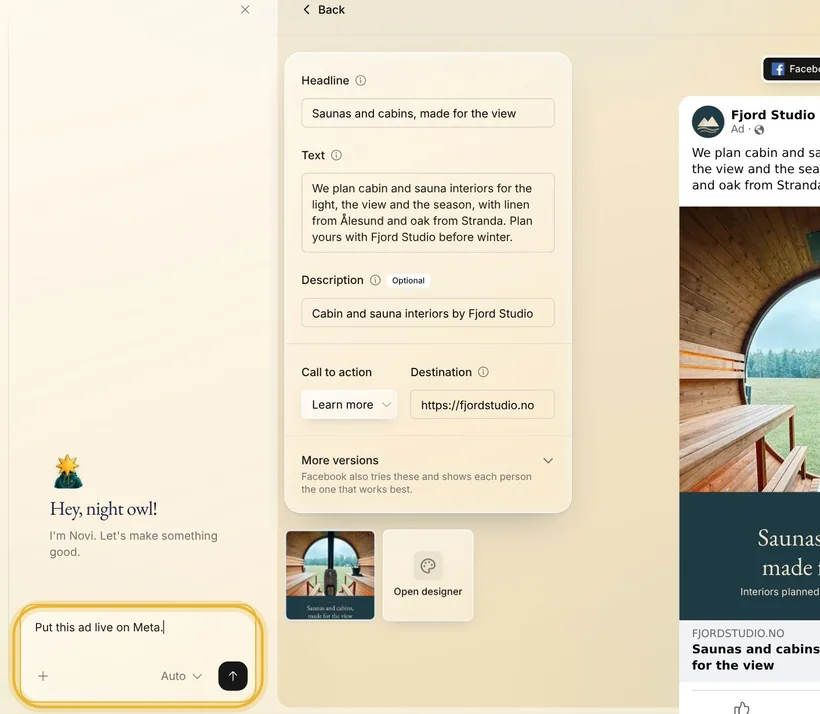
Open your ad, and in the chat beside it ask, like “Put this ad live on Meta.”
Tip: Rather start it later? Ask for it paused. It spends nothing until you turn it on.
Step 2: Check it, then approve
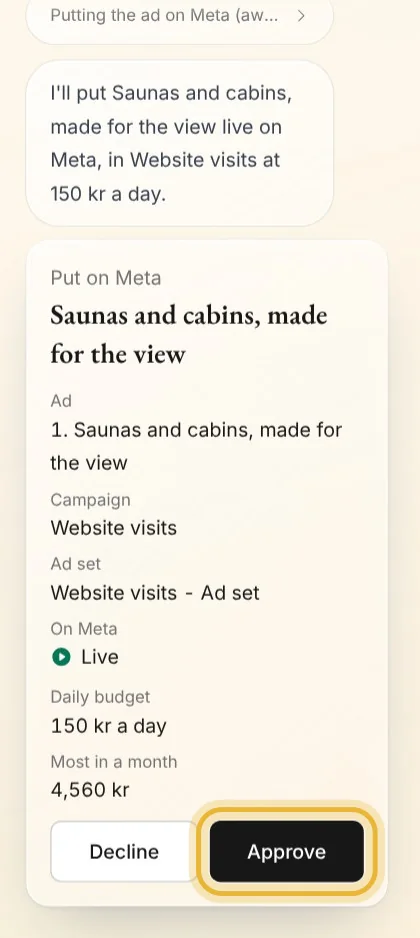
The card shows the ad, the campaign and ad set it joins, whether it goes live or paused, the daily budget and the most a month can cost. Press Approve.
Step 3: Meta checks it
Meta checks every new ad before it shows, usually within a day. Your ad's page shows where it stands: its campaign, its ad set and the ad itself, which says In review until Meta approves it.
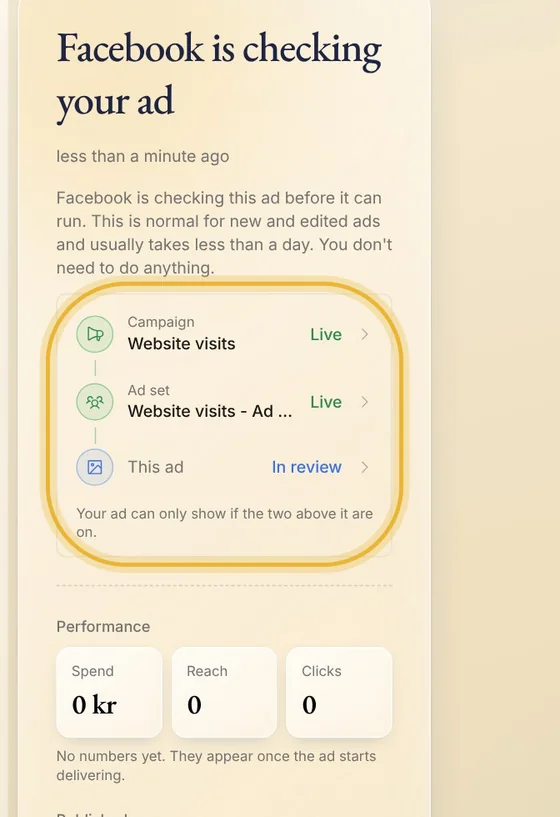
Tip: Its numbers appear once it starts delivering.
Try it in Native
New to Native? Start with your website, and see your first posts today.