Create
Make a post from your own idea
 Elin Kristina AnderssonFounding GTM0:38Recorded 18 de noviembre de 2026

Have something to share? Tell your assistant in a sentence or two, and which photo to use. It says what it will make, and on your yes it designs the post right beside the chat and writes the caption in your voice.
In this video
Step by step
Step 1: Ask your assistant
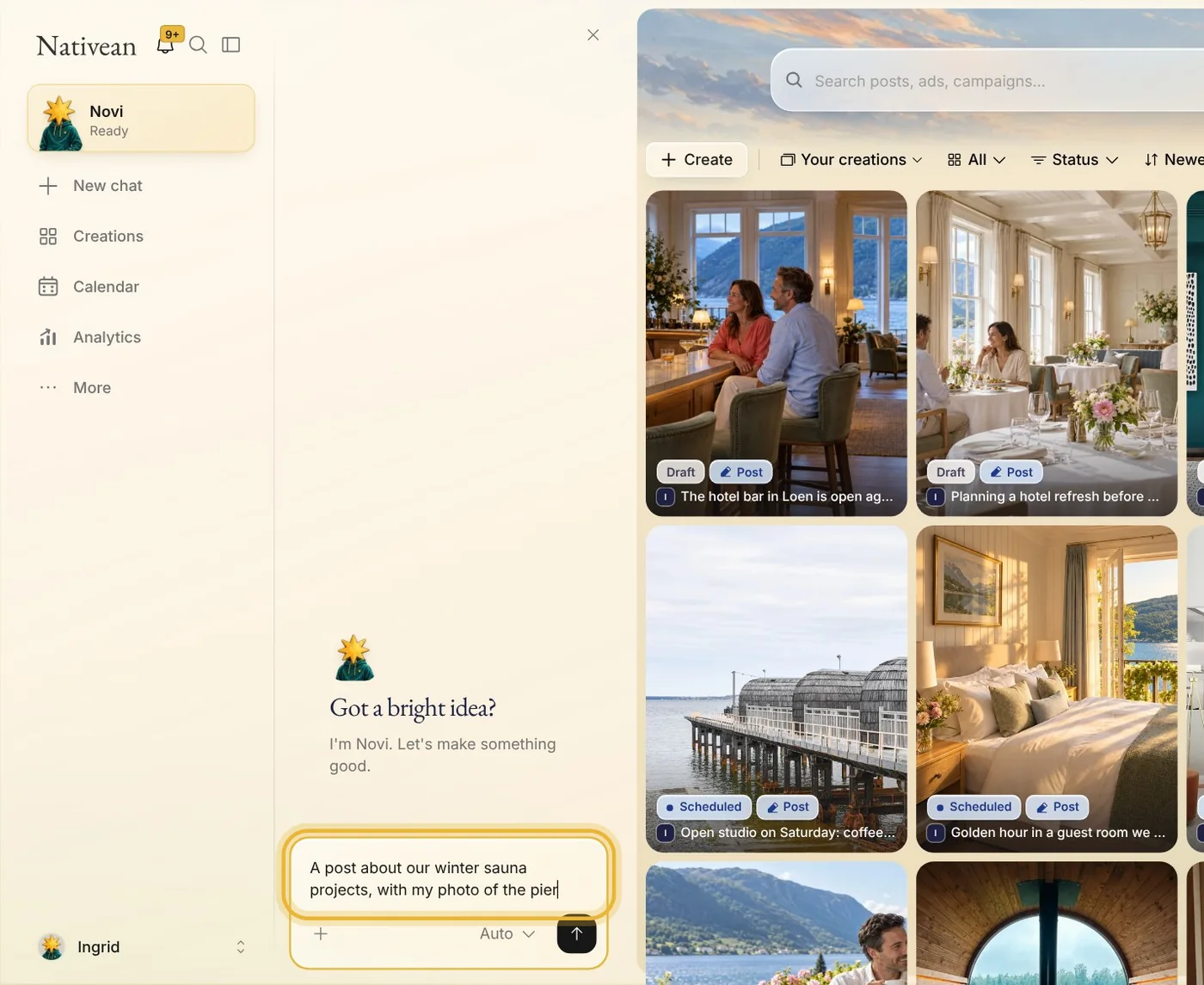
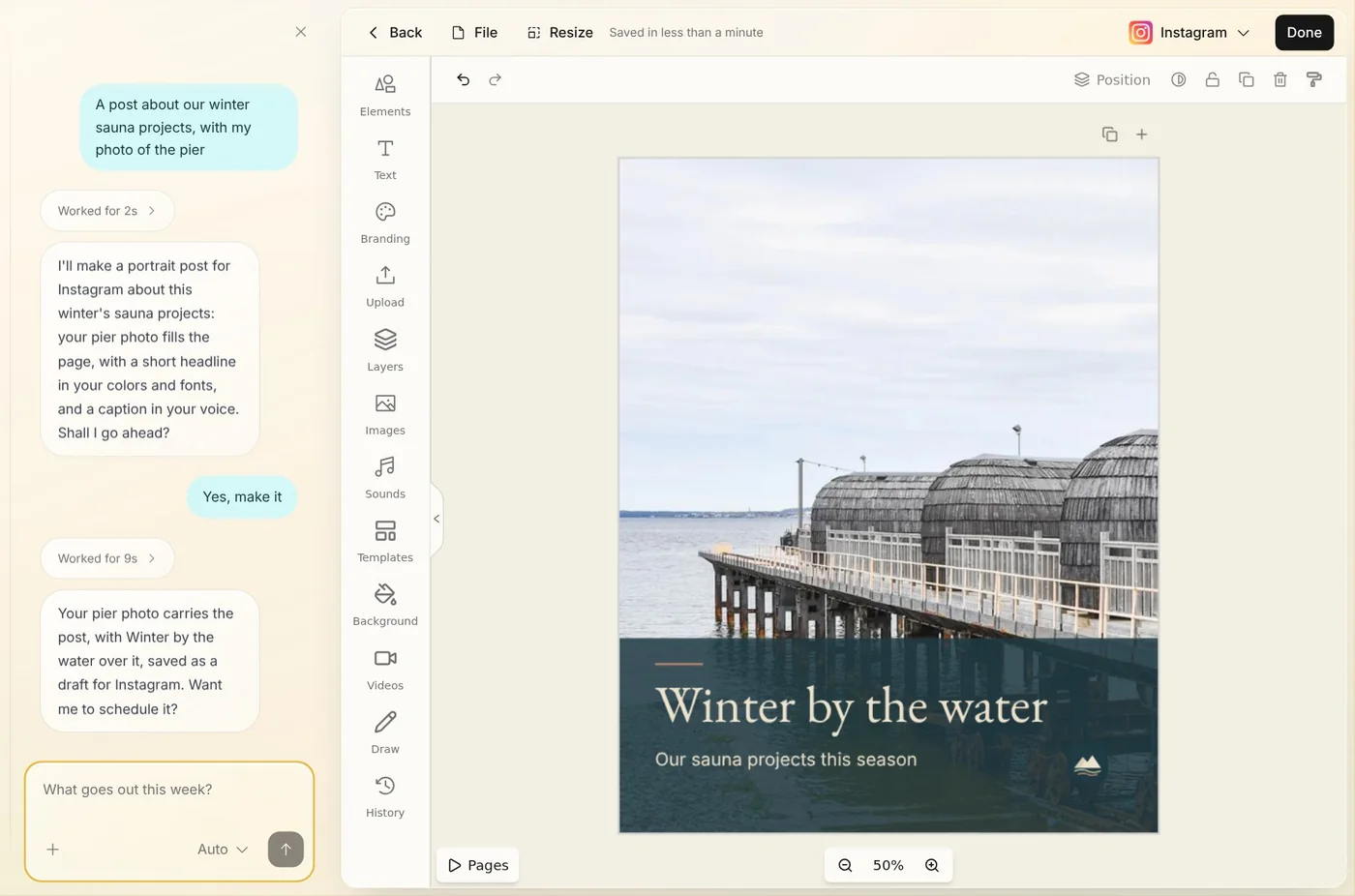
In the chat beside the page, say what the post is about and which photo to use, like “A post about our winter sauna projects, with my photo of the pier.”
Step 2: It asks first
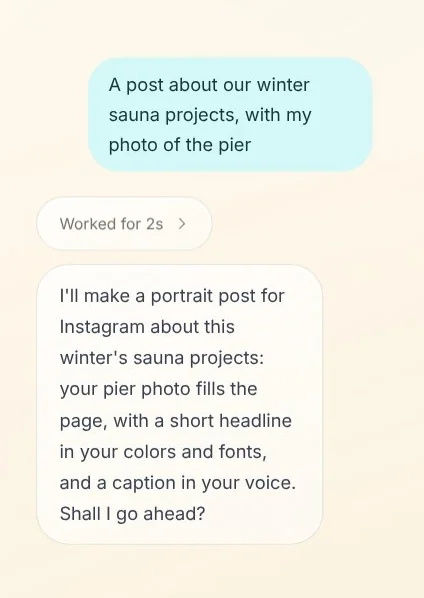
Your assistant finds the photo in your library and says in a line or two what it will make. Nothing is made until you say yes.
Tip: Want it another way? Say so in your own words, like “Make it square” or “Put our opening hours on it.”
Step 3: Say yes
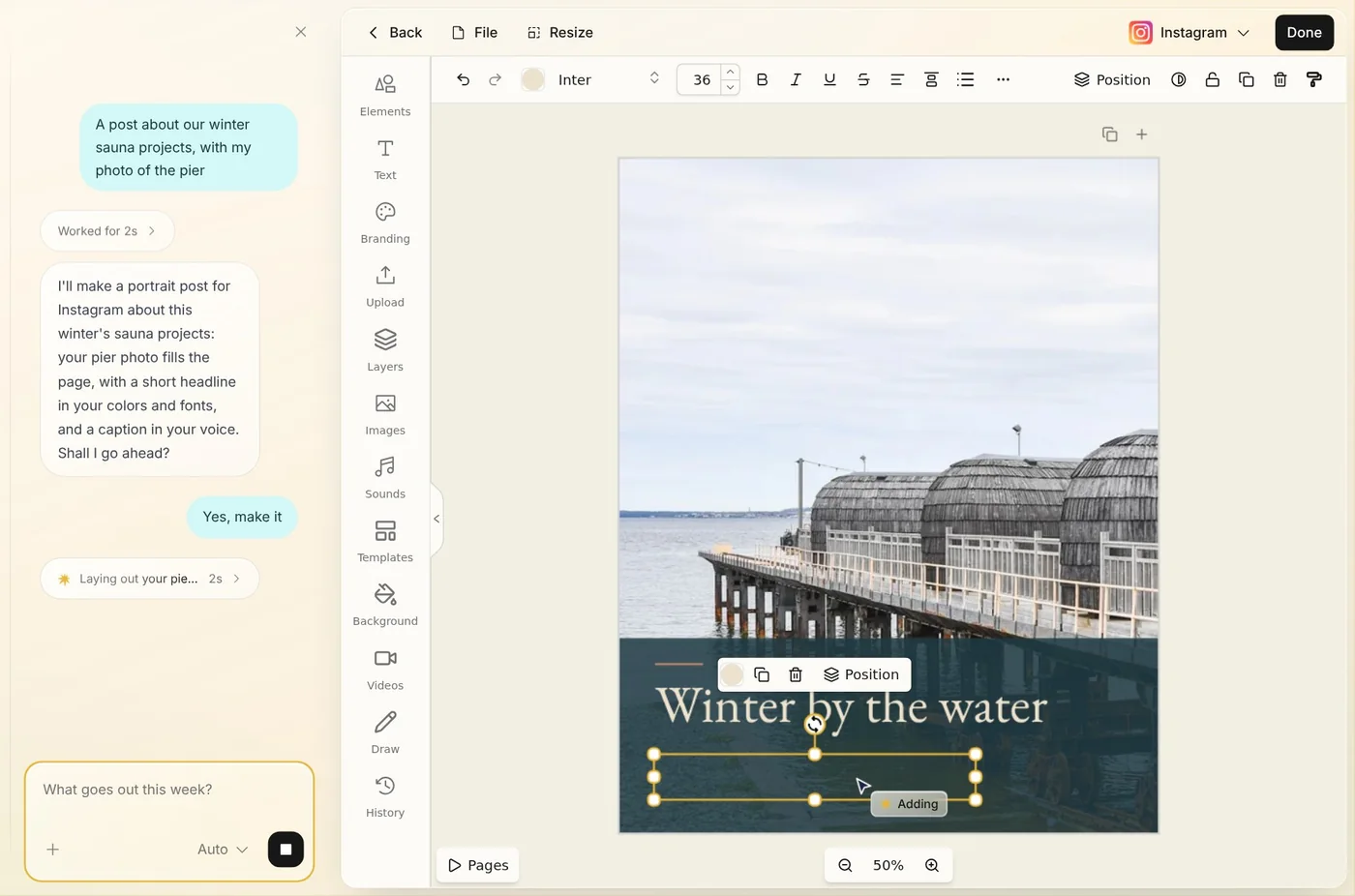
Say yes, and the post opens right beside the chat. Your assistant designs it while you watch, in your colors and fonts, with your logo.
Step 4: The caption
Then it writes the caption in your voice. The post is saved as a draft, ready for you to change, or to schedule.
Step 5: Or make it yourself
In Creations, press Create, choose Post, then Create yourself. A blank post opens in the editor, for your own pictures and words.
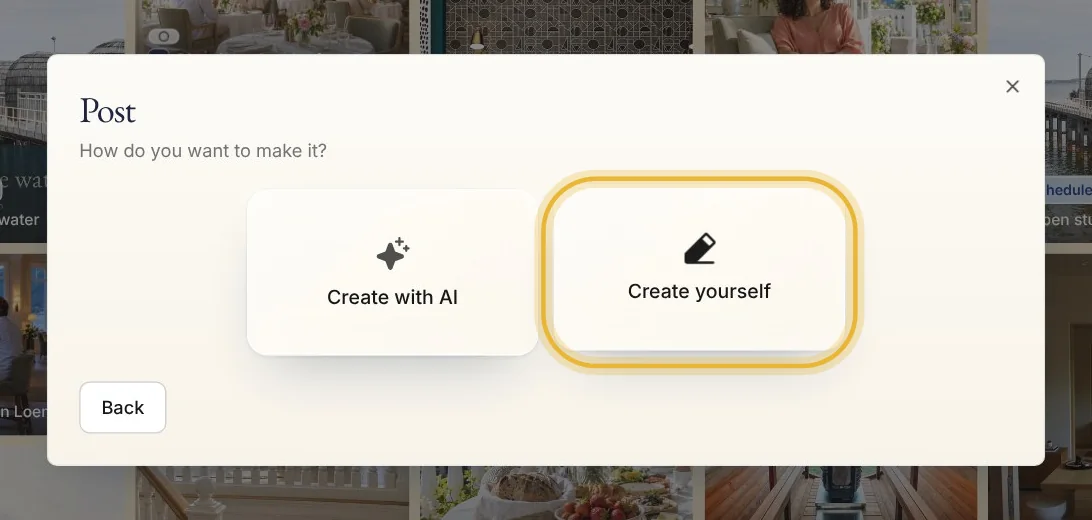
Tip: Create with AI takes you back to your assistant, ready to make a post.
Tips from Elin
- Name the place, the day and the offer. The more concrete your idea, the more concrete the post.
- No photo of your own? Say what the picture should show, and your assistant finds or makes one.
- Not quite right? Ask your assistant in the chat beside the post to change it, or edit it yourself.
Try it in Native
New to Native? Start with your website, and see your first posts today.