
Annonser
Create your first campaign
 Trond HaugåCOO og medgründer0:37Spilt inn 19. november 2026

A campaign holds your ads on Meta. It says what they should achieve, what they may spend each day, and where they run. Your assistant makes it for you, and nothing runs or spends until an ad goes live in it.
I denne videoen
Steg for steg
Steg 1: Ask your assistant
In the chat beside the page, ask in your own words, like “Make a campaign that brings people to our website, 150 kr a day, all of Norway.” Say what you want more of, what it may spend each day, and where it runs. Your Meta ad account needs to be connected first.
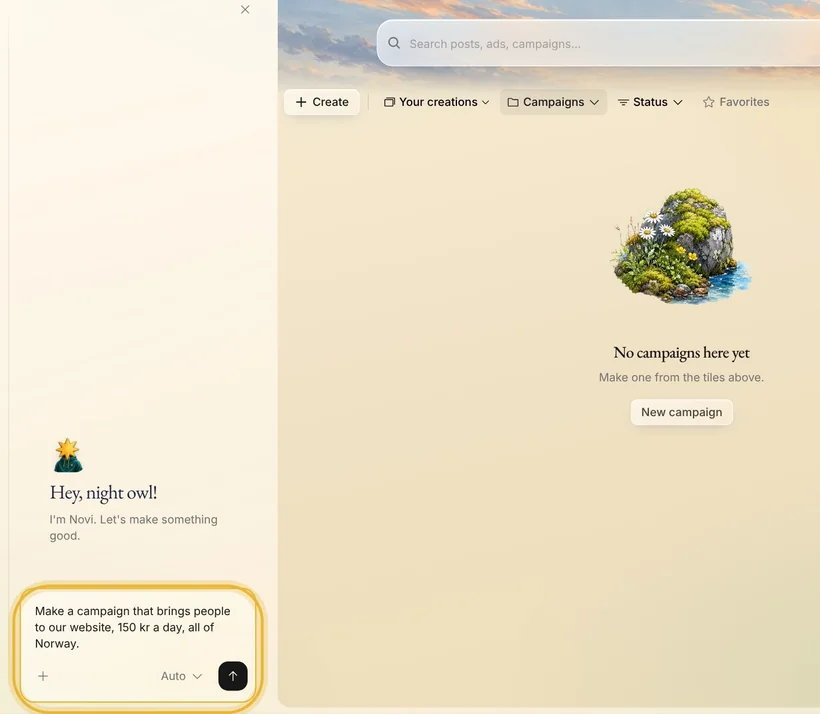
Tips: Traffic brings people to your website. Sales and Website leads need a Meta pixel on your website.
Steg 2: Check it, then approve
Before it makes anything, your assistant shows the campaign on a card: its goal, where it runs, the daily budget and the most a month can cost. Press Approve, or Decline and say what to change.
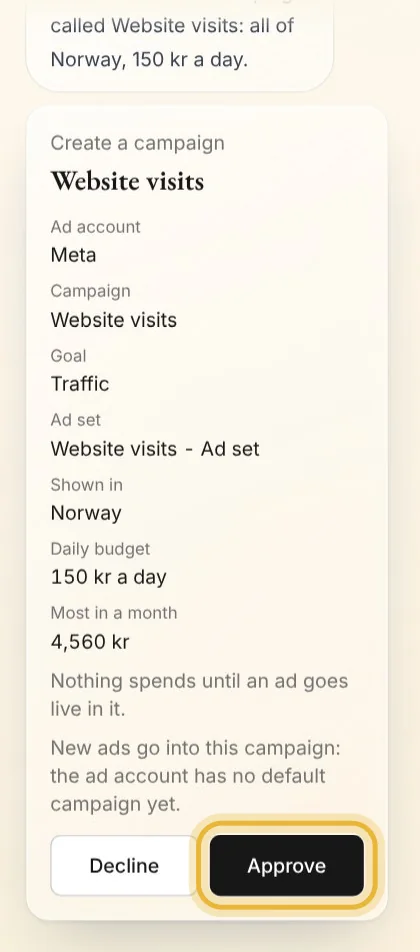
Tips: Your assistant asks for your yes before anything that spends money on Meta, even when it runs by itself.
Steg 3: Your campaign is ready
Your assistant says when it's made. It spends nothing until an ad goes live in it. If your new ads had no campaign to go into yet, they go into this one.
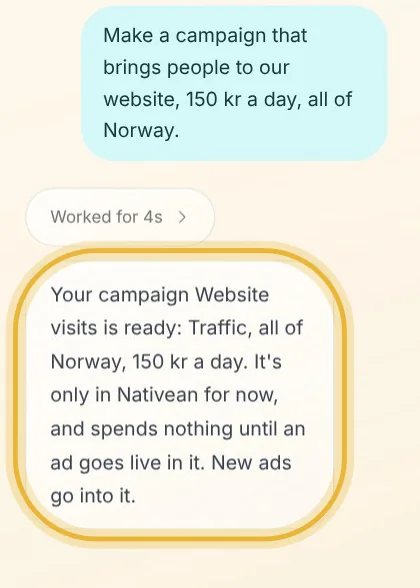
Tips: You can't change the goal or where its ads are shown later. Meta charges the card on your Meta ad account, not Nativean.
Steg 4: Find it in Creations
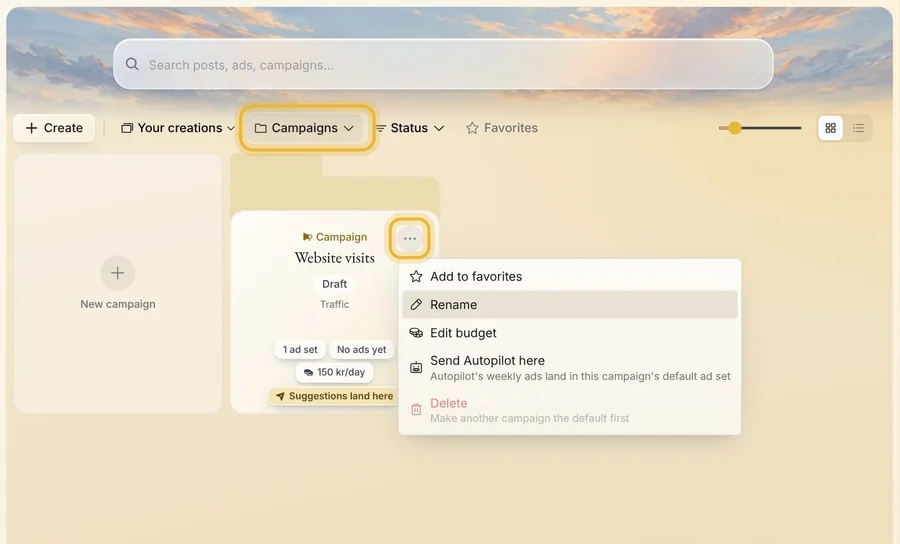
In Creations, pick Campaigns in the menu at the top to see your campaigns. The three dots on a campaign let you rename it or change its budget, and pause or start its ads once they're on Meta.
Prøv det i Native
Ny i Native? Start med nettsiden din, og se de første innleggene dine i dag.