
Annonser
Run your first ad
 Trond HaugåCOO og medgründer0:31Spilt inn 19. november 2026

Your assistant sends an ad from Nativean to Meta, into your campaign. Meta checks every new ad before it runs, and Nativean shows you how that is going.
I denne videoen
Steg for steg
Steg 1: Ask your assistant
Open your ad, and in the chat beside it ask, like “Put this ad live on Meta.”
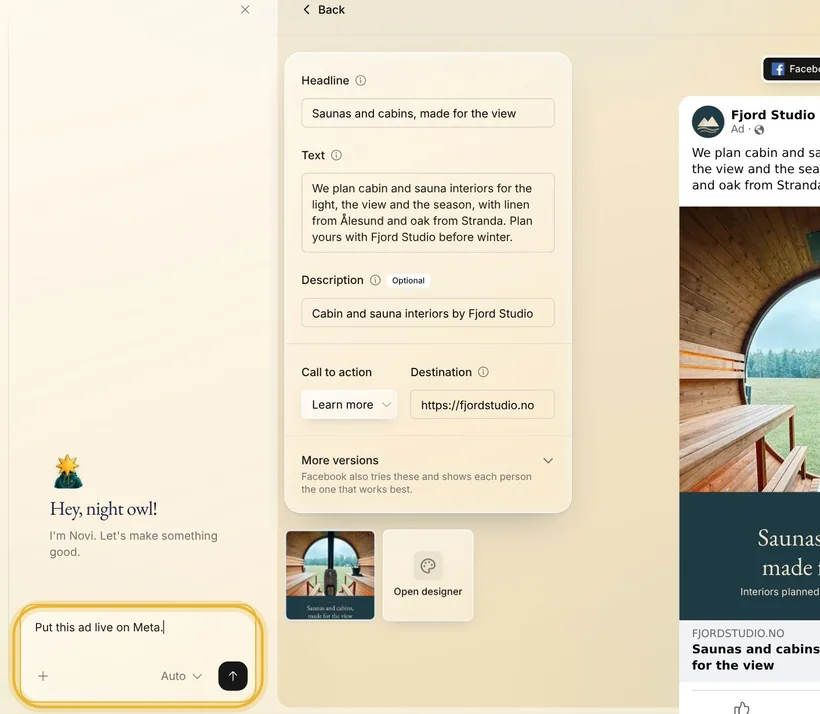
Tips: Rather start it later? Ask for it paused. It spends nothing until you turn it on.
Steg 2: Check it, then approve
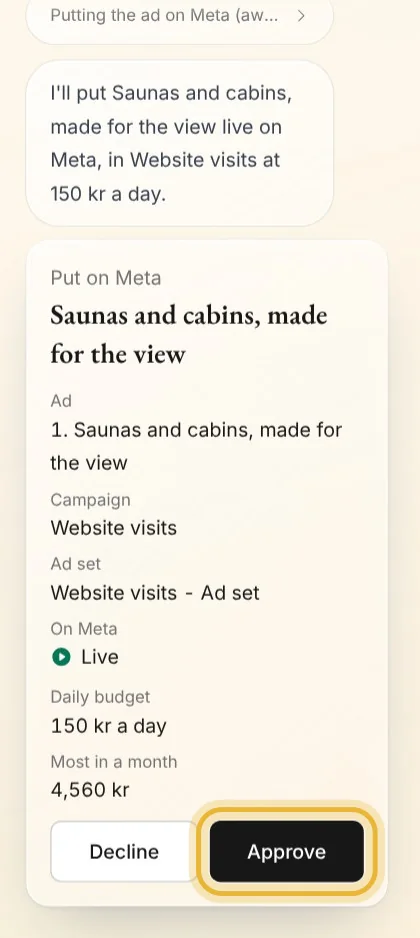
The card shows the ad, the campaign and ad set it joins, whether it goes live or paused, the daily budget and the most a month can cost. Press Approve.
Steg 3: Meta checks it
Meta checks every new ad before it shows, usually within a day. Your ad's page shows where it stands: its campaign, its ad set and the ad itself, which says In review until Meta approves it.
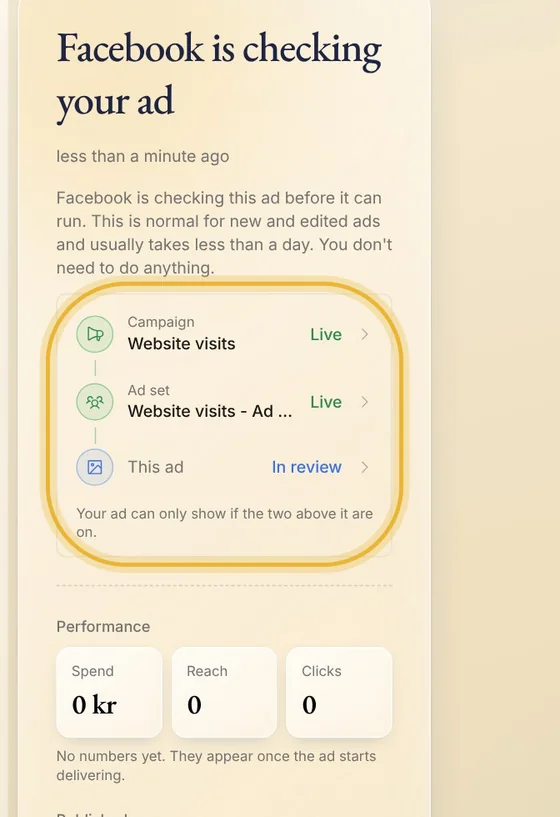
Tips: Its numbers appear once it starts delivering.
Prøv det i Native
Ny i Native? Start med nettsiden din, og se de første innleggene dine i dag.