
Annonseproblemer
Update your payment method on Meta
 Trond HaugåCOO og medgründer0:35Spilt inn 20. november 2026

Meta charges your ads to the payment method on your Meta ad account, not to Nativean. If Meta can't charge it, it refuses new ads, and your assistant and Nativean tell you what to fix.
I denne videoen
Steg for steg
Steg 1: Your assistant tells you
When you ask your assistant to put an ad live and Meta wants a valid payment method on your ad account, it tells you.
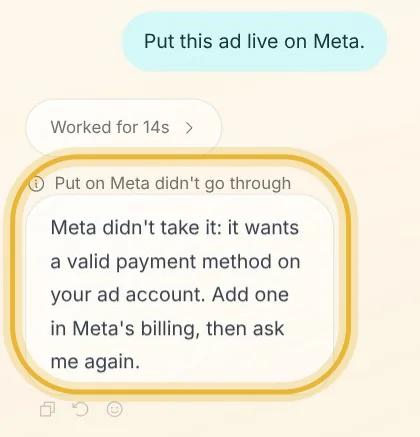
Steg 2: The notice
Nativean says Ads are on hold at the top of Creations and Suggestions, with Meta's own words on what to fix, such as Update payment method.

Steg 3: Open Meta billing
Press Open Meta billing. It opens your ad account's billing in Meta Ads Manager. Add a payment method or update the one that failed, and pay what Meta says is due.

Steg 4: I've done this
Back in Nativean, a brand admin presses I've done this. Then ask your assistant to put your ad live again. If Meta still can't charge it, the notice comes back.

Prøv det i Native
Ny i Native? Start med nettsiden din, og se de første innleggene dine i dag.