
Tokens og forslag
Tokens and suggestions, explained
 Michael Ishoel OlsenFounding engineer0:44Spilt inn 22. november 2026

Nativean counts two things. Tokens pay for AI work you ask for, like a picture, a video or an article, and talking with your assistant is free. Suggestions are for your deck: each card you approve, save or pass on uses one. Your plan gives you both every month, and everyone in your workspace shares them.
I denne videoen
Steg for steg
Steg 1: Ask your assistant
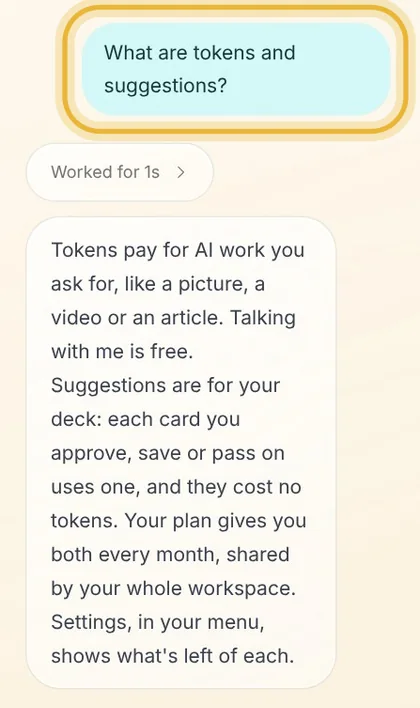
Ask your assistant, like “What are tokens and suggestions?”. It explains both and says where to see what's left. Talking with it costs no tokens.
Steg 2: Tokens pay for AI work
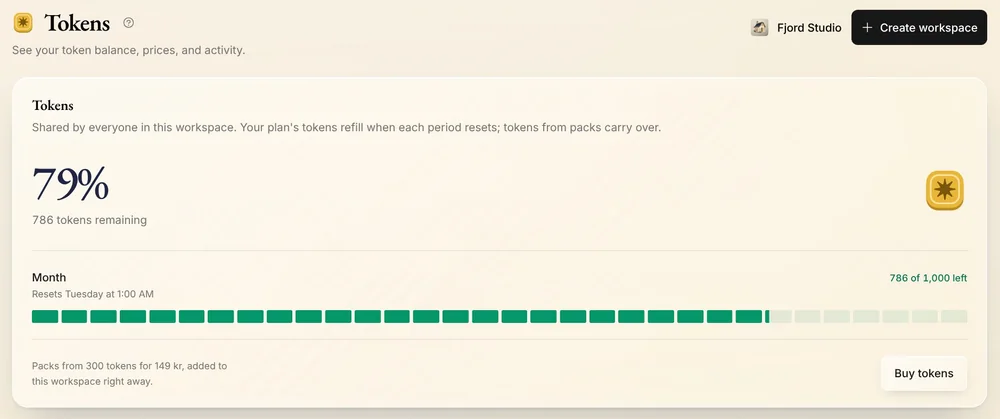
Open Settings from your menu. On the overview, Tokens left shows how many tokens your workspace has left, packs included. A picture, a video or an article you ask for uses some.

Steg 3: Suggestions are for your deck
Suggestions left shows how many more cards you can decide on, packs included. Each card you approve, save or pass on in Suggestions uses one, except answers to your customers. They don't cost tokens.

Steg 4: Shared, every month
Your plan gives you both every month. They belong to the workspace, not to one person or one brand: everyone in it, on every brand, uses the same tokens and suggestions.
Tips: Each brand past the ones your plan includes adds tokens and suggestions to the workspace every month.
Steg 5: See when they refill
Each one shows the day it refills: the same day every month, the day your plan started. What's left of the month's doesn't carry over to the next.
Steg 6: See more
Press Tokens left to see this month's tokens and any token packs, or Suggestions left to see this month's suggestions and the packs.
Tips fra Michael
- Most buttons that use tokens show the price before you click.
- Running low? Nativean tells you, and a workspace owner or admin can add a token pack.
- Token packs and suggestion packs never expire. Nativean uses the month's first.
- Autopilot's posts and ads use suggestions too, not tokens.
- On an Enterprise plan, Tokens left shows No limit, unless your agreement sets one.
Prøv det i Native
Ny i Native? Start med nettsiden din, og se de første innleggene dine i dag.