
Tokens og forslag
What's free, and what costs tokens
 Michael Ishoel OlsenFounding engineer0:42Spilt inn 22. november 2026

A lot of Nativean is free. Talking with your assistant costs nothing, and neither does a post it makes for you in the chat, making a post, an ad or a design step by step, or Memory's chat. When something does cost tokens, most buttons show the price before you click.
I denne videoen
Steg for steg
Steg 1: Ask your assistant
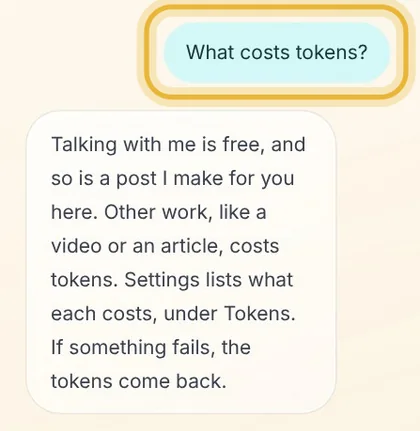
Ask your assistant, like “What costs tokens?”. Talking with it is free, and so is a post it makes for you in the chat. Other work, like a video or an article, costs tokens.
Steg 2: What things cost
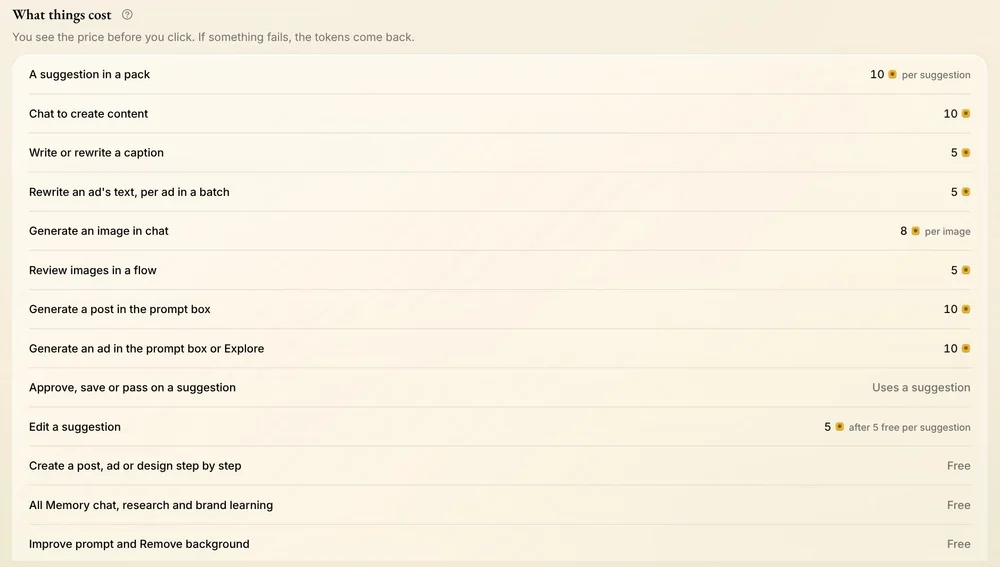
Open Settings from your menu and press Tokens in its list. Under Advanced, What things cost shows what common things cost in tokens, and what's free: making a post, an ad or a design step by step, Memory's chat, research and learning about your brand, Improve prompt and Remove background.
Steg 3: Prices on the buttons
When something costs tokens, most buttons show the price before you click, so you know what you spend before you spend it.
Steg 4: Where your tokens went
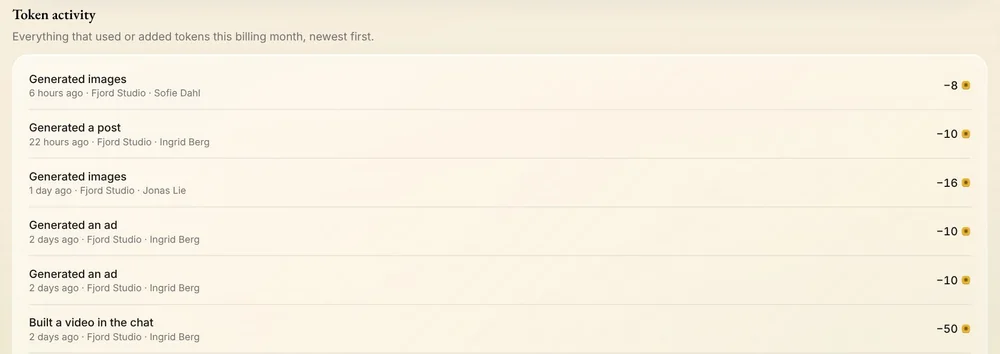
Token activity, below What things cost, shows everything that used or added tokens this billing month, newest first.
Steg 5: Failed work gives tokens back
If something fails and you get nothing from it, the tokens come back. Token activity shows them as given back.
Tips fra Michael
- The first five changes to each post or ad card in your deck are free. After that, each shows its price.
- Rewrite in the caption box and Fix caption with AI are free.
- Tokens belong to the whole workspace, so a teammate's work uses them too.
- Chat to create content, in that list, isn't your assistant's chat. Talking with your assistant stays free.
Prøv det i Native
Ny i Native? Start med nettsiden din, og se de første innleggene dine i dag.