Start her
Native in one minute
 Elin Kristina AnderssonFounding GTM0:50Spilt inn 24. oktober 2026
Native has six places in the menu on the left. Here is what each one is for, in the order you will use them.
I denne videoen
Steg for steg
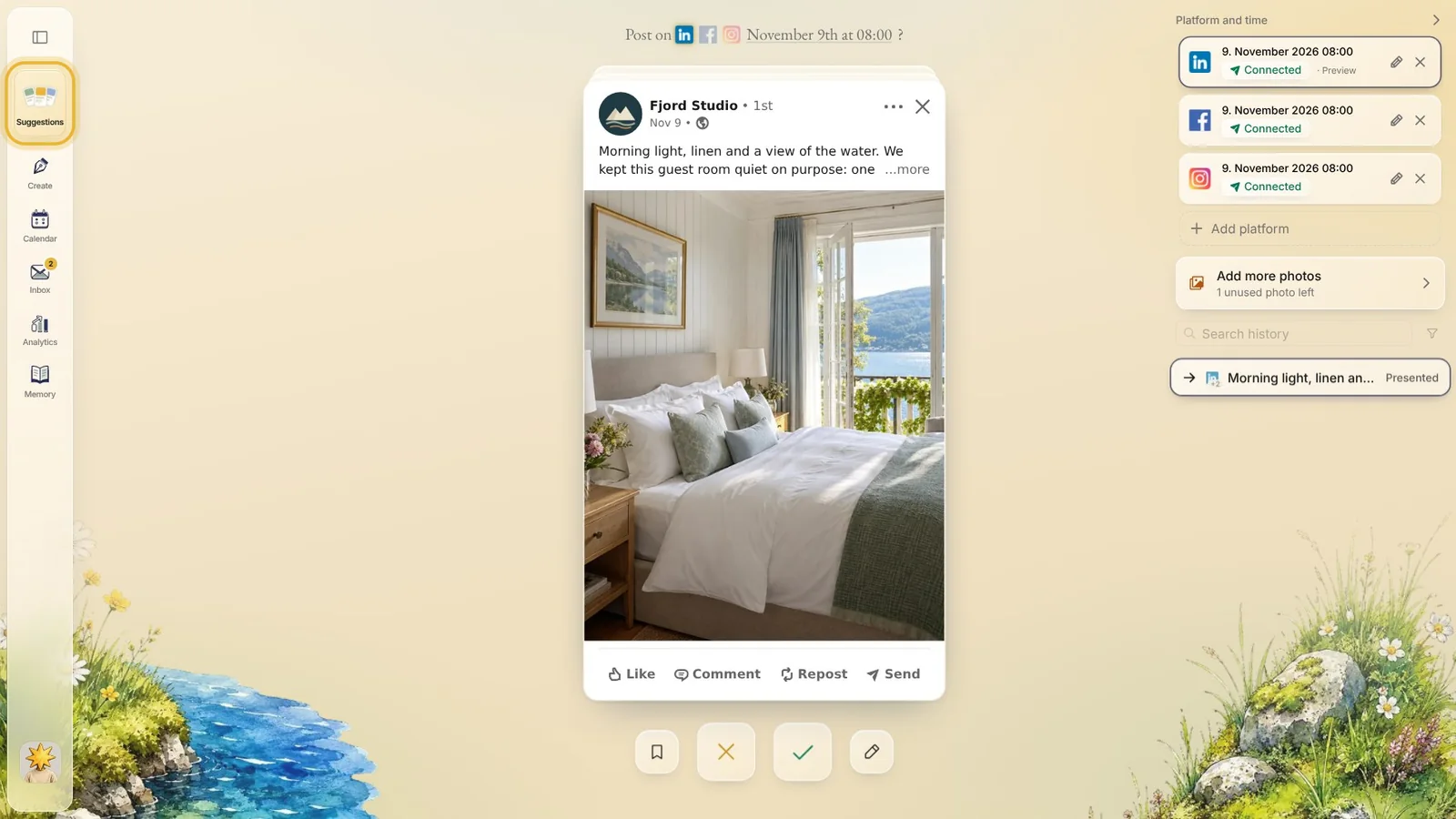
Steg 1: Suggestions
Your new posts wait here, one card at a time. Native makes them for you: approve the ones you like, ask for a new one, or save one for later.
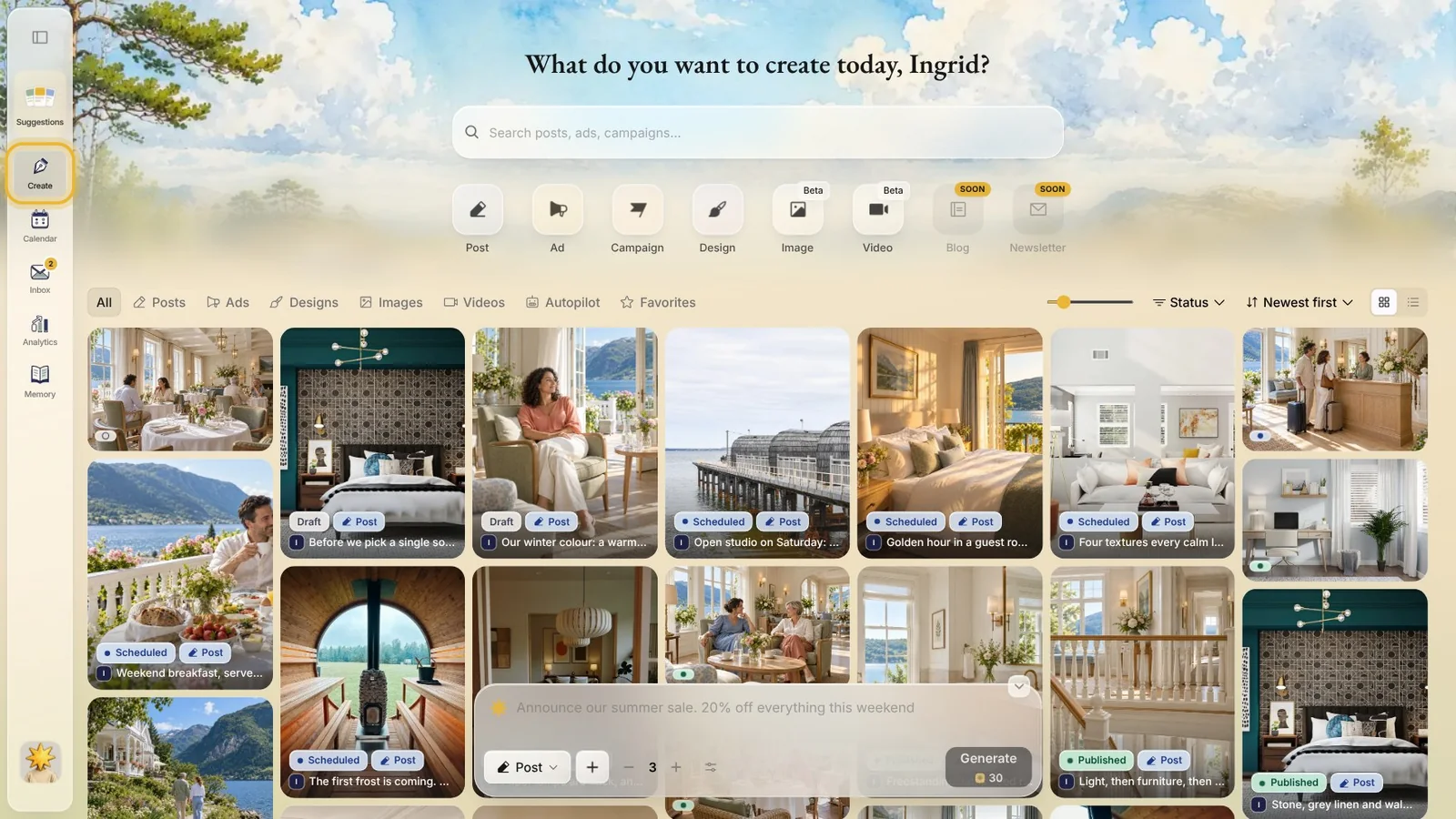
Steg 2: Create
Make something of your own, like a post or a design, from an idea or from scratch. Everything you have made is kept here too, marked draft, scheduled or published.
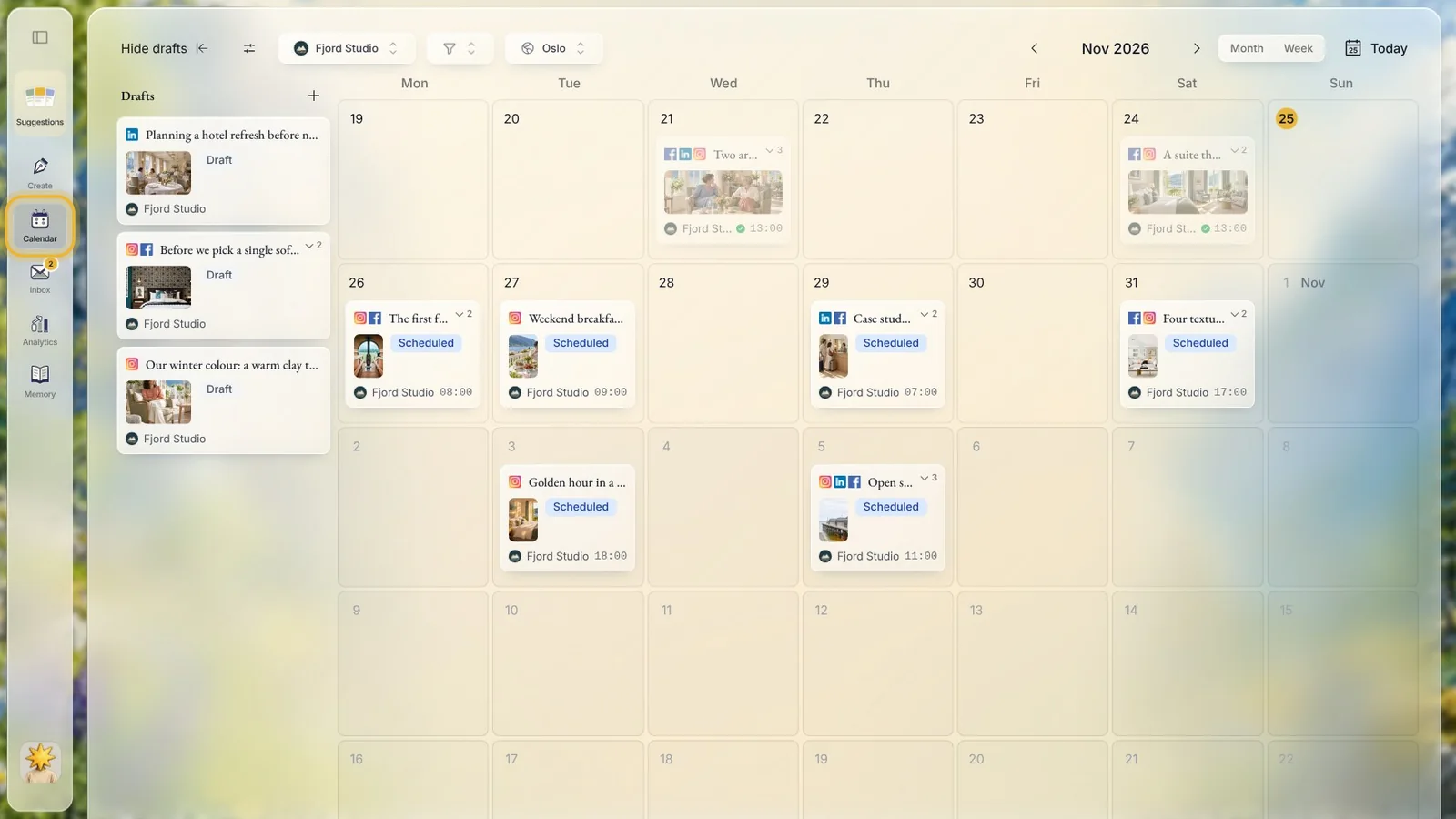
Steg 3: Calendar
Every planned post sits on its day, with its time and its channels. Your drafts wait on the left: drag one onto a day to plan it.
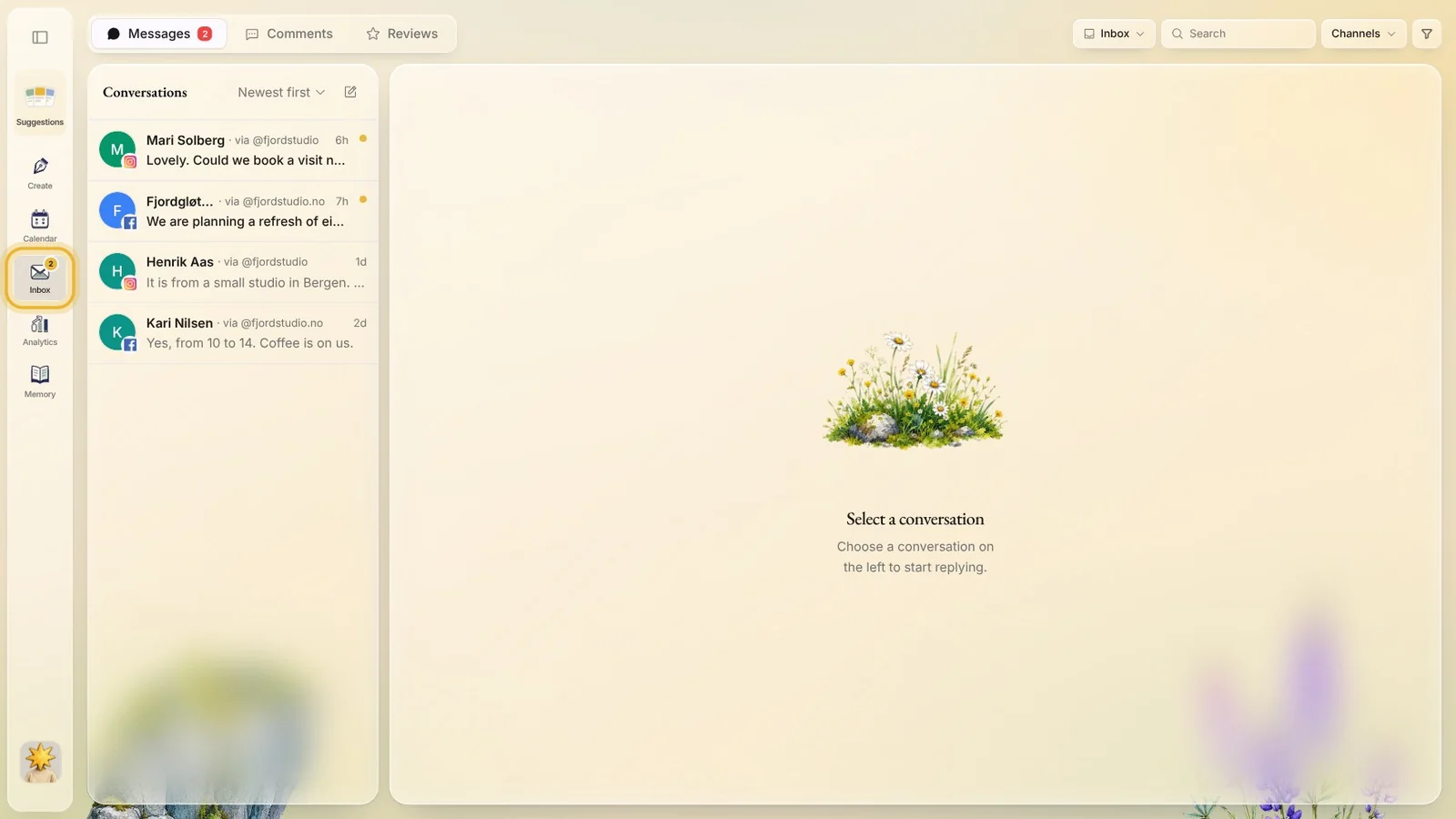
Steg 4: Inbox
Messages, comments and reviews from your channels, in one place, so you can answer people without opening each app.
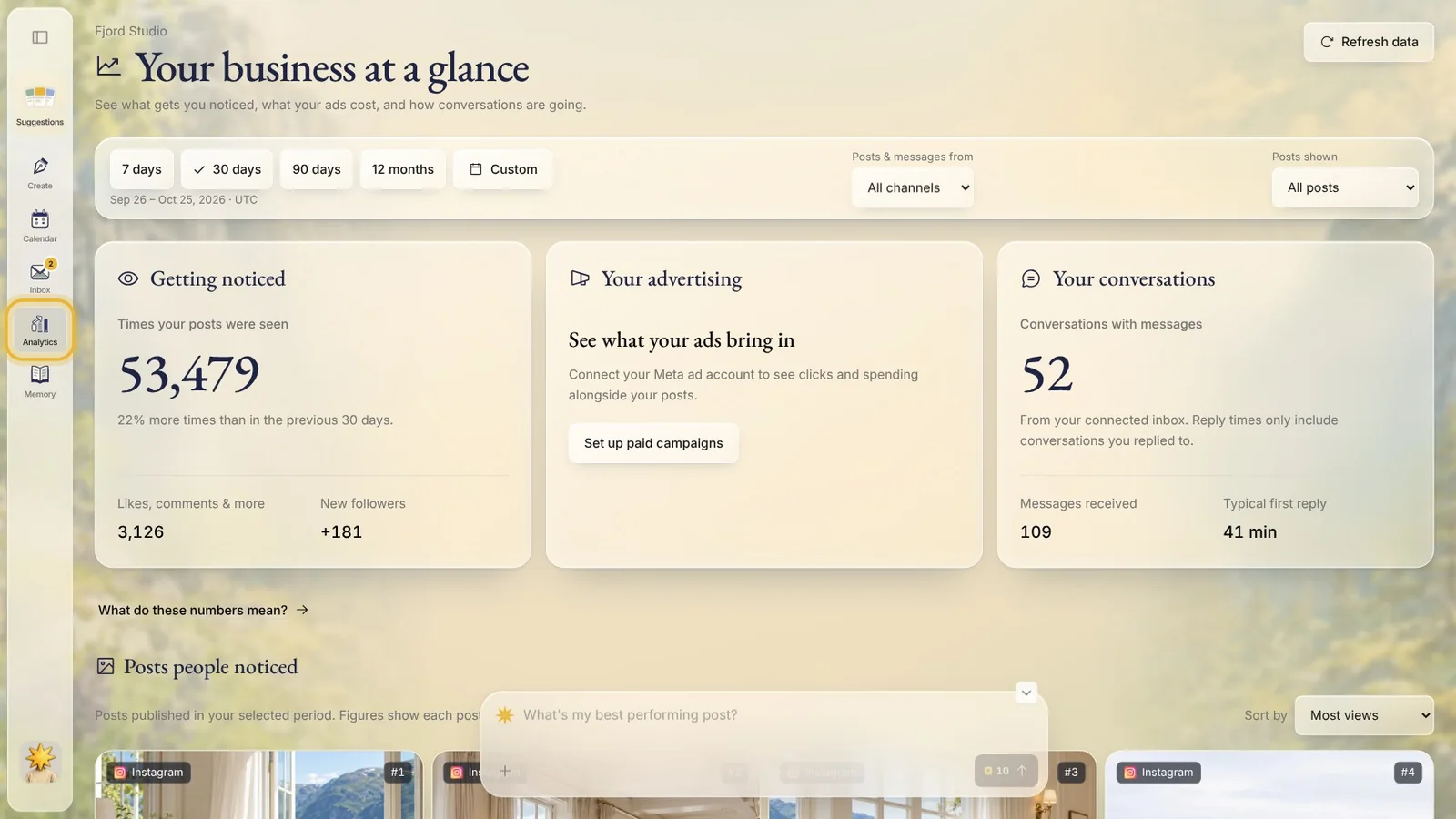
Steg 5: Analytics
How your posts did on each channel, for the period you pick, post by post.
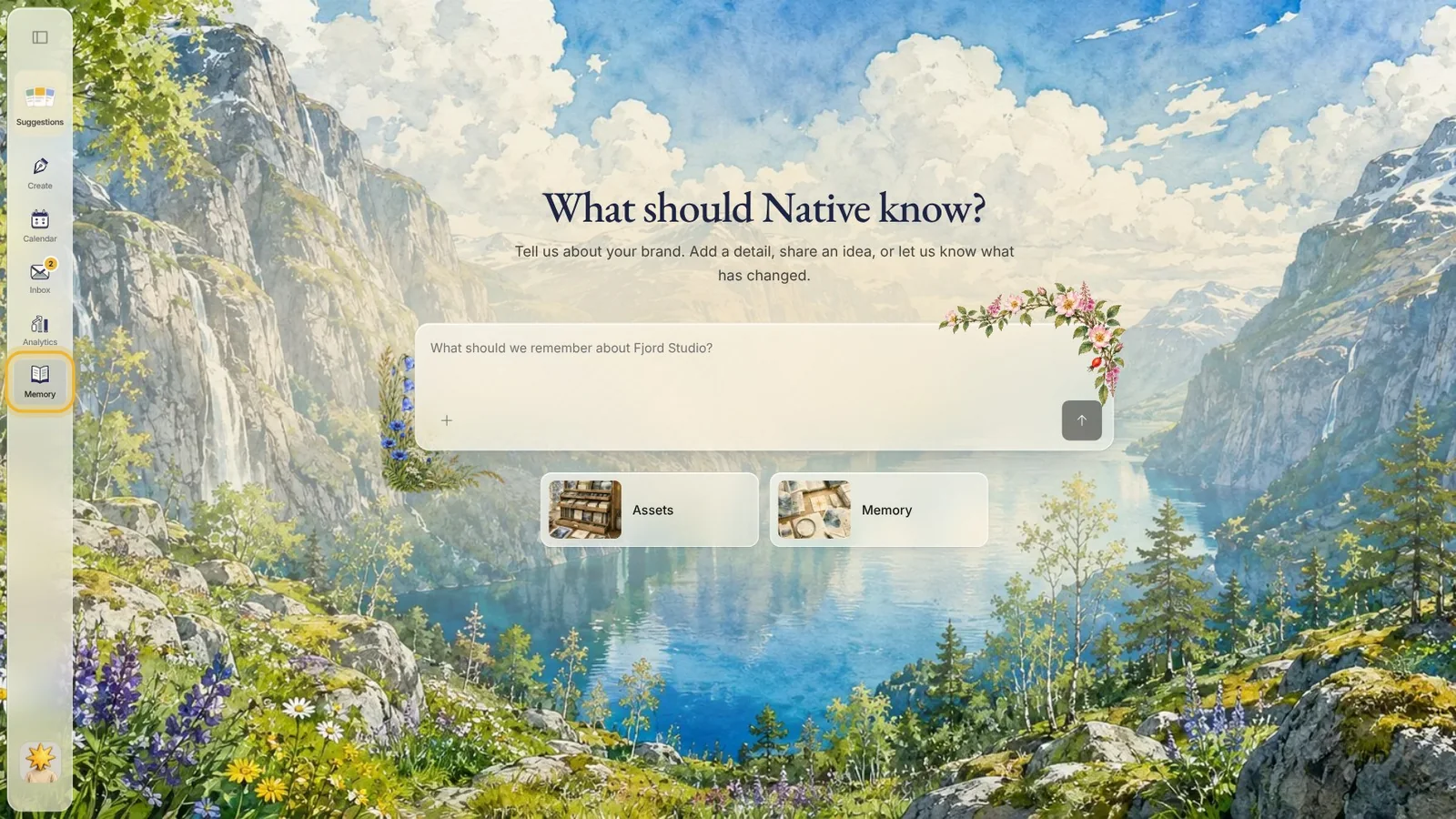
Steg 6: Memory
What Native knows about your brand: how it looks, how it sounds and what you offer. The more you add, the more your posts sound like you.
Tips fra Elin
- Start in Suggestions: a few minutes there keeps your calendar going.
- Look through Memory once after you sign up. A wrong fact there shows up in your posts, so fix it early.
- Connect your channels before you approve posts, so they go out on their own at the planned time.
Prøv det i Native
Ny i Native? Start med nettsiden din, og se de første innleggene dine i dag.