Hukommelse
Set your writing style
 Elin Kristina AnderssonFounding GTM0:40Spilt inn 25. oktober 2026
Native writes your captions, ads and the words on your pictures. Tell it once how you want them, and it keeps to it everywhere.
I denne videoen
Steg for steg
Steg 1: Open Voice & language
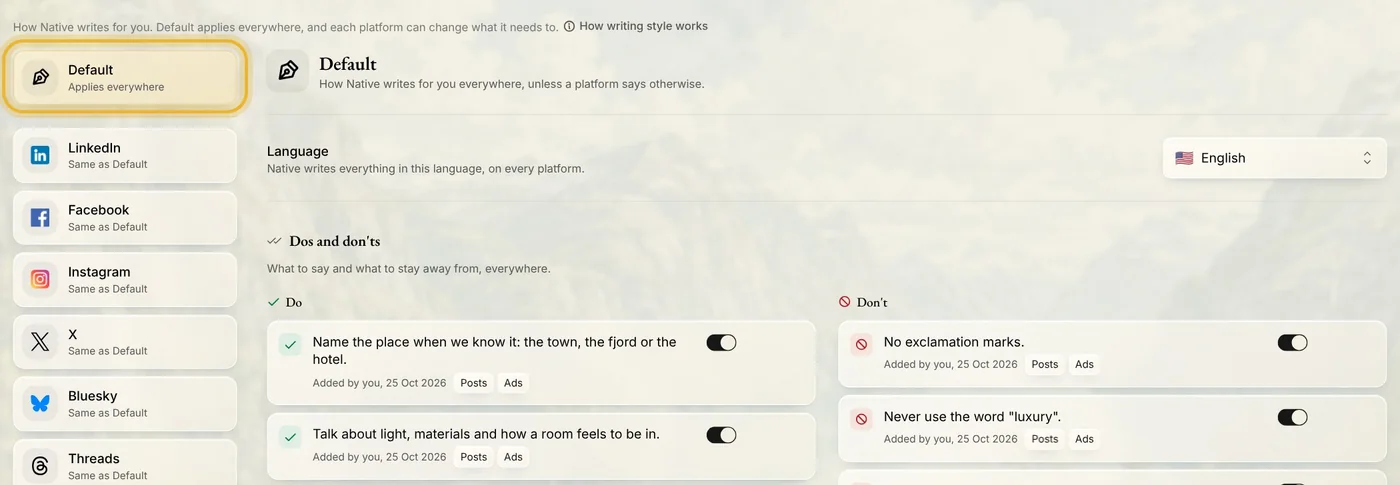
In Memory, open Writing, then Voice & language. Default, at the top of the list on the left, applies to every channel.
Steg 2: Pick your language
Choose the language Native writes in. It uses it for everything, on every channel.

Steg 3: Add a do or a don't
Press Add a do or Add a don't and say it in your own words. Press Write the rule, and Native turns your words into a rule. Change it if you like, then press Save rule. Each rule has a switch, so you can pause it without losing it.
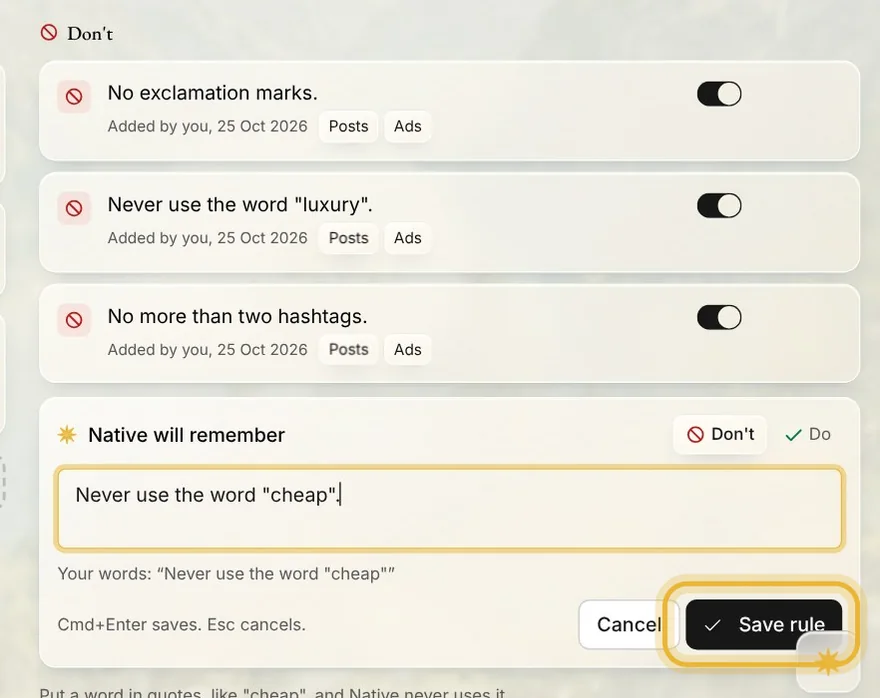
Tips: Put a word in quotes, like "cheap", and Native never uses it.
Steg 4: Set one channel apart
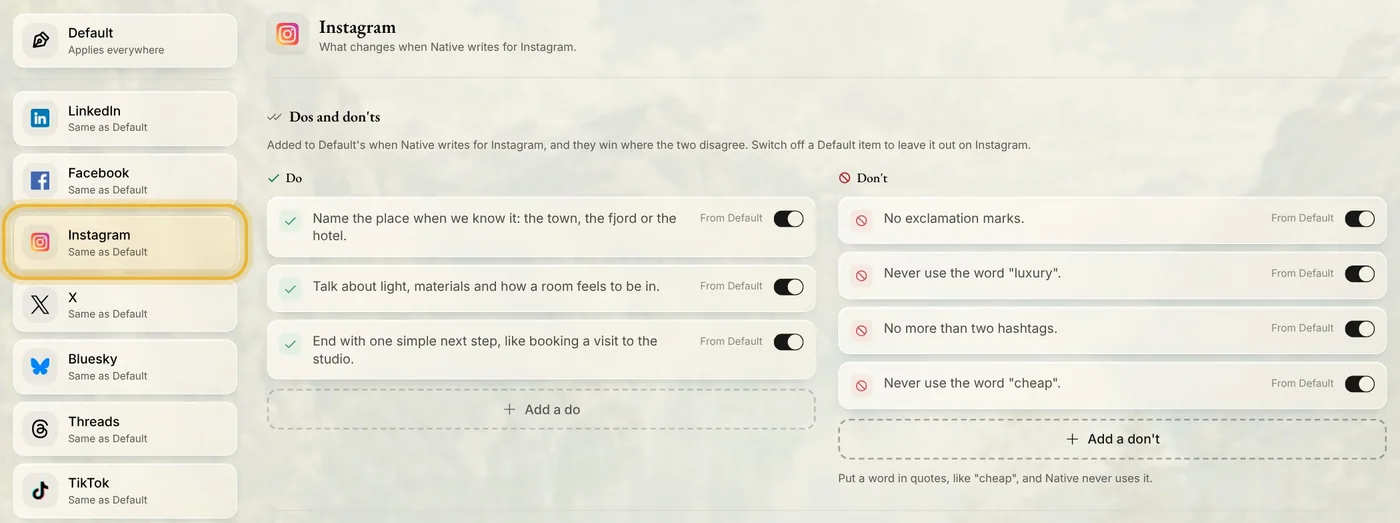
Pick a channel on the left to see what changes there. Its own dos and don'ts are added to Default's, and they win where the two disagree. Switch off a Default rule to leave it out on that channel only.
Tips fra Elin
- A few clear rules work better than many. Start with the two or three that matter most to you.
- Write rules about words here. Rules for pictures live in Design.
- Voice, further down the page, describes how you sound. Write it yourself, or let Native draft it from your website and posts.
Prøv det i Native
Ny i Native? Start med nettsiden din, og se de første innleggene dine i dag.