Start from brand context
Native can use the business context, products, assets, preferences, and prior inputs already stored for the brand when it prepares ads.
Compare paid social workflows
Both use Meta’s advertising system. The difference is how much campaign work you want to operate yourself before Meta delivers the ads.
Drop your URL and we'll generate 50 social media posts for you.
Native product details reviewed 19 September 2026, Meta’s official pages 11 August 2026
Native Ads Autopilot is for a business that wants Native to prepare and run Facebook and Instagram ads from the same brand context used for organic content. You choose whether to review the work or allow more automation. Meta Ads Manager is Meta’s own control surface for building campaigns, ad sets, ads, audiences, placements, budgets, schedules, and creative.
Native does not replace Meta’s delivery engine or billing. The ads run through the customer’s own Meta ad account, Meta decides delivery, and Meta bills the media spend separately. You can still open Ads Manager and inspect the campaigns.
Choose Native to reduce the recurring operating work. Choose Ads Manager when direct campaign-level control is the job. They are not mutually exclusive.
Inside Native
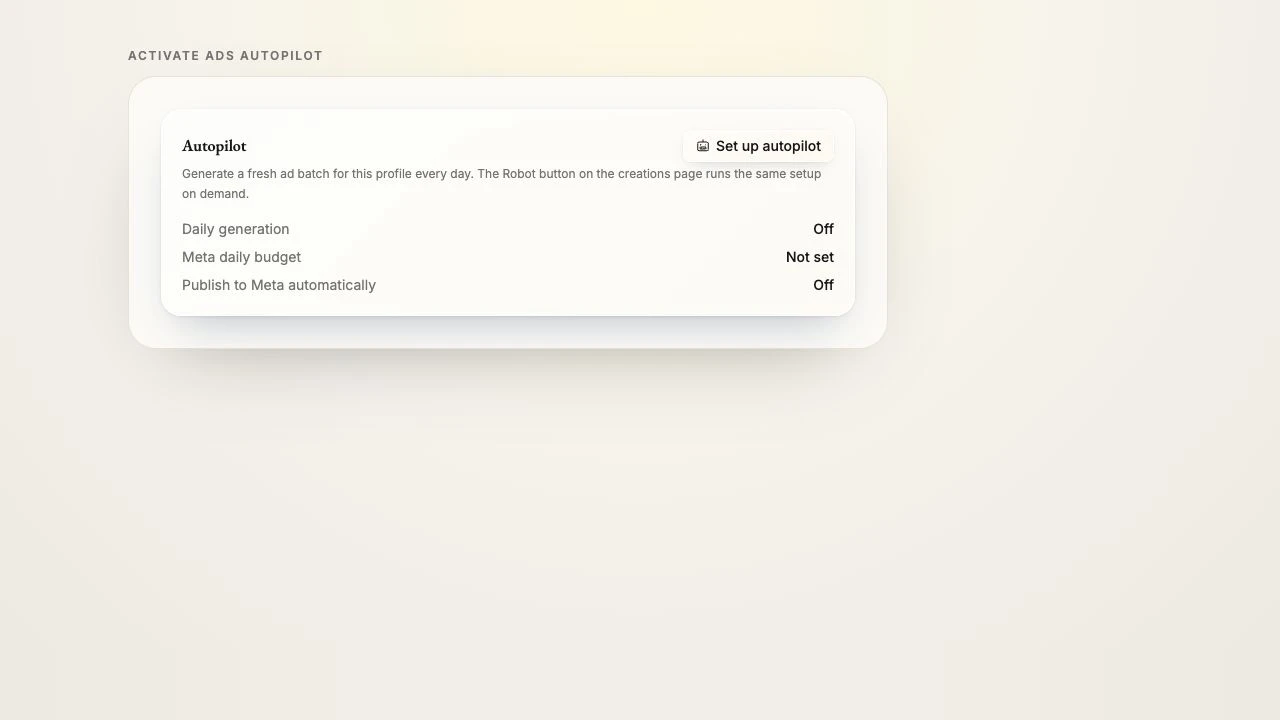
Native lets you set the ad workflow and daily budget while the connected Meta ad account remains the place where spend is billed. Meta treats a daily budget as an average and may spend more on an individual day within its weekly limits.
Where Native changes the work
The value is an operating layer around Meta, connected to the same brand knowledge and approval choices as the organic workflow.
Native can use the business context, products, assets, preferences, and prior inputs already stored for the brand when it prepares ads.
Keep automatic publishing off while you review early batches, or increase automation after you are comfortable with the setup.
The ad account and payment method remain yours. Native does not hold the spend, mark it up, or take a percentage.
The subscription covers the Native software used for organic channels and Facebook and Instagram ads. Media spend stays separate.
Current scope
Native has 11 live organic publishing destinations. Its paid workflow is currently live for Facebook and Instagram through Meta.
Facebook and Instagram ads through Meta are live today. Media spend is separate from the Native subscription and remains under customer control.
Snapchat, Telegram, Discord, and Slack are coming soon. WhatsApp is live for conversations rather than publishing: connect your WhatsApp Business number and the messages land in your Native inbox.
Google Ads and other paid networks outside Meta are rolling out, but they are not live today.
Side by side
The Ads Manager descriptions below come from Meta’s official pages. Native descriptions come from the current product and setup guides.
Native Ads Autopilot
Prepare and run Facebook and Instagram ads from the same Native brand workspace as the organic workflow.
Native Ads overviewMeta Ads Manager
Create and publish ads through Meta’s campaign, ad-set, and ad levels.
Meta: create ad campaignsNative Ads Autopilot
Connect the Meta account, set the audience description, destination, goal, featured content, and a budget you control.
Native Ads overviewMeta Ads Manager
Choose campaign objective and budget, then configure audience, placements, schedule, identity, format, text, links, and tracking at the relevant level.
Meta: campaign structureNative Ads Autopilot
Native prepares ad visuals, headlines, primary text, and variations using the brand context and brief. You can edit or keep the batch as a draft.
Native Ads overviewMeta Ads Manager
Ads Manager accepts uploaded creative and text. Advantage+ creative can generate and optimize text, images, video, audio, sizing, and variations.
Meta: Advantage+ creativeNative Ads Autopilot
Choose manual review, automated generation, and whether Native may publish the finished batch to Meta automatically.
Native Ads overviewMeta Ads Manager
Meta Advantage+ can automate audience, placement, budget, creative, and end-to-end campaign setup, while Ads Manager also keeps manual options.
Meta: Advantage+Native Ads Autopilot
Native’s paid workflow is live for Facebook and Instagram. Google Ads and paid networks outside Meta are not live yet.
Native roadmapMeta Ads Manager
Meta says Ads Manager can create and publish across Facebook, Messenger, Instagram, WhatsApp, and Meta Audience Network.
Meta: supported surfacesNative Ads Autopilot
The Native subscription and media spend are separate. The customer sets the budget, while Meta bills the ad account and applies its daily or lifetime budget rules.
Native Ads overviewMeta Ads Manager
Meta supports daily and lifetime budgets. Actual costs vary, and Meta recommends enough budget and time for its delivery system to learn.
Meta: budgets and costsA sensible first run
Use the customer-owned ad account and payment method that should receive the campaign and the bill.
Choose the destination, campaign goal, and a daily budget you are comfortable leaving active long enough to review properly.
Check the destination, claims, creative, and budget on the first batch. Turn on automatic publishing only when you want it.
Which should you use?
No. Native is an operating layer that prepares and runs Facebook and Instagram ads through the customer’s Meta ad account. Meta still delivers the ads, bills the media spend, and keeps the campaigns visible in Ads Manager.
This comparison was written on 11 August 2026 using Native’s setup guides and Meta’s official product and help pages. The legacy guides have since been retired; Native links now lead to the product overview. Meta product behavior may vary by account eligibility, objective, and rollout.
Product overview, workflow and publishing controls.
Meta’s own page for the tool: campaign, ad-set, and ad levels, setup, and the surfaces it covers.
Meta’s current end-to-end and single-step automation model.
Creative generation, variation, resizing, and optimization features.
Daily and lifetime budget definitions and current budget guidance.
Native authored this comparison and is not affiliated with or endorsed by Meta. We describe Meta from its own official pages and avoid performance projections. Always confirm current options inside the ad account before launching spend.
Start with the brand context. You can decide how much of the paid and organic workflow to automate afterward.
No credit card. Cancel anytime. Media spend is separate.
Stop creating content yourself. Native does the work for you, around the clock.