
Annonser
Connect your Meta ad account
 Trond HaugåCOO og medgründer0:44Spilt inn 19. november 2026

Nativean publishes your ads through your Meta ad account, so you connect it once for each brand, before its first ad goes out. Connecting takes your own Facebook login: your assistant opens the right page, and you do the rest. Connecting doesn't publish anything.
I denne videoen
Steg for steg
Steg 1: Ask your assistant
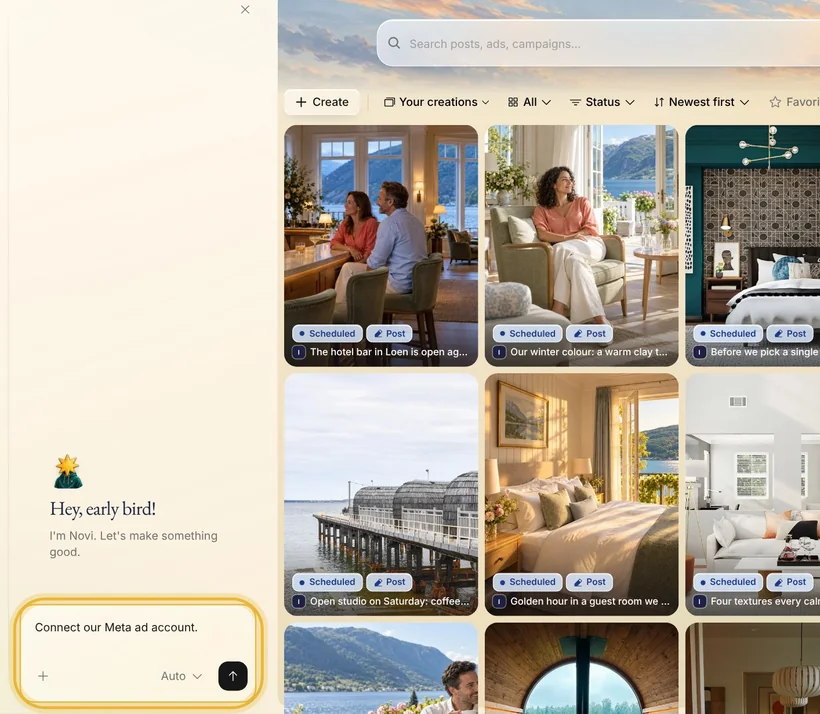
In the chat beside the page, ask in your own words, like “Connect our Meta ad account.” Connecting takes your own Facebook login, so your assistant opens Connections, in Settings, for you.
Steg 2: Choose how you manage it
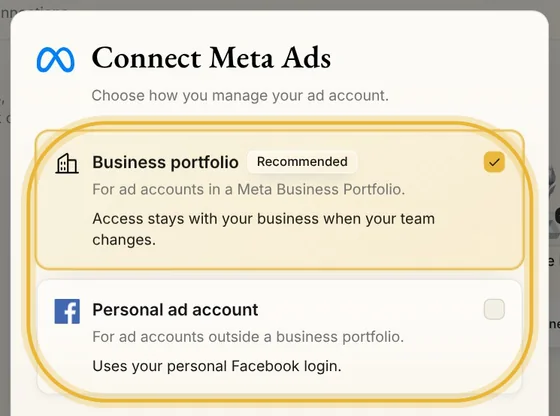
At the top of Connections, under Workspace connections, with your brand chosen, press Meta ads. If your ad account is in a Meta business portfolio, keep Business portfolio: access stays with your business when your team changes. If it isn't, choose Personal ad account, which uses your personal Facebook login.
Steg 3: On Facebook
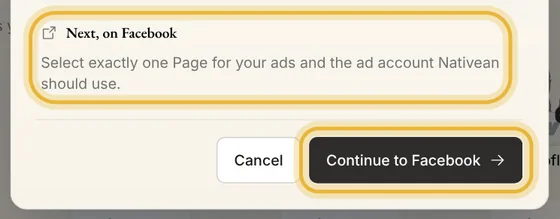
Press Continue to Facebook. With Business portfolio, Nativean says what to select there: exactly one Page for your ads, and the ad account Nativean should use. With Personal ad account, Nativean uses the Facebook login this brand posts with, or asks you to sign in, and your ads run as the Page this brand posts to.
Steg 4: Back in Nativean
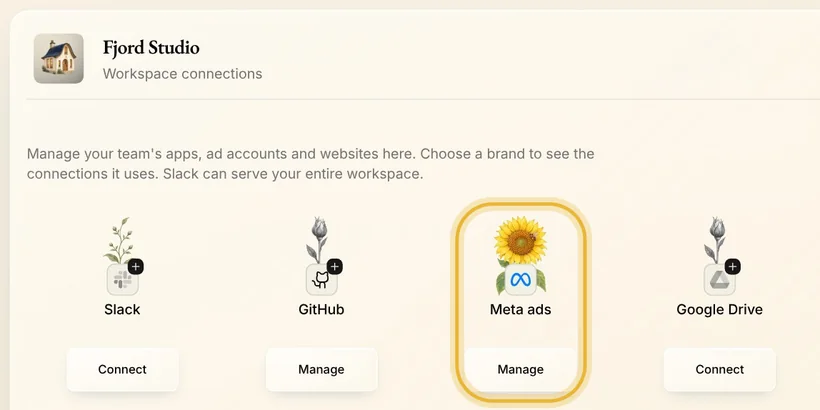
Back in Nativean, there may be one more step. With Personal ad account, confirm the Page, or pick one if this brand posts to no Page. With more than one ad account, choose the one Nativean should use. Then you're back on Connections, and Meta ads shows as connected: press Manage under it to see your ad account, or to disconnect it.
Tips fra Trond
- You need a Facebook login with access to the ad account.
- If Nativean says no ad accounts were found, the login you used can't reach an ad account, and no ad account is connected.
- You can also connect in Memory: open Content, then Ad settings, and press Meta ads. Until your ads setup is done, Ads setup opens there by itself and starts with Connect Meta.
Prøv det i Native
Ny i Native? Start med nettsiden din, og se de første innleggene dine i dag.