Suggestions
Approve posts in Suggestions
 Elin Kristina AnderssonFounding GTM0:41Recorded October 24, 2026
Suggestions is where Native’s new posts wait for you. Every card is ready to go, so all you do is decide. It takes a few seconds a post.
In this video
Step by step
Step 1: Open Suggestions
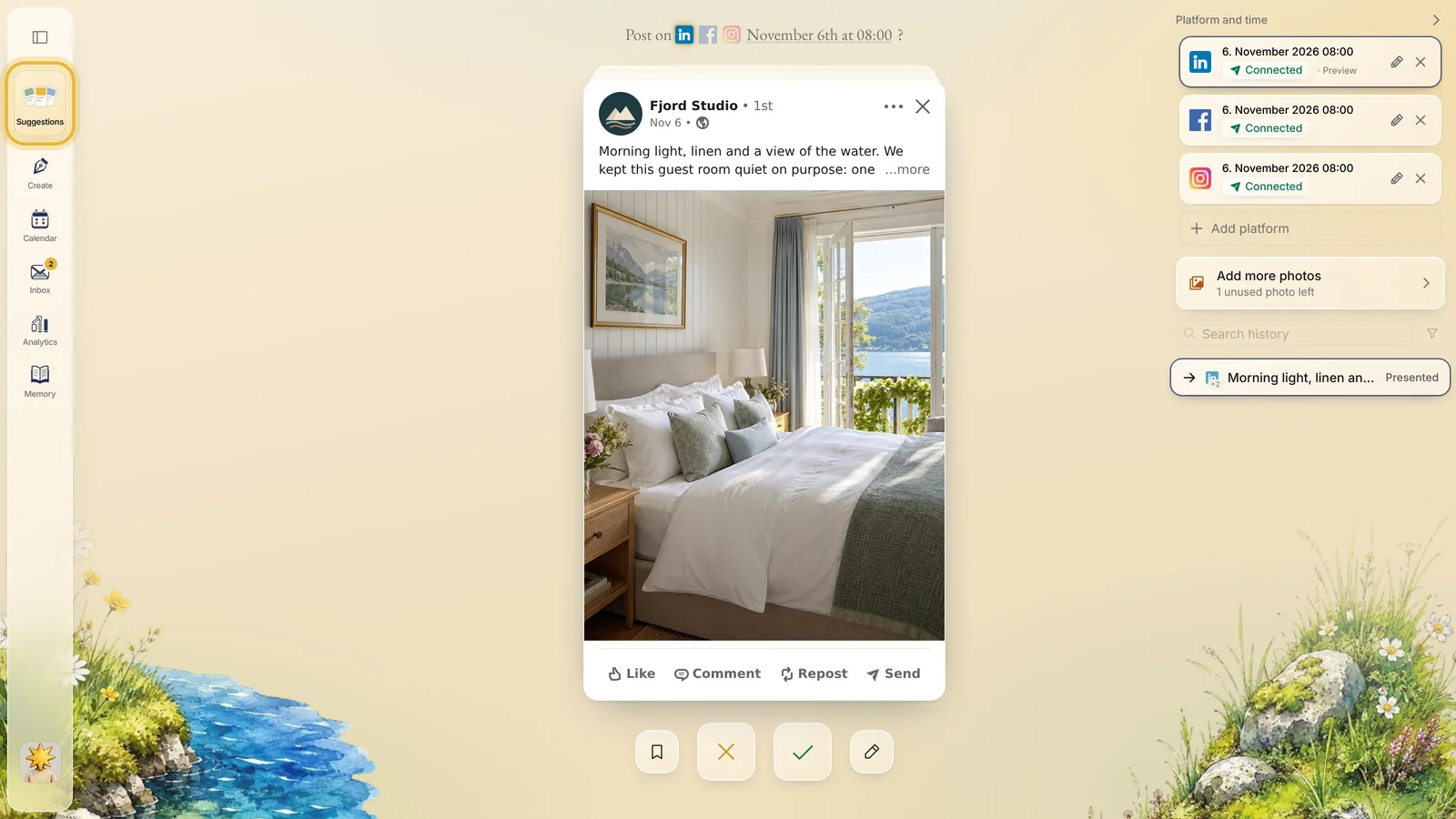
Suggestions is the first item in the menu on the left. It opens on the next card in your deck: one post at a time, made for your brand.
Step 2: Read the card
Each card is a finished post: the picture, the caption and the channel it is made for. Press “more” to read the whole caption.
Above the card you see which channels it goes to, and the day and time Native picked for it.

Tip: Want another day or time? Click the date above the card and pick a new one before you approve it.
Step 3: Approve it
Like it? Press the green check under the card, or drag the card to the right. The post goes on your calendar at the time shown above it, and the next card slides in.

Step 4: Or get a new one
Not quite right? Drag the card to the left, or press the gold X. Native makes a fresh post and puts it in your deck in its place.

Tip: Almost right? Keep the card and change it instead: the pencil asks Native for a change in your own words. That is the next tutorial.
Step 5: Or save it for later
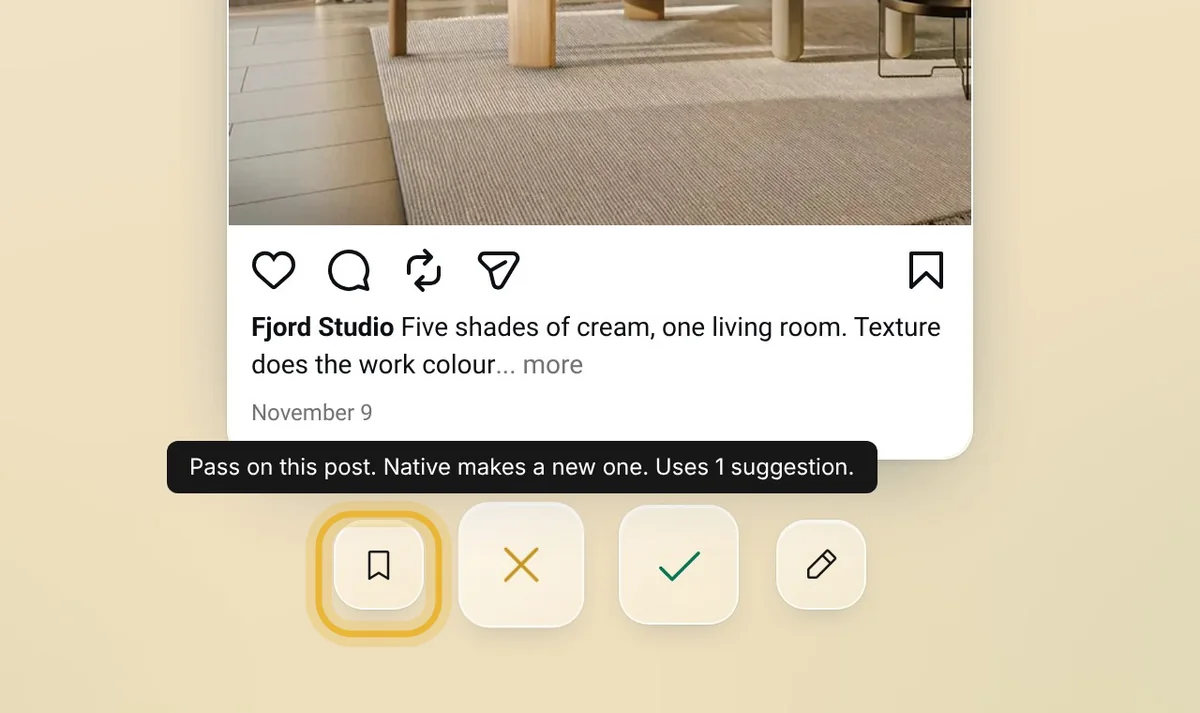
Not sure yet? Press the bookmark, or pull the card down. It is saved as a draft, and waits in the Drafts list on your calendar until you plan it.
Step 6: Each choice counts
Every approval, new post and draft uses one of your plan’s suggestions for the month. Each choice also teaches Native what you like, so the cards get closer to your taste.
Tips from Elin
- Go through your deck a few times a week. A few minutes each time keeps posts going out without a big job.
- Pass on a card that misses rather than approving something you would not post. Native learns from a pass too.
- Run out of suggestions before the month is over? A suggestion pack adds more, and they do not expire.
Try it in Native
New to Native? Start with your website, and see your first posts today.