

Start with the product you want people to buy and the exact option they will see in the store. Use its name, photo, price, and link to draft a launch post. Before it goes live, open the store as a customer and check that the product page, selected option, and offer agree with the post.
Connect your Shopify products to Native
Use the live storefront address. The store needs to be public and the person connecting it must own or administer the Native brand. If the brand already has a connected store or feed, decide which catalog to use before you change it.
In Native, open Products, choose Connect your store, pick Shopify, and enter the address customers use to shop. Native reads public, published products, including names, descriptions, prices, sale prices, stock, links, and SKUs. It imports up to 5,000 products and copies up to eight photos per product into your Native library. Native’s Shopify integration
Native refreshes the catalog daily. If a product changes close to launch, choose Sync now in Products and check the draft against the public storefront. Reopen any post that already uses the older information. The price on an image needs its own check, even if the caption is right. Native’s store sync walkthrough
Pick the variant before drafting the announcement
A color, size, or finish can be a separate Shopify variant. Use the SKU in your brief to identify the exact option internally. In the public copy, say which color or size the reader can buy. Shopify lets you set availability for specific products and variants, and stock can differ by location. Shopify variants · Product availability · Inventory by variant and location
Here is a fictional launch for a shop selling a 12-ounce Dew Mug. The Moss variant costs $28 USD and launches Thursday at 10 a.m. Pacific time. The Sand variant is unavailable. The shop has an approved photo of Moss and a second photo that shows its handle.
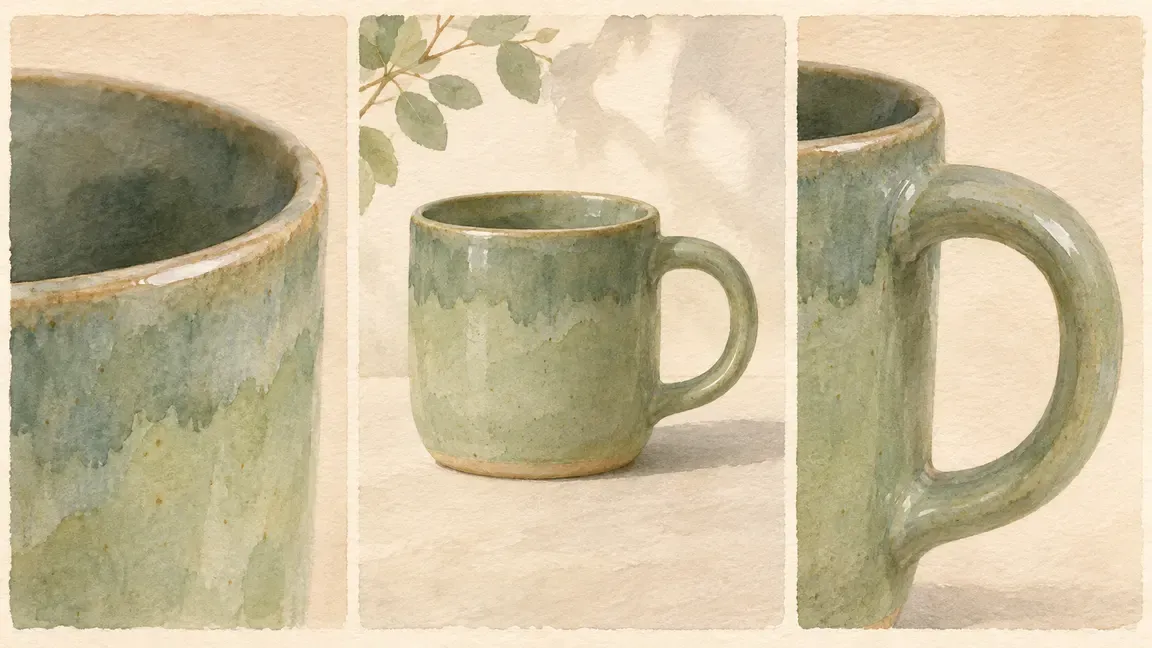
- The day before. Reveal the glaze. Give the confirmed local launch time and use a waitlist only if it works.
- Launch day. Show the whole mug. Name Moss and its price. Test the linked variant, currency, and cart on a phone.
- A few days later. Show the handle if Moss is in stock. Use an approved restock signup or hold the post if it sold out.
Example launch caption
The 12-ounce Dew Mug is available in Moss for $28 USD. See the handle up close in the second photo, then choose Moss on the product page: [product link].
Replace the example details with your own. If a promotion only applies to one variant, name that variant right beside the price. Include an end time if the offer expires and the customer needs it to decide.
Review the shop and the post on launch day
- Check Shopify. Open the public product page in the intended market. Confirm the product, variant, price, currency, and availability. Some Shopify themes support links that preselect a variant. Test what your link actually opens. Shopify’s documentation on variant links
- Check Native. After syncing recent changes, compare the draft caption, image, and link with what the customer sees. Review each channel version you plan to publish.
- Check the live post. Native publishes to the social channels you connect. Shopify supplies the product information and handles the purchase. Open the live post and test its destination. Native publishing destinations
Use one launch campaign name across your links and a different content value for each post. Compare product-page visits and orders separately. Links can show where a visit came from, while store reporting shows what people bought. Google Analytics campaign URL guidance
If you film a product demo, adapt it for Reels, TikTok, and Shorts and check each published version against the same product page.
If the details already live in your shop, connect Shopify to Native and use one verified product to make your first launch drafts.