Suggestions
Undo a choice in Suggestions
 Elin Kristina AnderssonFounding GTM0:39Recorded October 30, 2026
Changed your mind about a card? The queue beside the deck lists what you've decided, and most choices can be undone there.
In this video
Step by step
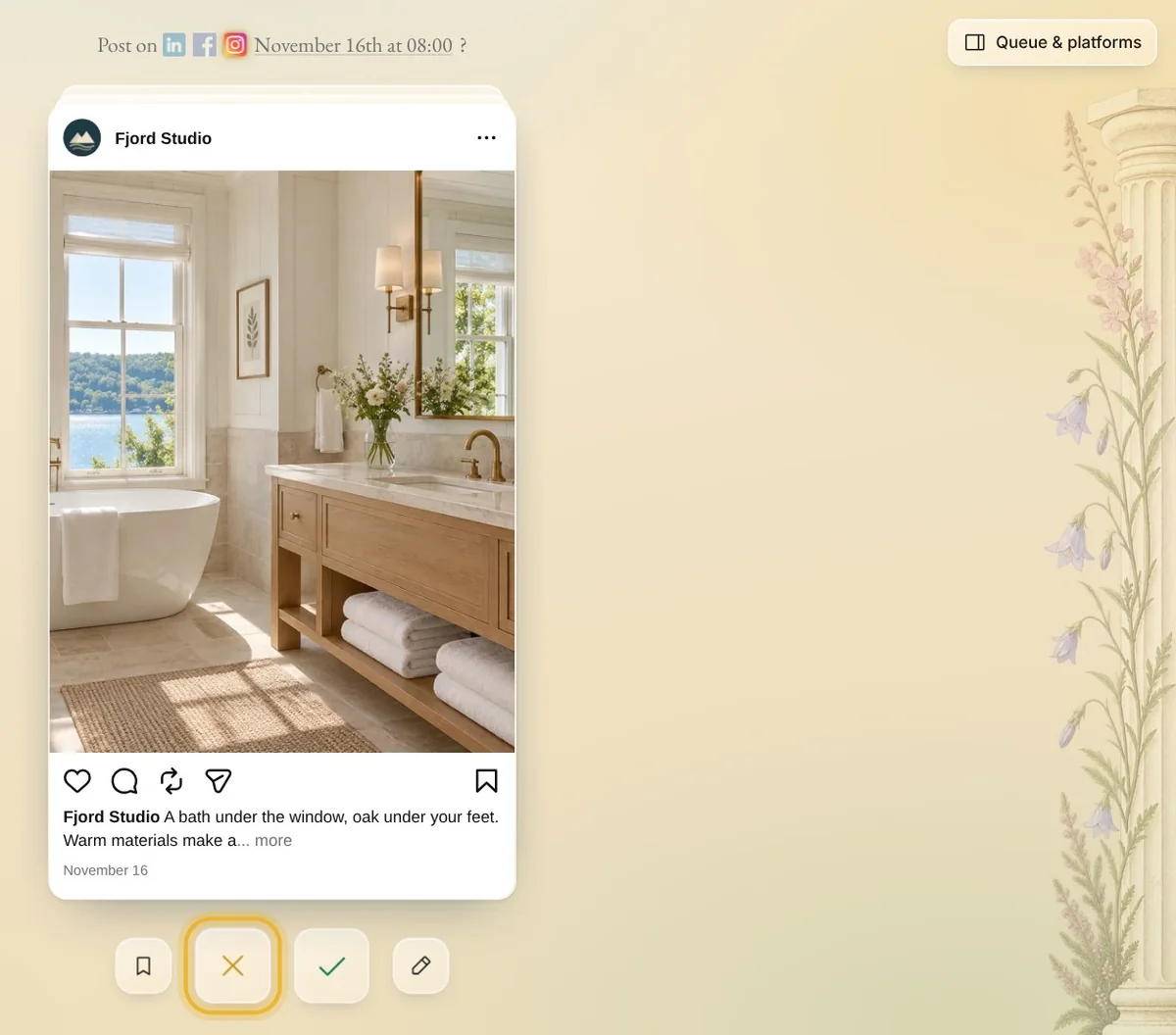
Step 1: Pass by mistake
Passed on a post you wanted after all? It isn't gone.
Step 2: Queue & platforms
Press Queue & platforms at the top right of the deck, if the panel is closed. Under Reviewed, press the post.
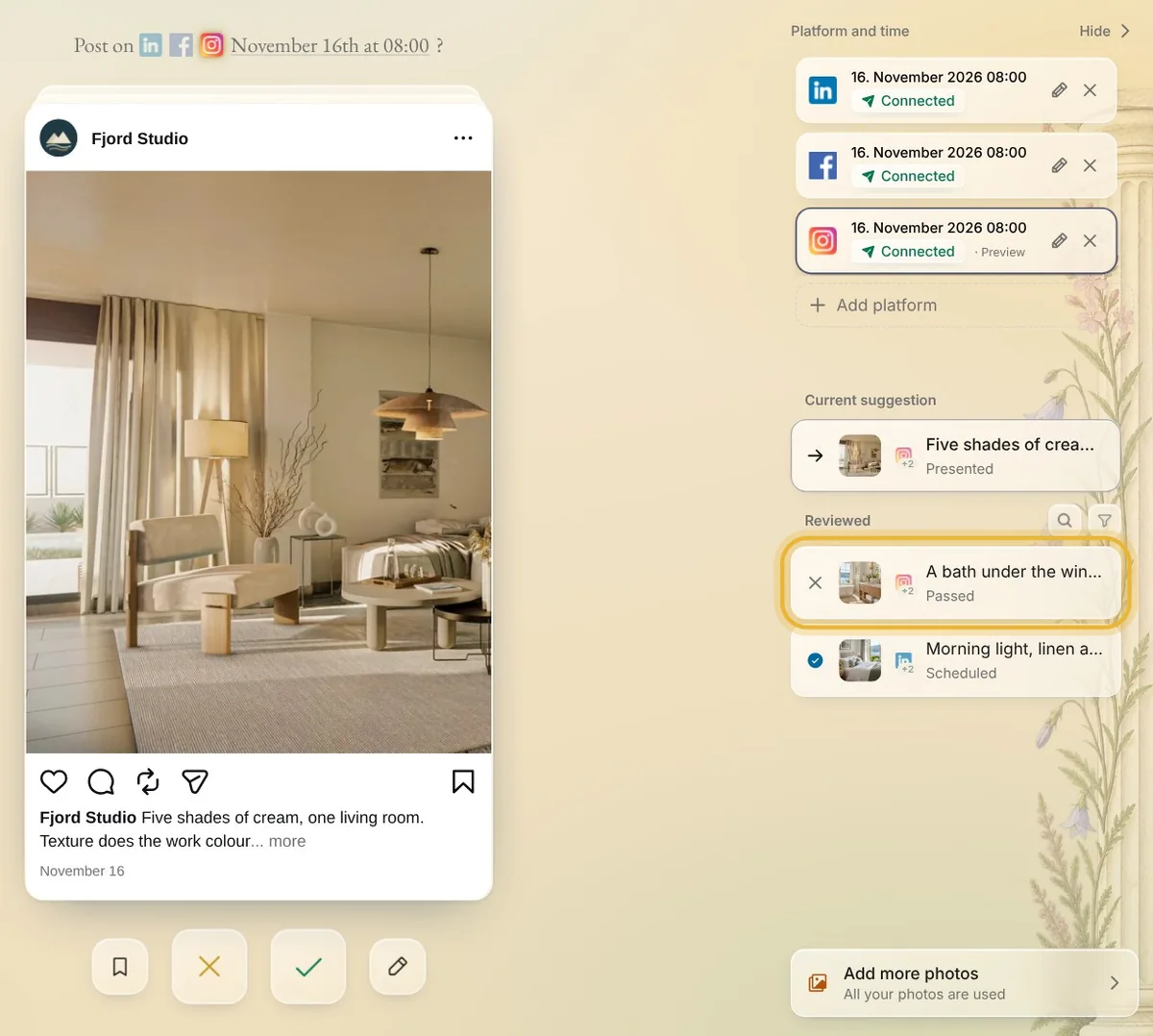
Tip: On a phone, tap the queue icon at the top instead.
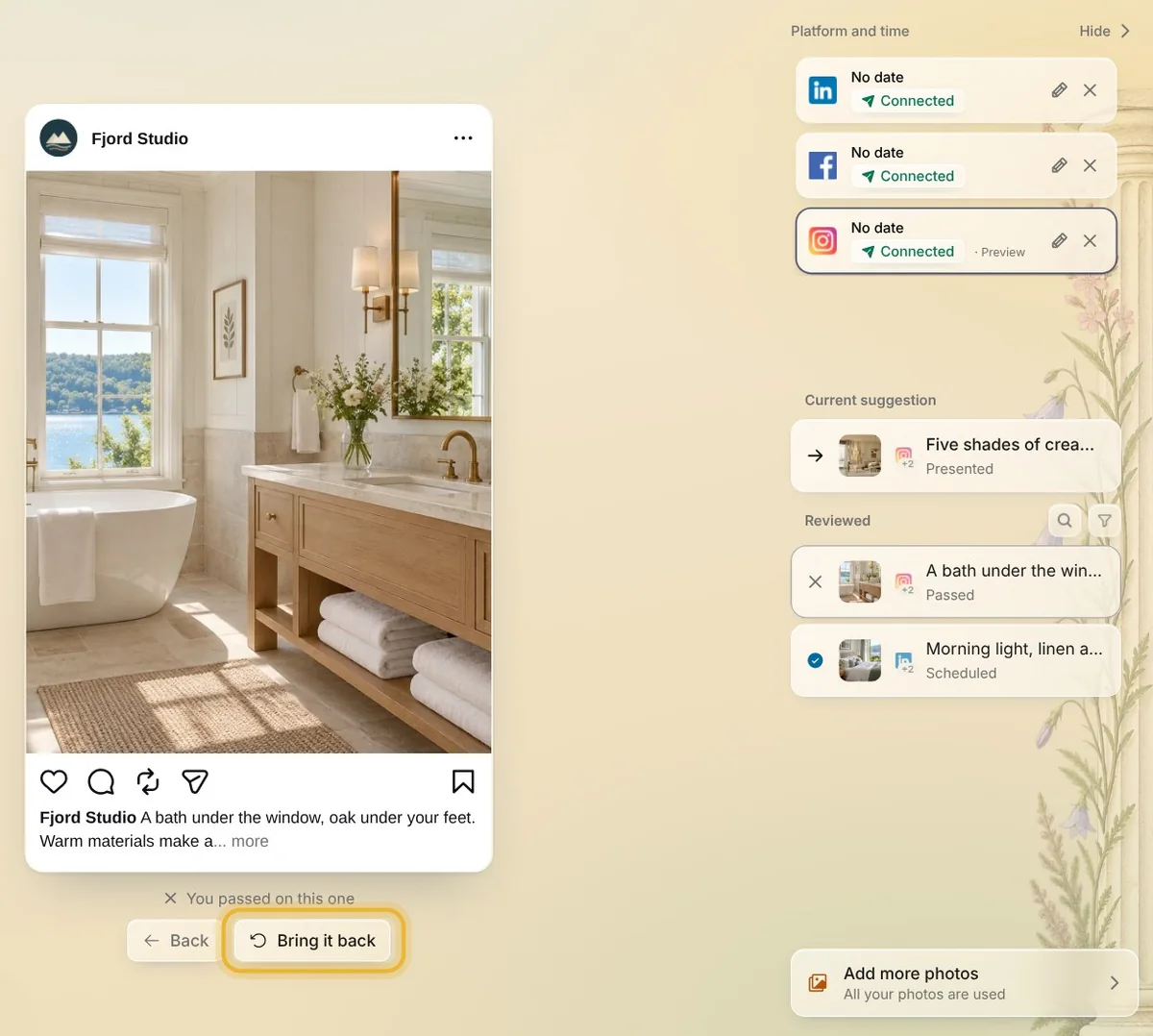
Step 3: Bring it back
A post you passed on says You passed on this one. Press Bring it back, and it's in your deck again, ready to decide.
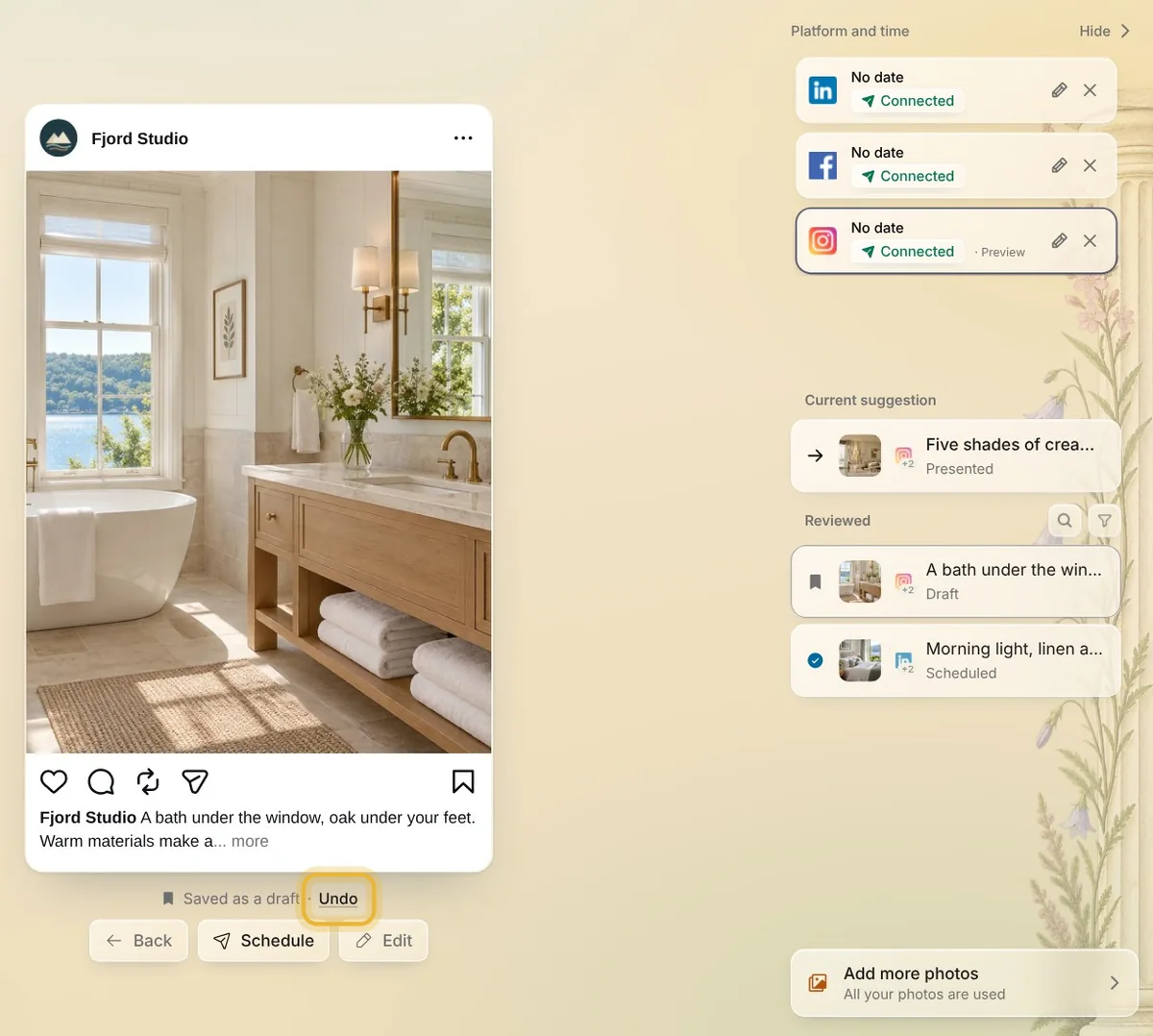
Step 4: Undo a draft
A post you saved says Saved as a draft. Press Undo next to it to put it back in your deck.
Step 5: Approved posts
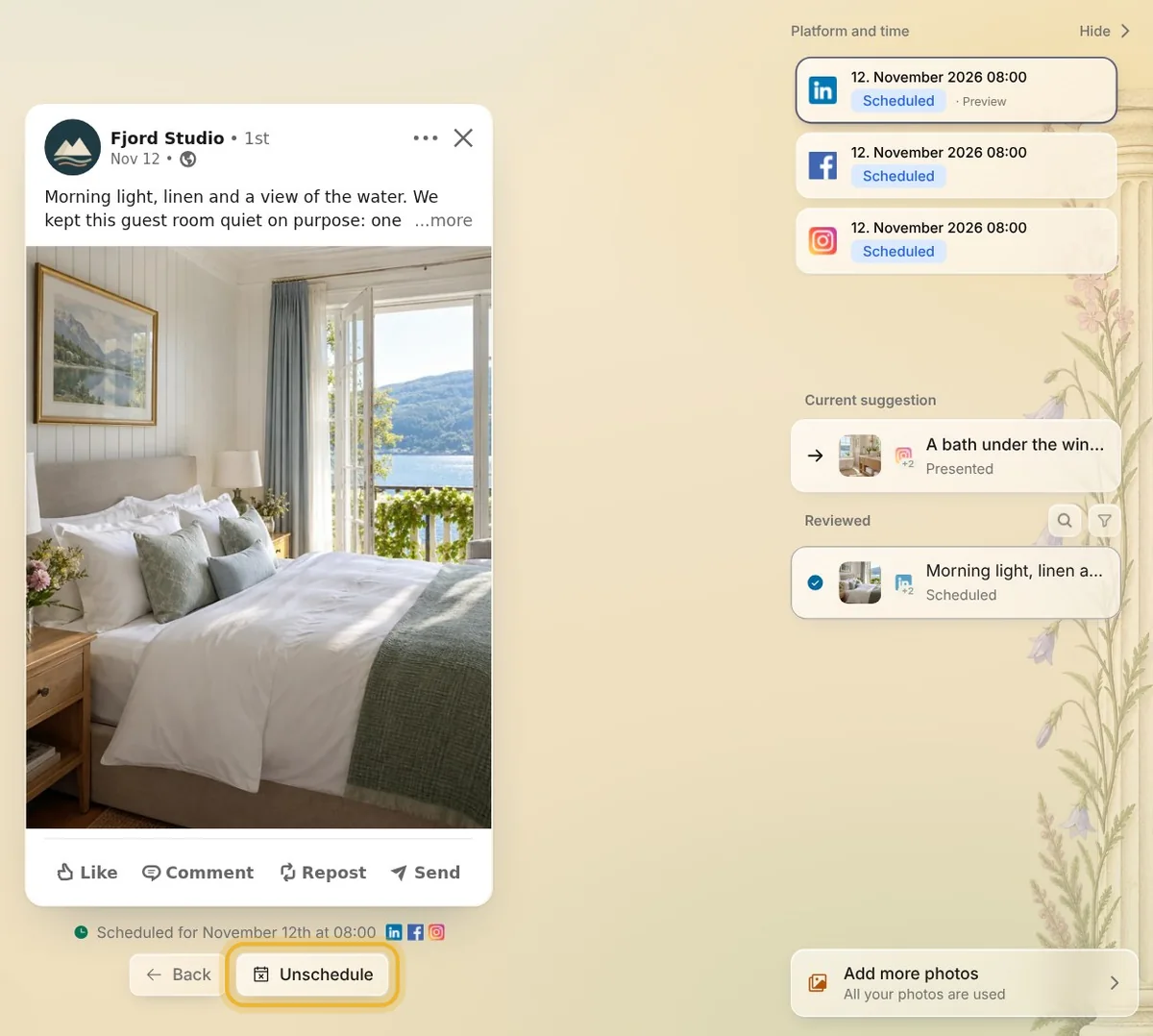
An approved post is scheduled: press Unschedule and confirm, then press Undo. If it already went out, the button says Unpublish instead.
Tips from Elin
- You get the suggestion back too, unless the post went out. A suggestion from your plan comes back only until your suggestions refill; one bought in a pack comes back even after.
Try it in Native
New to Native? Start with your website, and see your first posts today.