Your account
Tokens and suggestions, explained
 Elin Kristina AnderssonFounding GTM0:45Recorded October 26, 2026
Native counts two things. Tokens pay for AI work, like a chat message, a new picture or a post from autopilot. Suggestions are for your Suggestions deck: each card you approve, save or pass on uses one. Your plan gives you both every month.
In this video
Step by step
Step 1: See what's left
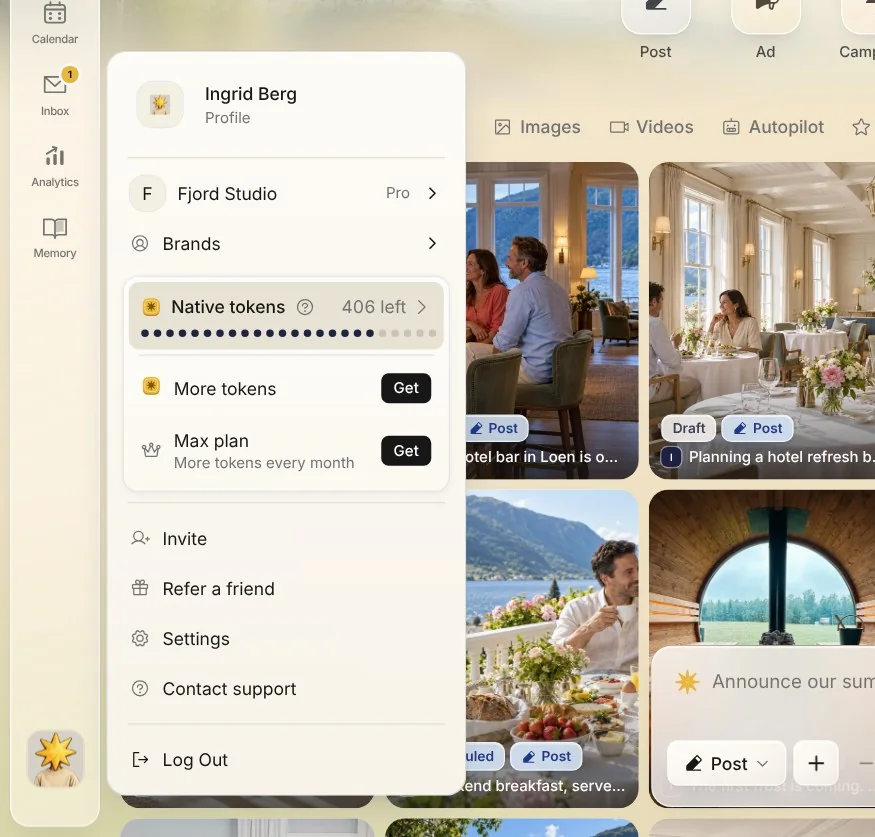
Press your picture at the bottom of the bar on the left, or at the top on a phone. The Native tokens card shows the tokens you have left.
Step 2: Read your tokens
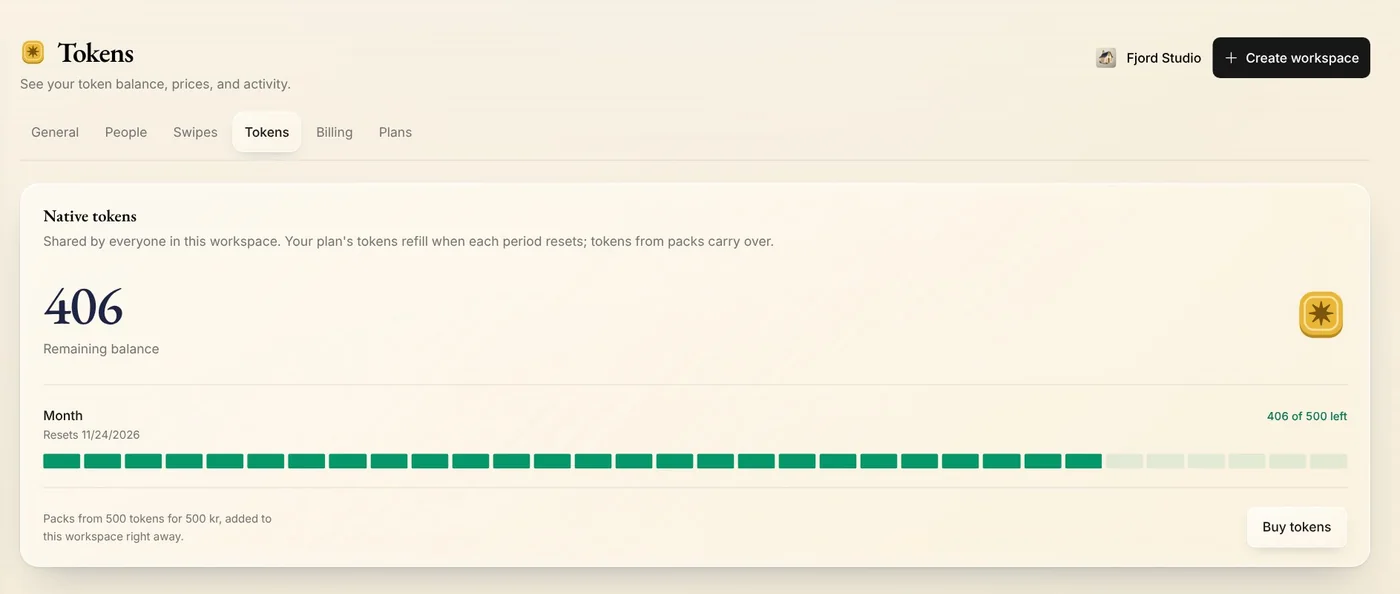
Press the card to open Tokens. It shows your remaining balance, how much of this month's tokens is left, and the day they refill. Tokens are shared by everyone in the workspace.
Step 3: What things cost
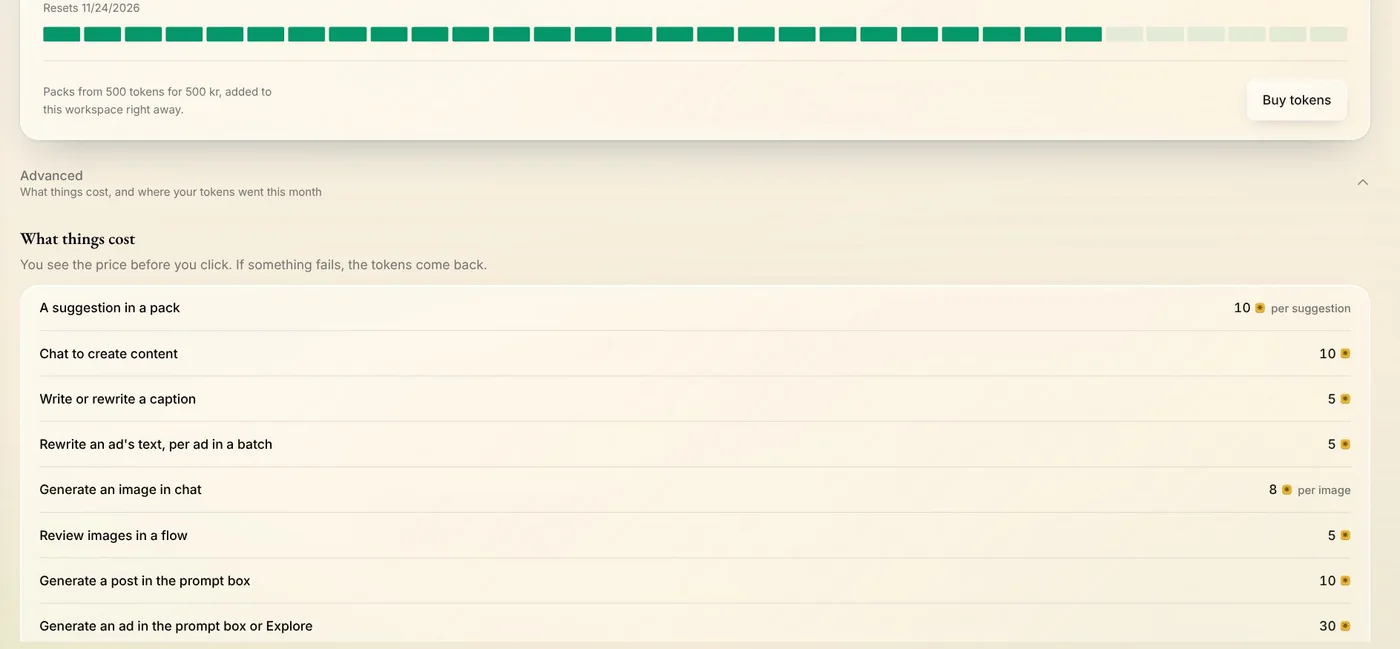
Open Advanced to see what things cost, and where your tokens went this month. Most buttons that use tokens show the price before you click. If such an action fails and you get nothing from it, the tokens come back.
Step 4: Get more tokens
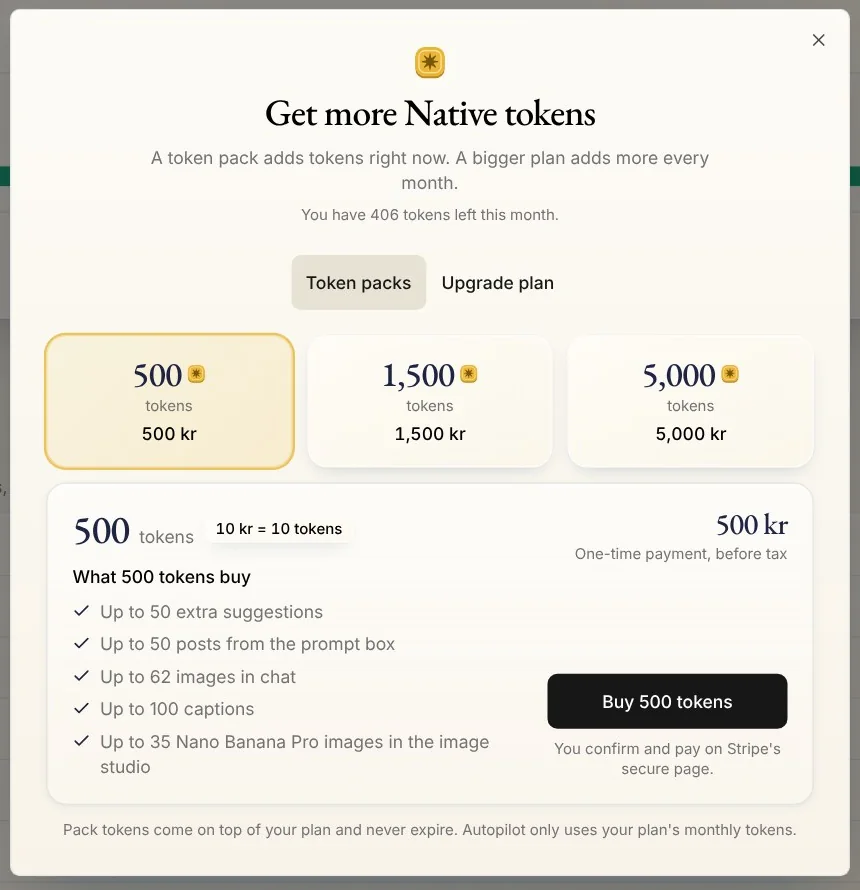
Press Buy tokens for the packs. Tokens from a pack come on top of your plan and never expire. Upgrade plan compares the plans and the tokens each gives a month.
Tip: Only a workspace owner or admin can buy tokens, and you pay on Stripe's secure page. On an Enterprise plan, your tokens are agreed with Native instead.
Step 5: Your suggestions
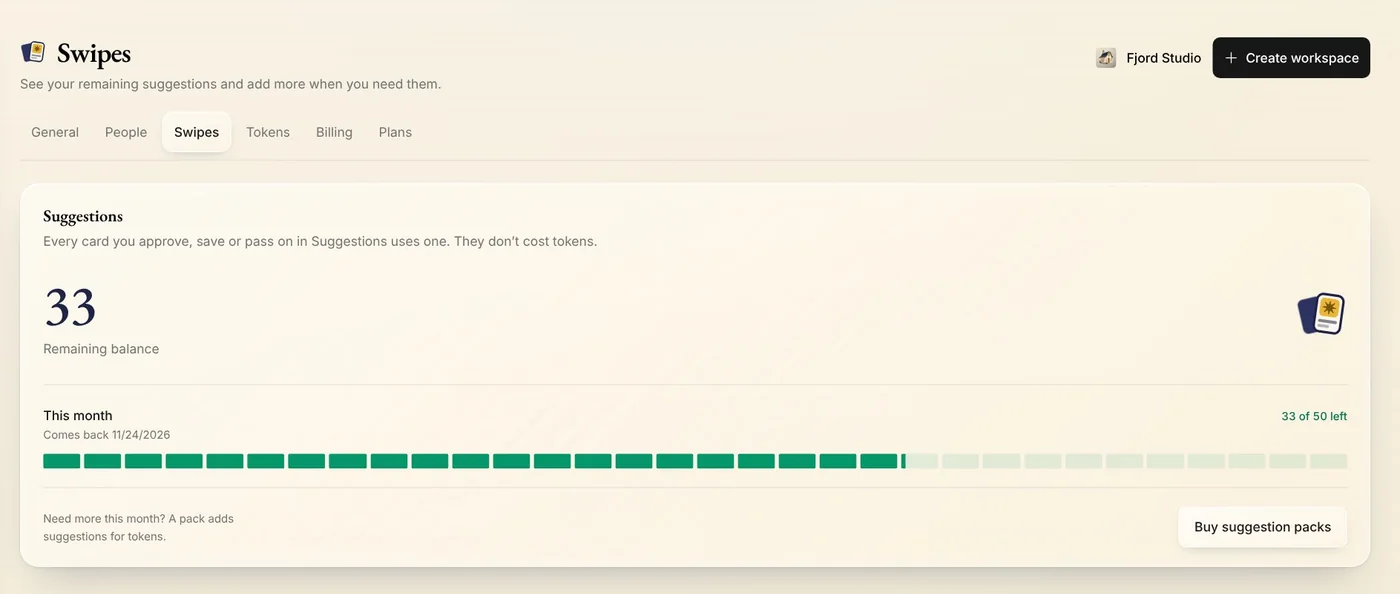
Open Swipes to see your suggestions. Each card you approve, save or pass on in Suggestions uses one, and they don't cost tokens. They come back each month. Need more before then? Press Buy suggestion packs to add some, paid for with tokens.
Tips from Elin
- Creating a post, an ad or a design step by step is free. Most actions that cost tokens show the price on the button.
- Running low? Native tells you before your tokens run out.
- Suggestion packs and token packs never expire. This month's suggestions and tokens are used first.
Try it in Native
New to Native? Start with your website, and see your first posts today.