

Start with three Meta ad creatives for one skincare product. Show what it looks like in use, where it fits in a routine, and what the customer actually gets. Keep the offer and destination page steady while you see which of those questions matters most to shoppers.
Choose an angle from a real customer question
Read product questions, support replies, and approved reviews to find what people ask before buying. Pull one repeated question into each brief. Keep the customer’s contact details out of your source notes.
Use a still when one frame answers the question. Try a short video when motion makes the texture or application easier to understand. Meta’s lesson on creative diversification
Write one complete brief before making variants
A fictional U.S. skincare brand sells a 50 mL fragrance-free face lotion for $28. Use the same product, offer, and approved directions in all three concepts.
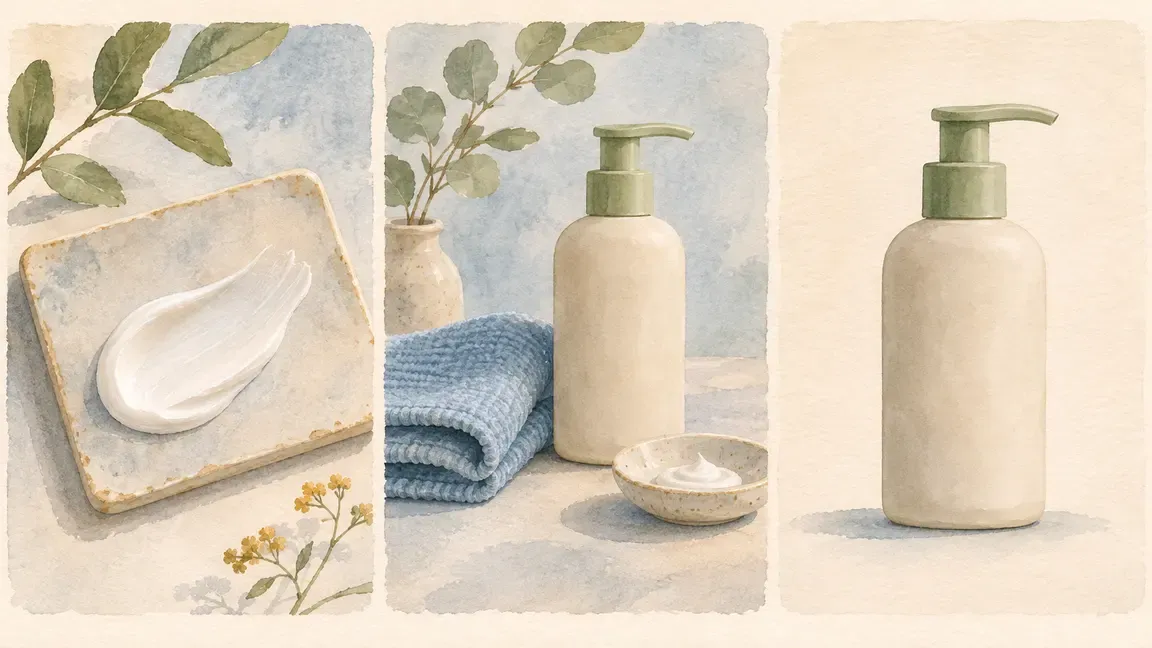
- Texture. How does it look? Show a close crop of the actual lotion in the amount shown in the directions. Use consistent lighting.
- Routine. When would I use it? Show the bottle on the shelf and the lotion being dispensed. Follow the approved directions and caption the clip.
- Offer. What comes in the order? Show the bottle with its 50 mL size and $28 price. Link to the exact variant and check any shipping or subscription terms.
Before publishing, read the image, spoken words, caption, review quote, and landing page together. A claim can come from what the ad implies as well as what it states. In the U.S., a claim that a cosmetic treats disease or affects the body’s structure or function can change how the product is regulated. Keep health-related advertising claims tied to appropriate evidence. FDA cosmetic labeling claims · FTC guidance on health product advertising
Compare the result the ad is meant to deliver
Choose a purchase event you can verify before the ad runs. Use cost per purchase and total purchases to see how much each concept delivered. Link clicks and landing page visits help you see where the path breaks.
Use the Instagram ad budget example to set a cost per purchase your margins can support.
Use the same product, offer, landing page, and observation window when comparing concepts. Decide whether the test is about the message or the format. To compare formats, make a still and a video that carry the same message. To compare needs, keep the format consistent and change the question the ad answers. Meta’s guidance on A/B testing
For a controlled comparison, use Meta’s A/B test to split eligible audiences into non-overlapping groups and change one variable. If you compare ads that ran normally in the same campaign, use that readout to decide what to test next. Delivery can differ even when spend looks similar.
If the team has time for one shoot, start with the customer question and pick the format that shows the answer clearly. Decide which Meta ads need video
Here is a fictional readout from two still ads. Turn the routine concept into a still by showing the lotion beside the other items in the approved routine. The texture ad spent $120 and recorded eight purchases, for $15 per purchase. The routine ad spent $120 and recorded six purchases, for $20 per purchase. A difference of two purchases is a useful lead for another test. Check impression delivery, the purchase event and the shop’s orders before you change the whole budget.
If clicks look good and the product page gets few visits, open the link on a phone and check load time and redirection. If visits look good and purchases lag, check the size, price, stock, and shipping terms shoppers see there. Fix a broken path before calling the creative weak.
Preview what each placement will show
Check the size line, product crop, and main claim in the feed, Stories, and Reels previews. Give the product room around the edges so an overlay or different crop cannot hide the size or variant. Use the same approved facts even when the layout changes.
Check Facebook and Instagram ad sizes by placement
Native can make static Meta ad creative from your brand and send different layouts for feed, vertical, and square placements when it designs the ad. Ads based on your own photo or an existing post currently use the 4:5 route, so check the preview for the exact ad you plan to run. You choose the goal and budget in the Meta account you own. Start with one approved product and see the creative before it goes live. Native’s placement formats · Native Ads Autopilot