Ads
Get new ads every week
 Trond HaugåCOO & Co-founder0:41Recorded October 27, 2026
Autopilot makes new ads for your brand every week, on the days you pick and in the numbers you set, as far as your plan's tokens go. You choose whether new ads wait for you or go to Meta.
In this video
Step by step
Step 1: Turn it on
In Memory, open Content, then Autopilot, and turn on the switch at the top right of the Ads card. Native makes the first ads right away, then follows the days, numbers and subject you set next.
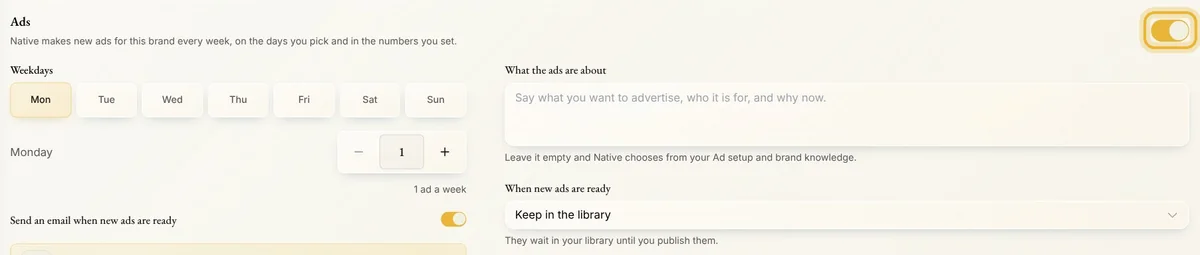
Tip: You need a Meta ad account connected in Ad settings, and one ad you made yourself in Create. You don't need to publish it.
Step 2: Pick the days
Pick the weekdays new ads arrive, and how many come on each. The card adds them up, like 3 ads a week. Each ad Autopilot makes uses 30 tokens from your plan, never from token packs you bought.
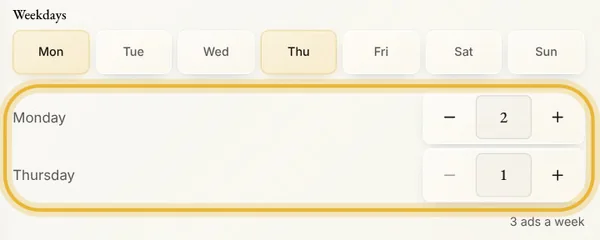
Tip: If your plan's tokens run short, Autopilot makes fewer ads that day, or none. Ads that fail give their tokens back.
Step 3: Say what they're about
Write what you want to advertise, who it is for and why now. Leave it empty, and Native chooses from your Ad settings and what it knows about your brand.

Step 4: When they're ready
Choose what happens to new ads. Keep in the library: they wait until you publish them. Paused on Meta: they go to Meta switched off, so they cost nothing until you switch them on. Live right away: they start running and spending on their own.
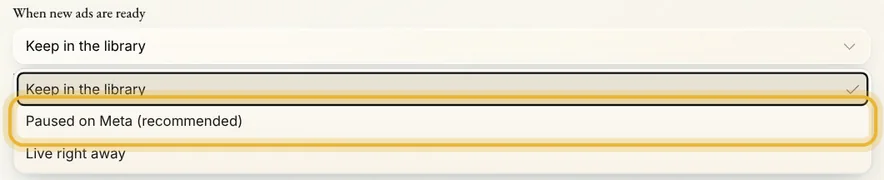
Tip: Paused on Meta and Live right away need a campaign with a daily budget, or one you run yourself. Without one, new ads stay in the library, and the card says so.
Step 5: Where they go
All your ads go to shows where published ads go, Autopilot's and the ones you make. Use a different campaign moves them to a campaign you run yourself. Native can also email the people you tick when new ads are ready: everyone with access to the brand starts ticked.
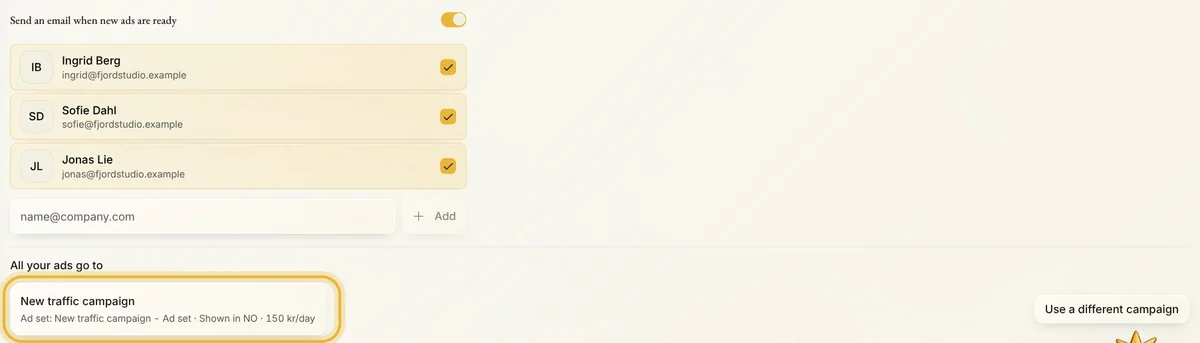
Tip: Add another campaign or ad set gives a second destination its own days, number of ads and subject. Most brands only need one.
Tips from Trond
- Only the brand's admins can change Autopilot. For everyone else the card is locked.
- While Autopilot is on, Last run on the card shows what each run made, and whether the ads stayed in the library, went to Meta paused or were published.
- Turning it off stops new ads. A run already under way still finishes, the ads it made stay in your library, and ads running on Meta keep running until you pause them.
Try it in Native
New to Native? Start with your website, and see your first posts today.