Tokens and suggestions
When your tokens run low
 Michael Ishoel OlsenFounding engineer0:35Recorded October 29, 2026
Native tells you before your tokens run out. At zero, work that costs tokens waits for your monthly refill, unless a workspace owner or admin adds a token pack or moves to a bigger plan. Suggestions and everything free keep working.
In this video
Step by step
Step 1: Native tells you
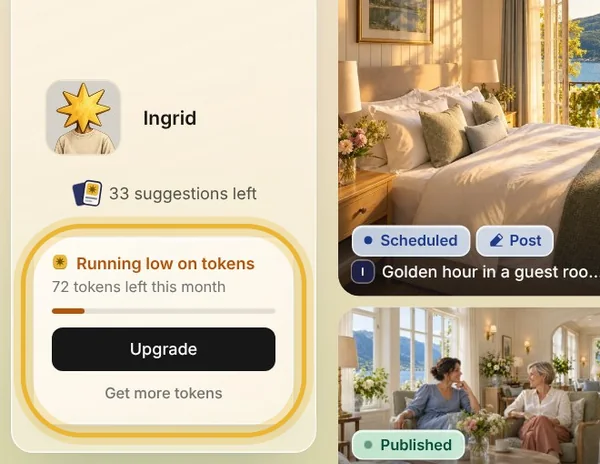
When a fifth of the month's tokens is left, a card in the sidebar says you're running low, with how many are left. When you're almost out, a bar at the top of the app says so too.
Step 2: At zero
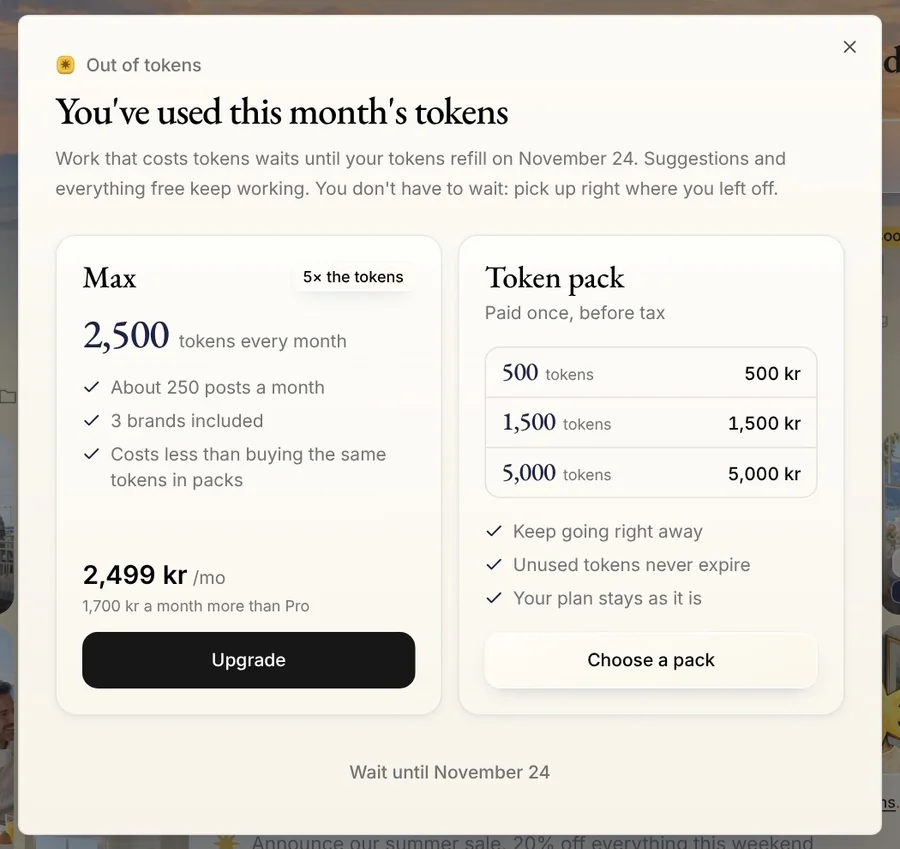
At zero, work that costs tokens, like Create's chat and its box, waits until your tokens refill on your plan's day each month. Native shows Out of tokens with the day they come back. Your deck keeps making posts while you have suggestions, and the step-by-step wizards and Memory's chat keep working.
Step 3: A token pack
To keep going now, a workspace owner or admin can buy a token pack, paid on Stripe's secure page. Pack tokens never expire, and Native uses them only once the month's tokens run out.
Tip: Autopilot uses only the month's tokens, never a pack.
Step 4: A bigger plan
Or move to a bigger plan, for more tokens every month. Already on Max? The dialog's Talk to us gets you more. Each brand past the ones your plan includes adds tokens to the workspace too.
Tips from Michael
- Not an owner or admin? Native asks you to ask one of them to add tokens.
- On an Enterprise plan, your tokens are agreed with Native.
Try it in Native
New to Native? Start with your website, and see your first posts today.