Ads
Run your first ad
 Trond HaugåCOO & Co-founder0:35Recorded October 27, 2026
Publish sends an ad from Native to Meta, into the campaign and ad set you pick. Meta checks every new ad before it runs, and Native shows you how that is going.
In this video
Step by step
Step 1: Open the ad, press Publish
In Create, open Ads, pick your ad, and press Publish in the editor's top bar.
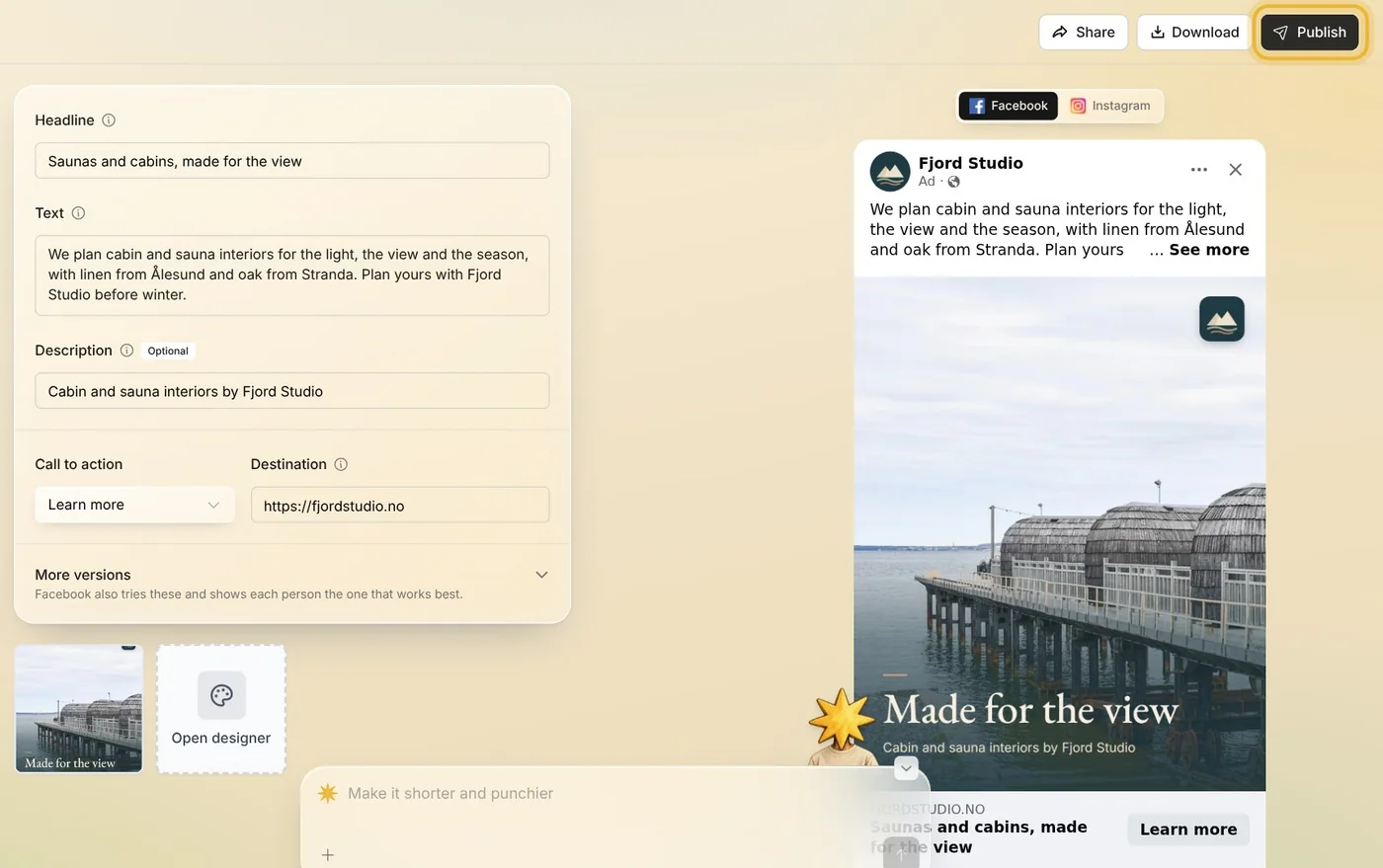
Step 2: Its campaign and group
Check the campaign the ad goes in, press Choose audience, and pick the ad set it joins. Your ad runs alongside the other ads in that group.
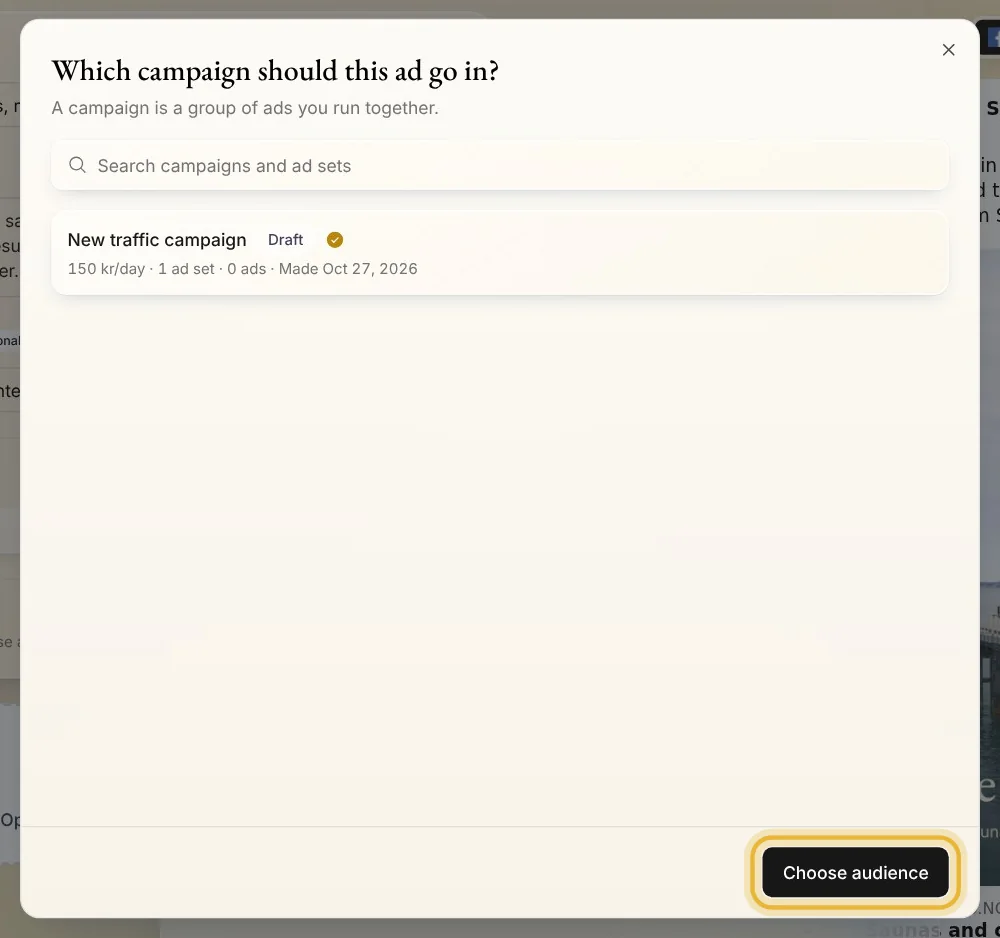
Tip: A campaign is a group of ads you run together.
Step 3: Live or Paused
Keep Live, and the ad starts once Meta has checked it, as long as its campaign and ad set are on: the dialog says when one is paused. Pick Paused, and the ad spends nothing until you turn it on.
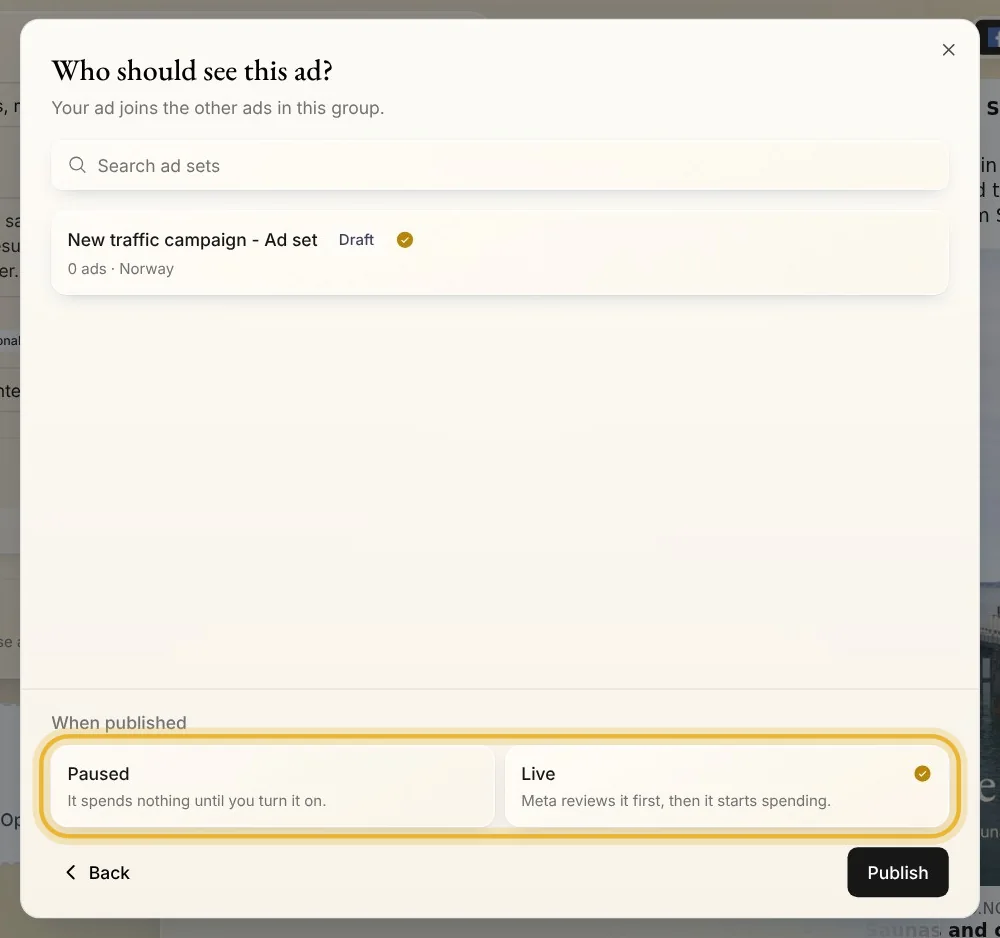
Tip: Live is picked for you, except in WhatsApp campaigns, which start on Paused.
Step 4: Publish, then Meta checks
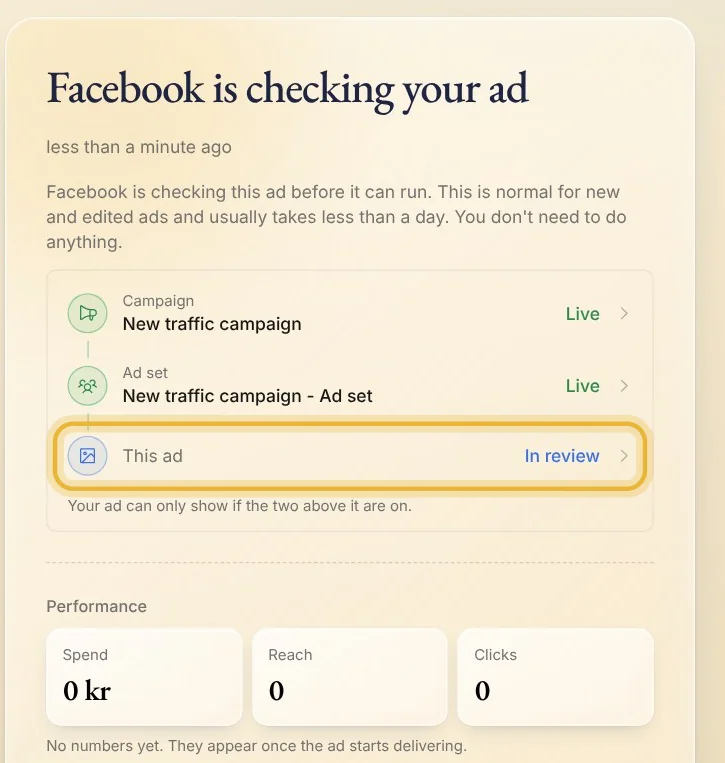
Press Publish. Meta usually checks a new ad within a day, and the ad's status card shows where it stands: its campaign, its ad set and the ad itself.
Tips from Trond
- The first time you publish into a campaign made in Native, Native makes it and its ad set on Meta too.
- Not ready to spend yet? Publish it Paused. When you are, open the ad and turn on whatever its status card shows as off: its campaign, its ad set or the ad itself. It runs only when all three are on.
- Nothing goes to Meta until you press Publish.
Try it in Native
New to Native? Start with your website, and see your first posts today.