Ads
See how your ads are doing
 Trond HaugåCOO & Co-founder0:30Recorded October 27, 2026
Analytics puts your ads beside your posts and your inbox, with figures from your connected Meta ad account. Pick the period at the top, such as 30 days or 12 months, or your own dates.
In this video
Step by step
Step 1: Your advertising
Open Analytics. Your advertising shows the clicks on your ads, what you spent and what each click cost. If Analytics shows several brands, tap yours first.
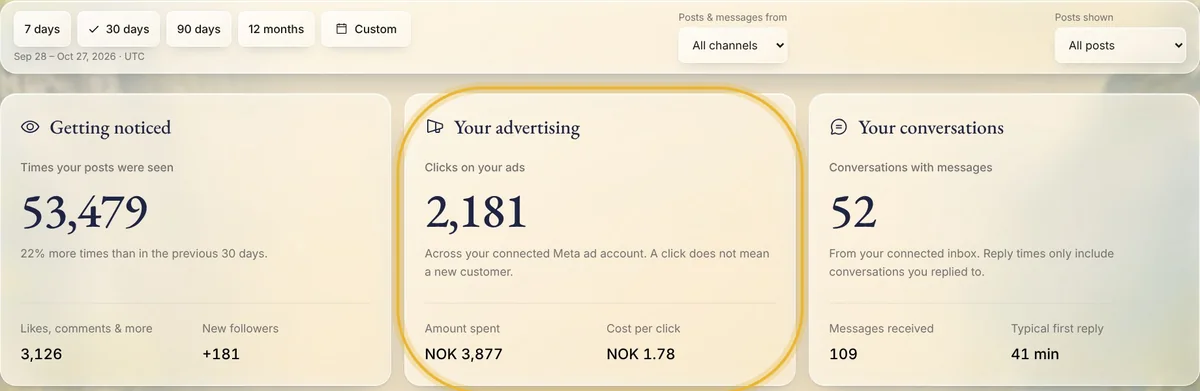
Tip: A click is not always a new customer: it counts every click on your ads, not only visits to your website.
Step 2: Where they were seen
Further down, Your best-performing ads lists your ads of the last 12 months, the ones that bring people to you for the least first, and Where your ads are seen shows the regions they reached, with what you spent in each.
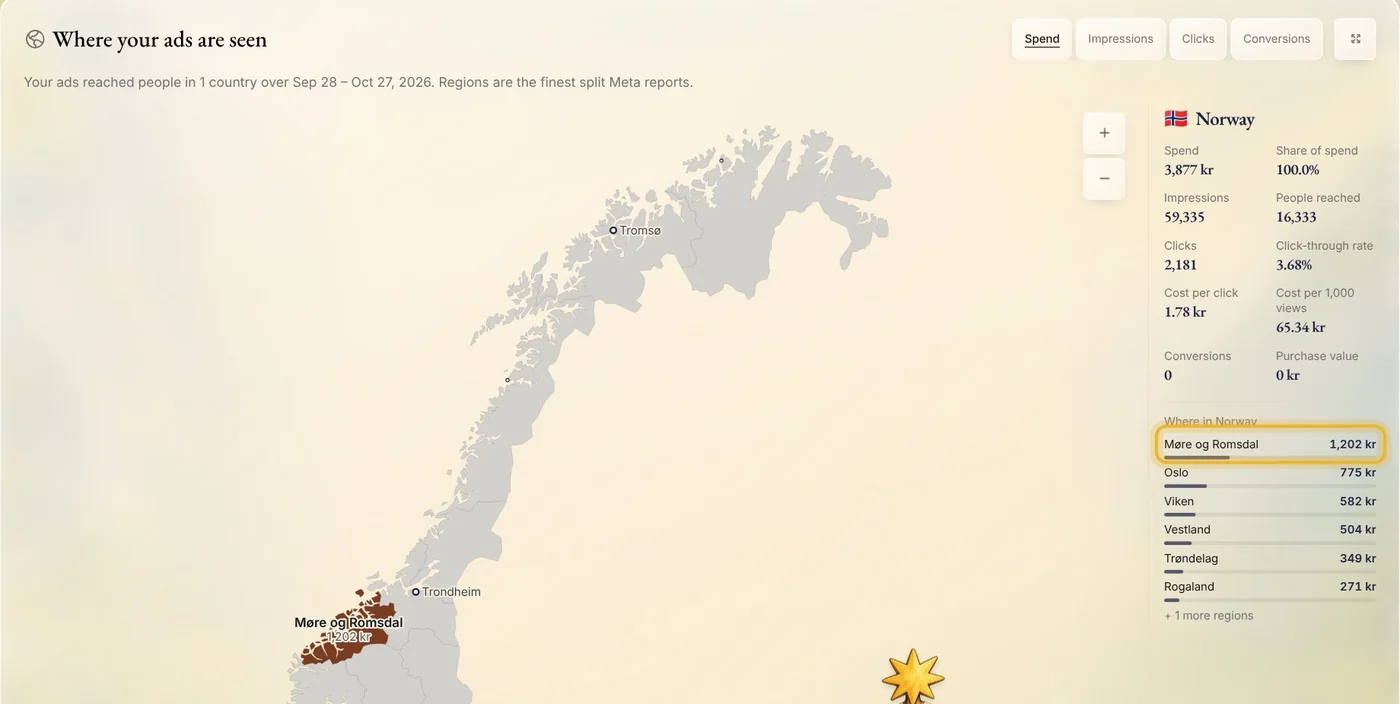
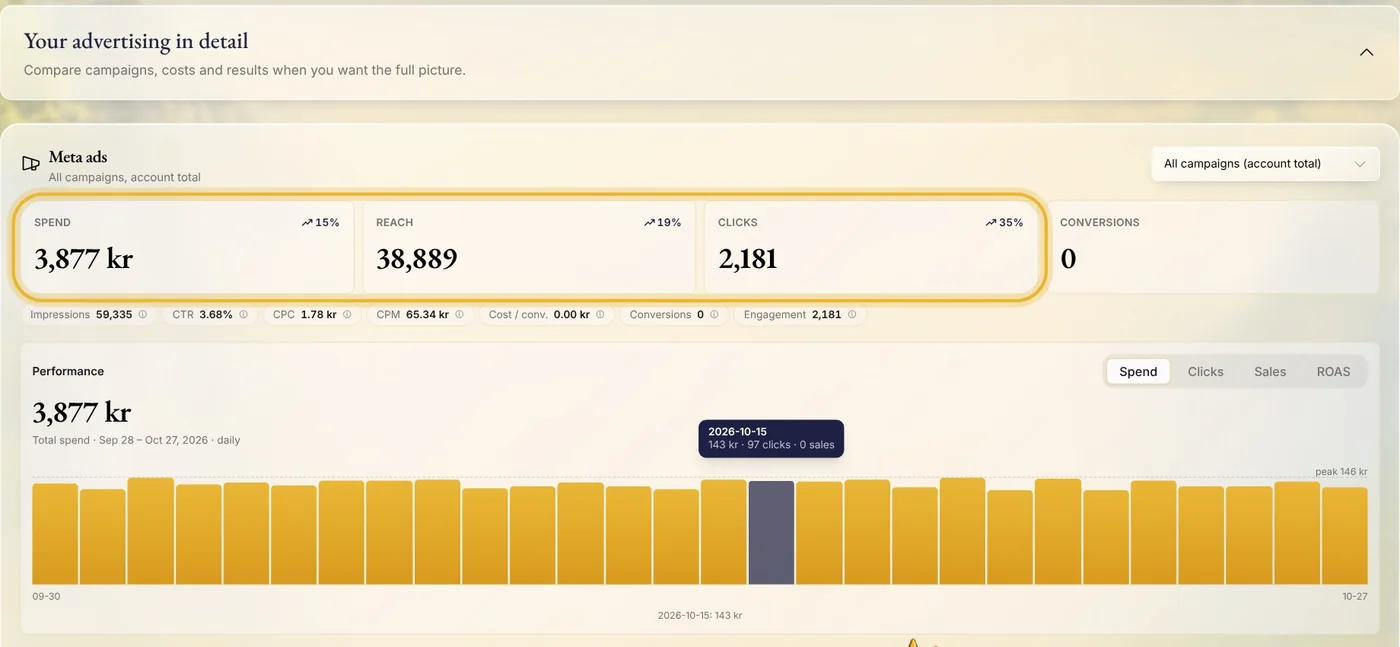
Step 3: Over time, in detail
Open Your advertising in detail for Spend, Reach and Clicks, and how each is moving. The chart goes by day, or by week or month for longer periods. Below it, who saw your ads: their age, gender and region.
Tips from Trond
- To see one ad on its own, open it in Create: its card shows its results, what it spent and how many people saw it.
- Ask the chat on Analytics about your numbers, for example which platform works best for you.
Try it in Native
New to Native? Start with your website, and see your first posts today.