Workspaces and brands
Workspaces and brands, explained
 Elin Kristina AnderssonFounding GTM0:38Recorded October 29, 2026
Native has two levels. Your workspace holds your plan, your team, and the tokens and suggestions everyone shares. Inside it are your brands, each one business or one person, with its own Memory, look and channels.
In this video
Step by step
Step 1: Your workspace
Open Settings from your menu. The overview starts with your workspace: its name, the people in it, the suggestions and tokens left this month, and your plan. They belong to the whole workspace, not to one brand.

Step 2: Your brands
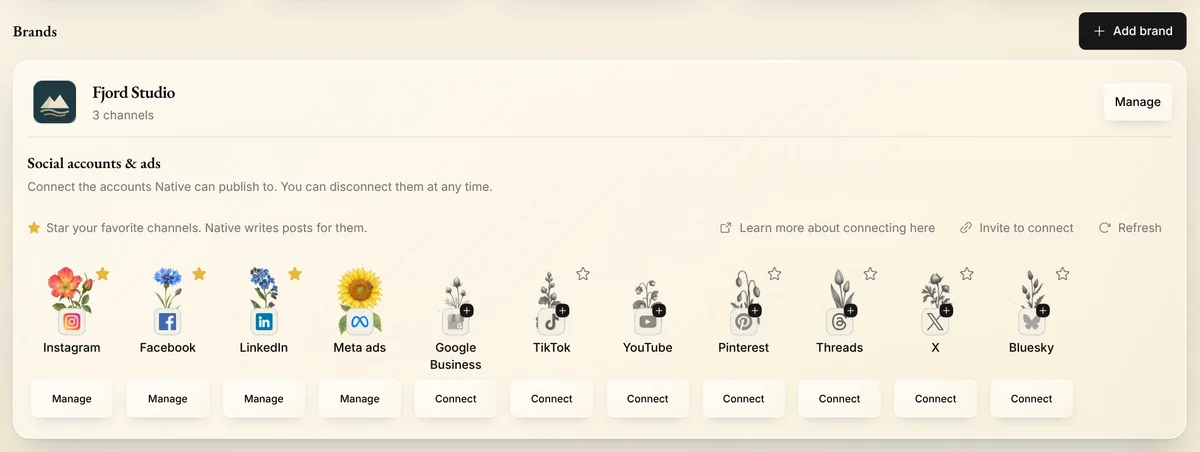
Below are your brands. A brand is who you post as: one business, or one person. Each has its own Memory, its own look and writing style, and its own social channels, deck and calendar.
Step 3: Brands and your plan
Your plan includes one brand, or three on Max, and Enterprise includes them all. Each brand past that adds a little to your bill, monthly or yearly like your plan, and gives the workspace more tokens and suggestions to share. Add brand shows the price before you create one.
Tip: Only a workspace owner or admin can add a brand.
Step 4: A new workspace
Make a new workspace when a business needs its own plan and bill, or its own team. It starts like your first sign-up, with a plan of its own. A social account already used in a workspace you're not part of can't be added to yours.
Tips from Elin
- Want a business and its owner? Make two brands in one workspace: a company brand and a personal one.
- With more than one workspace, Switch workspace in your menu takes you between them.
Try it in Native
New to Native? Start with your website, and see your first posts today.