Ads
Set up your Meta pixel
 Trond HaugåCOO & Co-founder0:40Recorded October 27, 2026
A Meta pixel is a small piece of code on your website. It shows Meta which of your ads lead to real results, like a sale or an enquiry. Native sets it up with you when you make a Sales or Website leads campaign.
In this video
Step by step
Step 1: Pick a goal that needs one
In Create, press Campaign. Pick Sales or Website leads. Both need a Meta pixel on your website, so Native asks for one next.
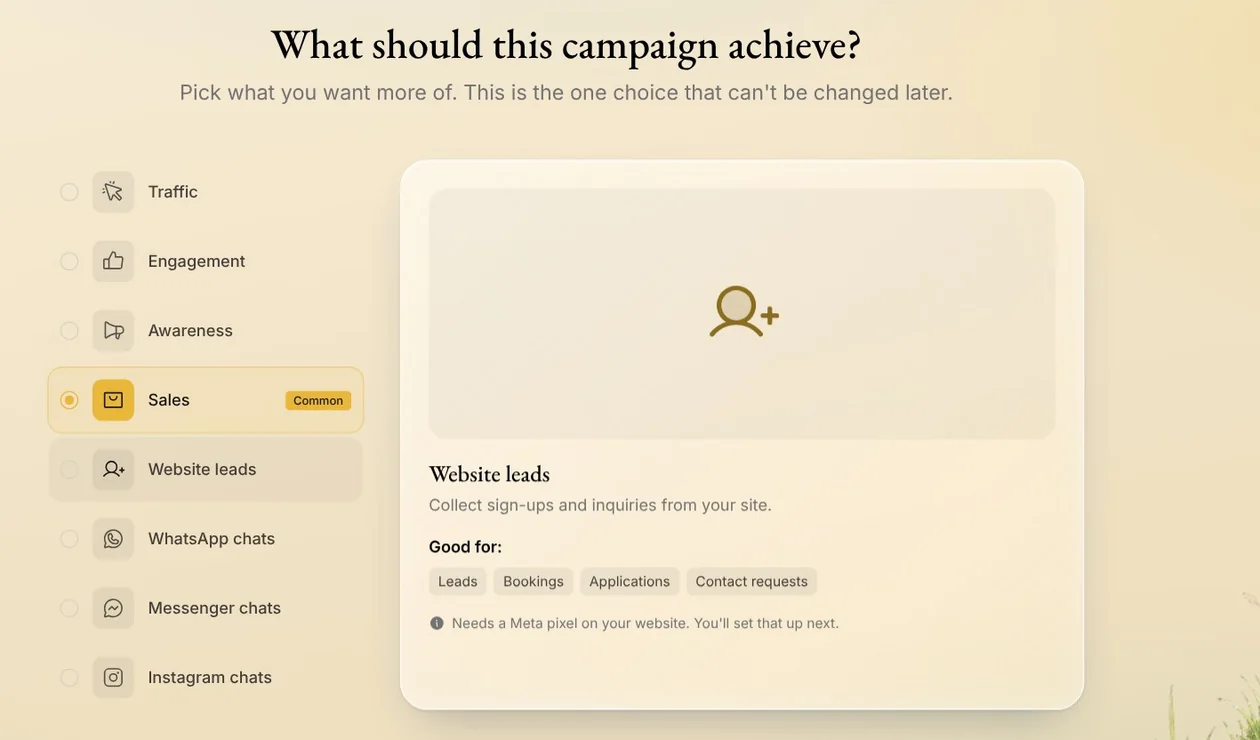
Tip: Traffic, Engagement and Awareness don't need a pixel.
Step 2: Create your pixel
No pixel yet? Press Create your pixel. Your brand's name is already filled in, so press Create pixel, and Native creates it on your Meta ad account.
Already have one? Pixels on your connected ad account are in the list, with how each is doing when Meta shares it.
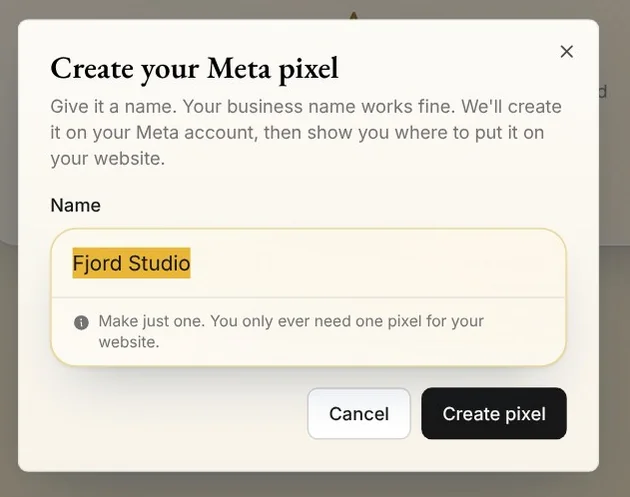
Tip: Make just one. You only ever need one pixel for your website, and Meta can't delete pixels.
Step 3: Put it on your website
Copy your pixel ID, and paste it where your website asks for a Meta pixel. Shopify, WooCommerce, Wix and Squarespace all have a field for it. In Google Tag Manager, add it as a Meta Pixel tag.
No such field? Press My website has no Meta pixel field for the code to paste into every page.
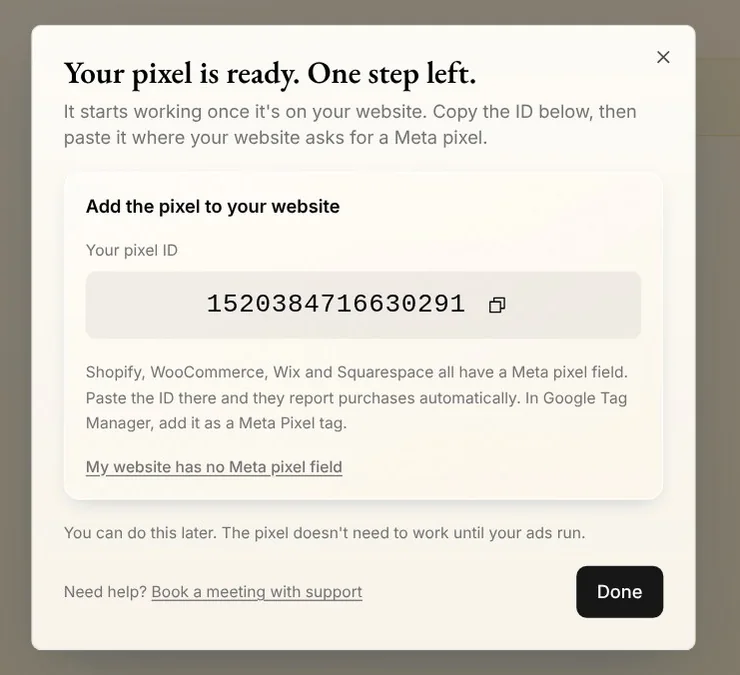
Tip: It can wait. The pixel doesn't need to work until your ads run.
Step 4: Pick what counts as a result
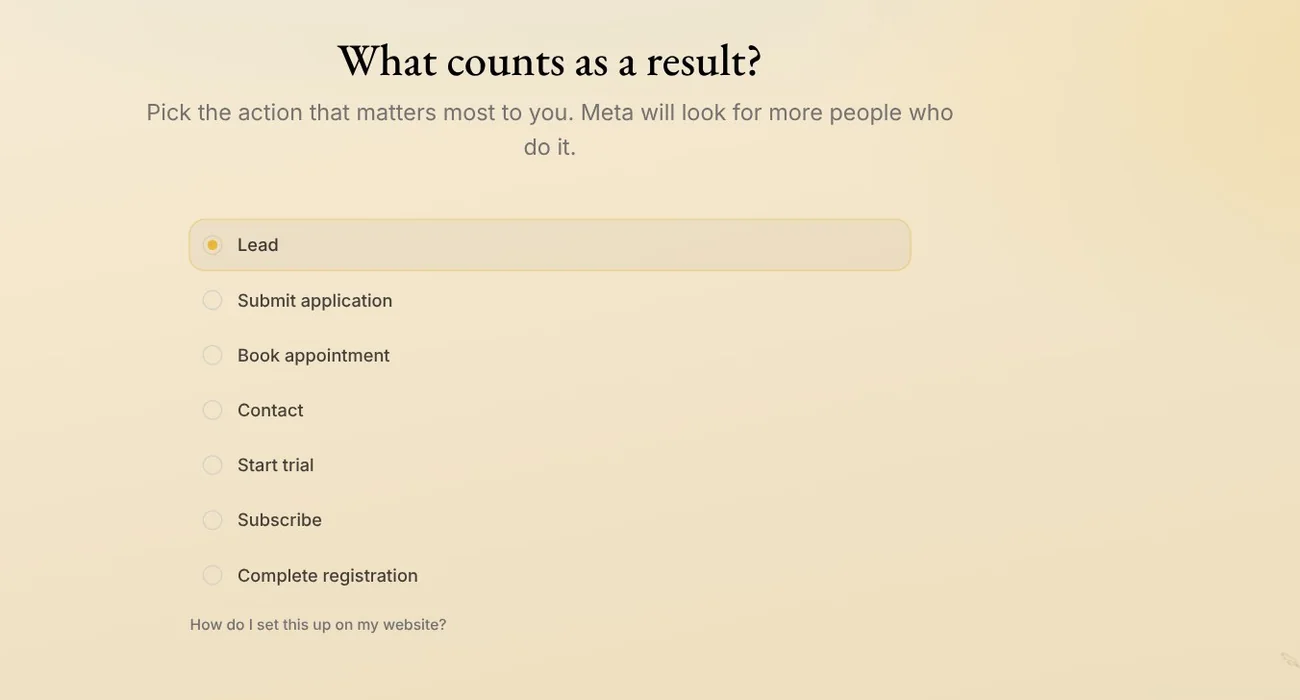
Pick the action that matters most to you, like a purchase, a lead or a booked appointment. Meta looks for more people who do it. Once your website reports them, and Meta shares the numbers, each action shows how many times it happened last week.
Tips from Trond
- Not sure how your website reports the result? Press How do I set this up on my website? on the result step. It walks you through it, by how your website was built.
- Your Meta ad account needs to be connected first. When you start a campaign, Native asks you to connect it. With several brands, it first asks which one the campaign is for.
- The pixel and the result belong to the campaign. A new Sales or Website leads campaign asks again, and your pixel is already in the list.
Try it in Native
New to Native? Start with your website, and see your first posts today.