Memory
Tell Native what to post about
 Elin Kristina AnderssonFounding GTM0:43Recorded October 30, 2026
Topics tell Native what your posts should be about. Add the subjects you want more of, and the ones Native should leave alone.
In this video
Step by step
Step 1: Open Topics
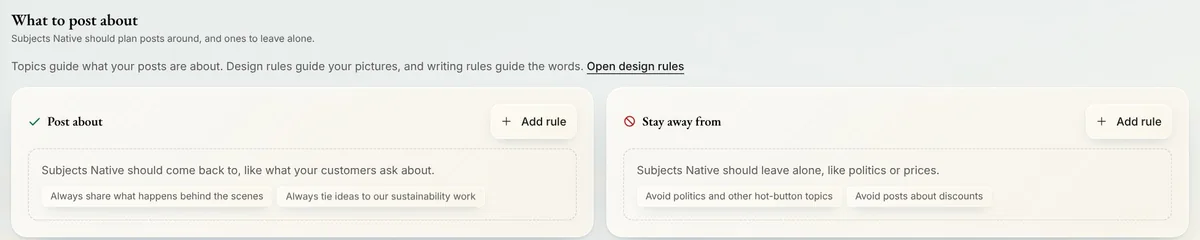
Open Memory from the menu and press Memory. Then open Content, and press Topics. The page is called What to post about, with two columns: Post about, and Stay away from.
Step 2: Post about
Under Post about, press Add rule. Write a subject Native should come back to, like a question your customers often ask, and press Save rule. The rule shows at the top of its column.
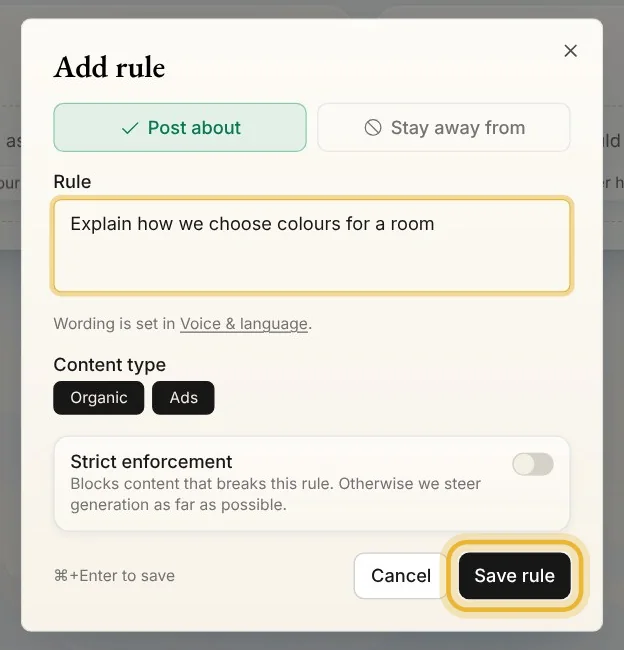
Tip: Leave Strict enforcement off for subjects you want now and then. Turned on, every new post is steered to that subject.
Step 3: Stay away from
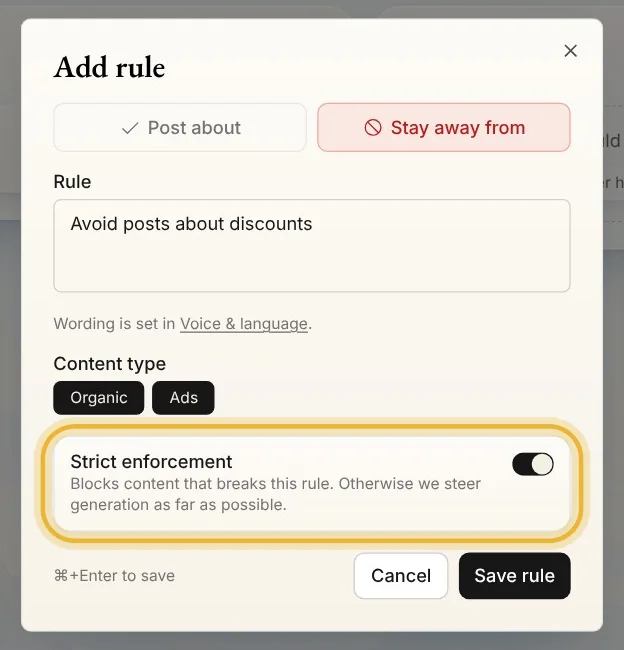
Under Stay away from, press Add rule and write what Native should leave alone, like prices or politics. While a column is empty, its examples open the dialog with the rule written. Turn on Strict enforcement when it's a must, not a preference, then press Save rule.
Step 4: Pause, edit or delete
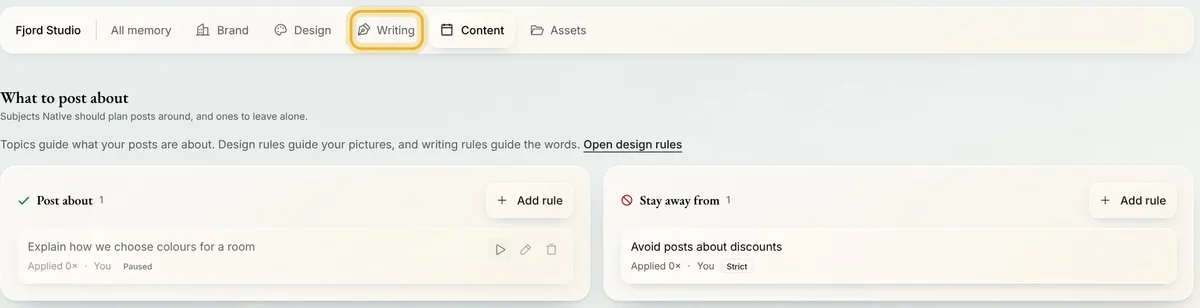
Point at a rule to see Pause rule, Edit rule and Delete rule. A paused rule stays in the list, marked Paused, and Native leaves it out until you press Resume rule. Delete asks you first.

Tip: On a phone or a small screen, these buttons are always there.
Step 5: Topics or Writing
Topics are about subjects: what a post is about. How your posts are worded, and the words to use or avoid, go in Writing, under Voice & language.
Tips from Elin
- Rules shape what Native makes from now on. Posts that are already scheduled or published stay as they are.
Try it in Native
New to Native? Start with your website, and see your first posts today.